
If you have any difficulty finding an answer to your question, you can create a support ticket for the Master Tour Support Team by clicking on the Submit a Request link in the upper-right corner of the page.
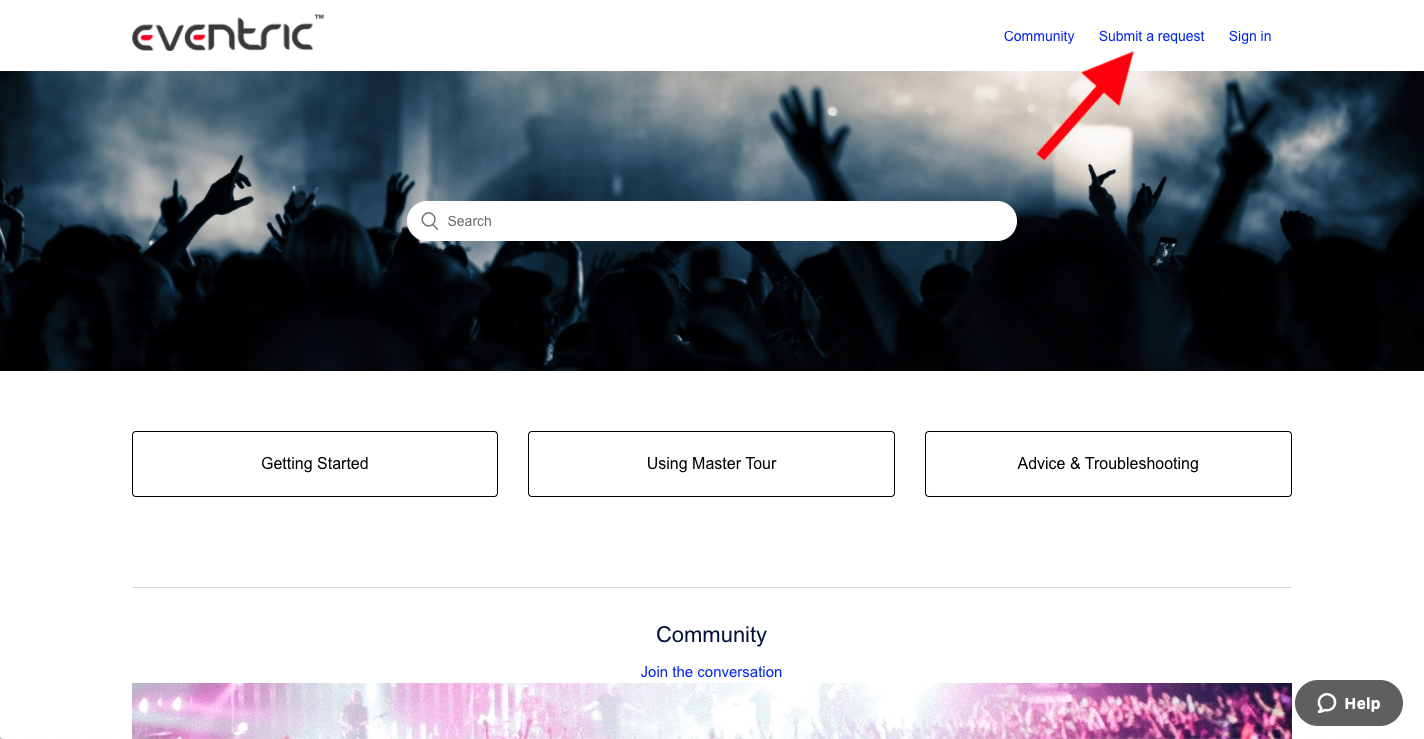
On the next page:
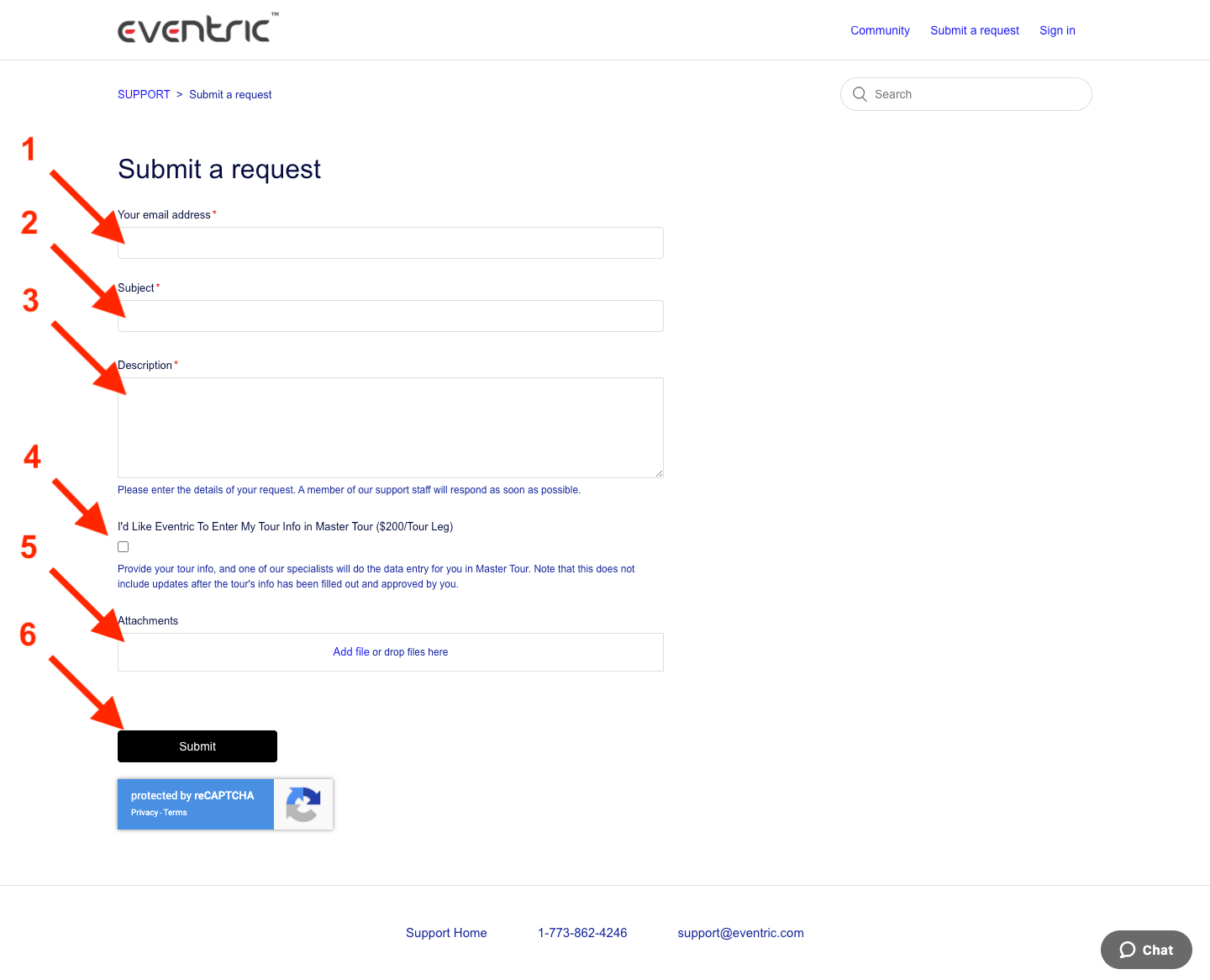
- Fill out the Your email address field.
- Enter a description of your question or issue in the Subject field.
- Enter the details of your question or issue in the Description field.
- Click on the Checkbox if you would like to have us enter your Tour Info.
- Use the Attachments box to upload any screenshots of your issue.
- Click the Submit button to create the Support Ticket.
A member of the Master Tour Support Team will get back to you quickly to help with your Support Ticket.
If you have any questions after following these instructions, please click here to open a Support Request or call +1-773-862-4246 to speak with a member of our Support Team between the hours of 10:00 am - 6:00 pm US Central Time (CT), Monday through Friday.