
Users can enable notifications from an organization within the Master Tour Mobile App. This can help crews stay up to date with real-time push notifications sent out by an admin user, and receive reminder notifications for schedule and travel items.
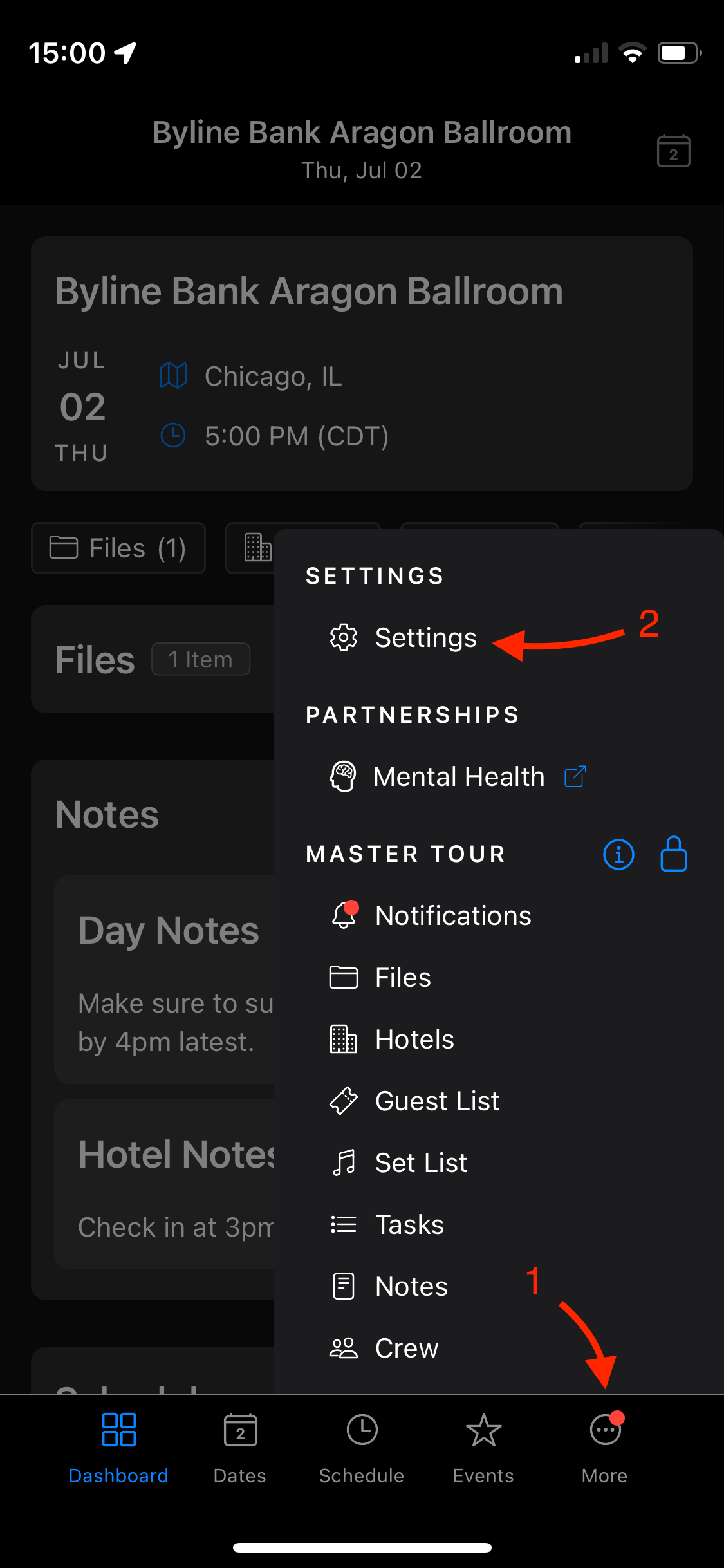
First locate your app settings by tapping on More in your Master Tour navigation bar, and then select Settings at the top of the sidebar menu that appears.
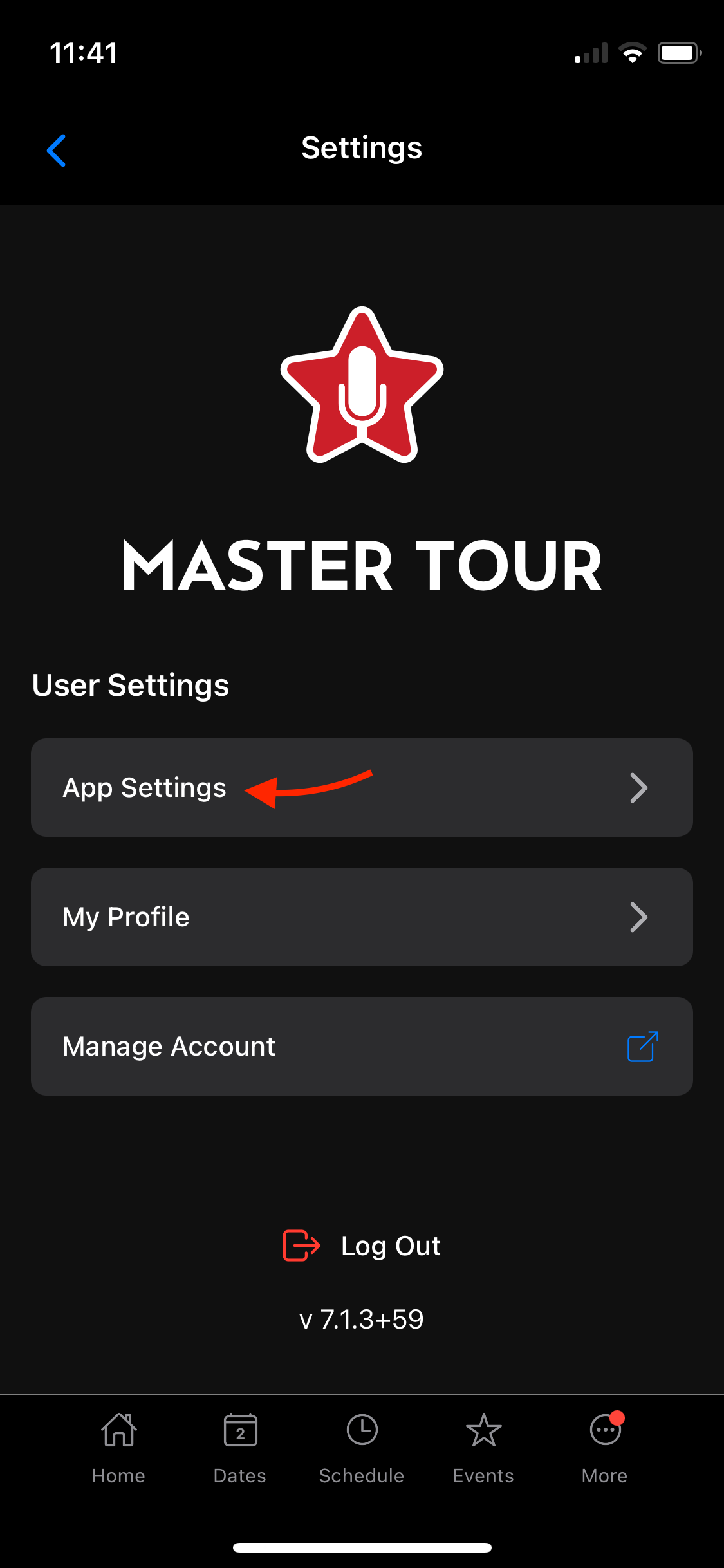
In the new window that appears select the App Settings.
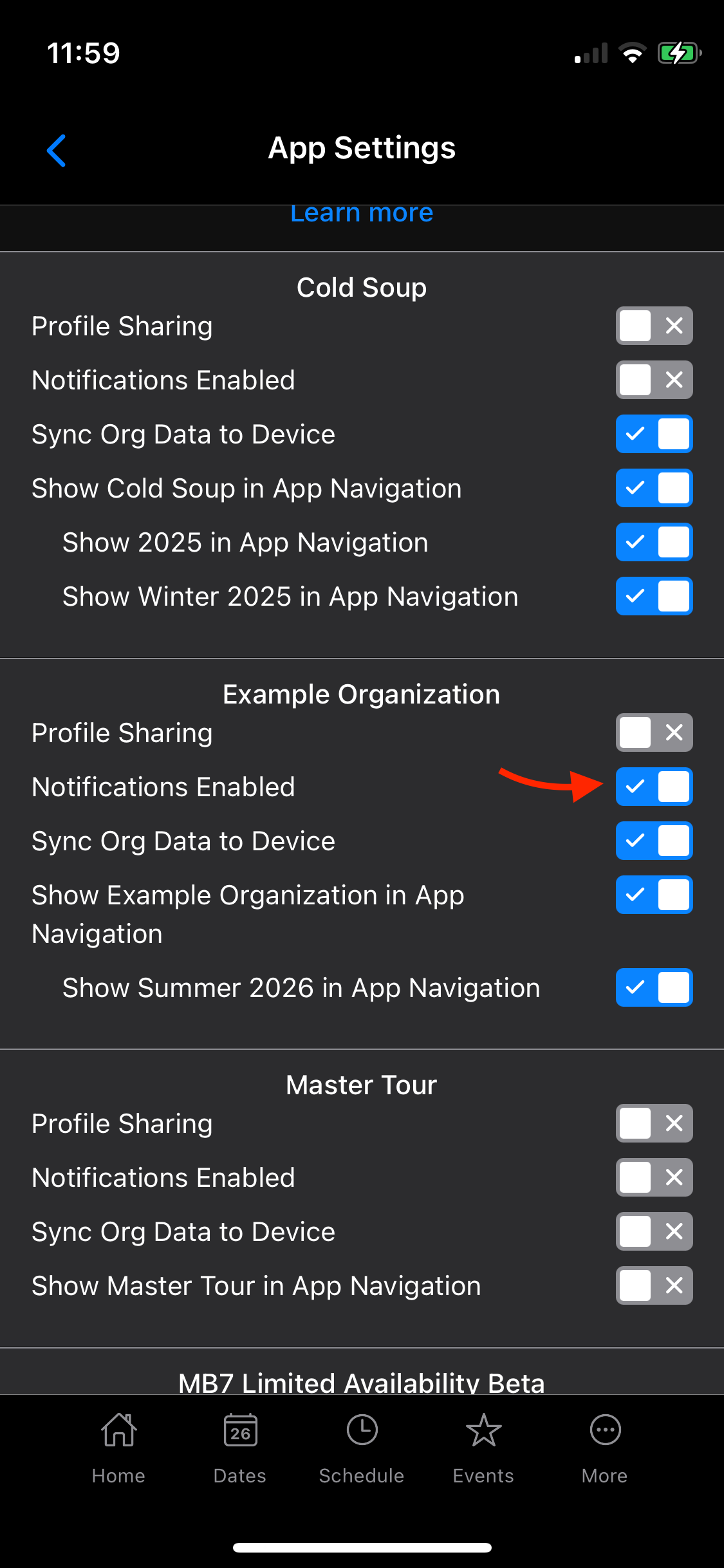
Within the App Settings, locate the organization you wish to have notifications for, and check the box next to Notifications Enabled.
Check out the video below for a real-time guidance on this article:
If you have any questions after following these instructions, please click here to open a Support Request or call +1-773-862-4246 to speak with a member of our Support Team between the hours of 10:00 am - 6:00 pm US Central Time (CT), Monday through Friday.