
You can stop sharing details contained within the Personal Information, Family Information, and Tour Preference tabs within your Crew Profile with any Organization that you belong to. When you stop sharing your Crew Profile with an Organization, you will only share basic contact information such as Name, Email Address, Title, and Company with your Organization Administrators.
This article covers:
How to Locate My Crew Profile
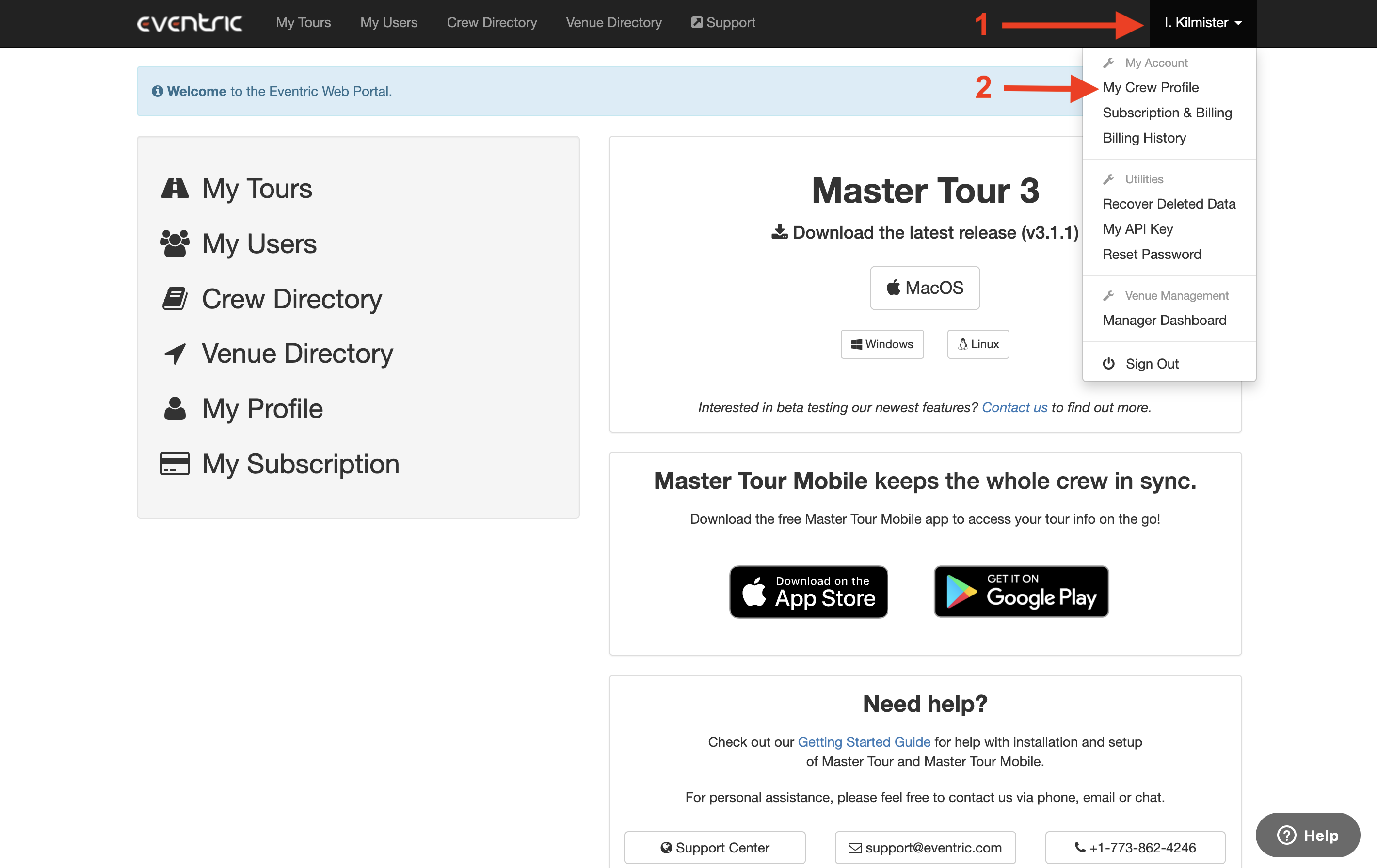
From within the Web Portal:
- Click on your Name in the upper-right corner of the page.
- Choose My Crew Profile from the dropdown menu.
How to Stop Sharing Your Crew Profile
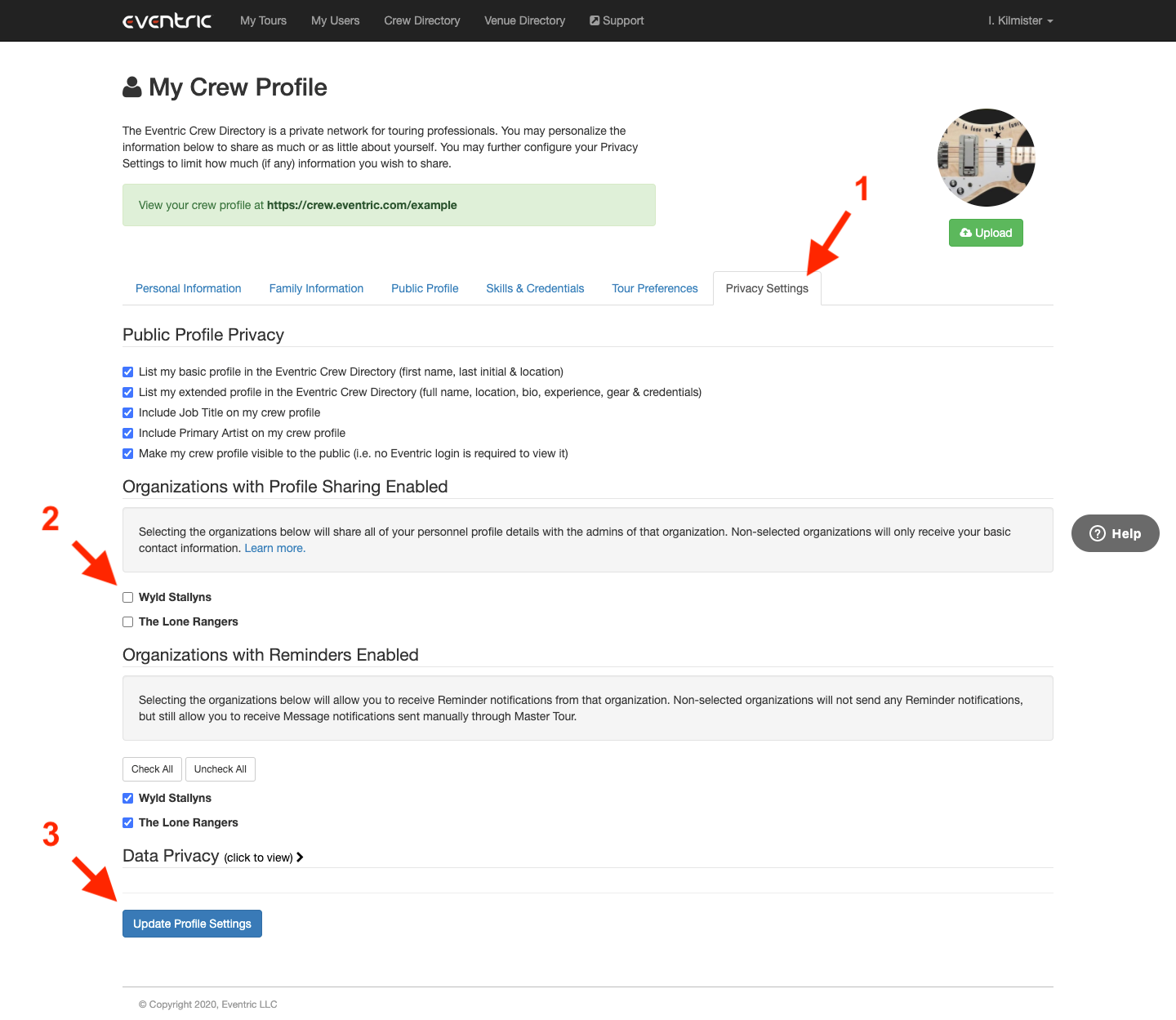
- Click on the Privacy Settings tab.
- In the Organizations with Profile Sharing Enabled section, deselect any Organizations that you would like to stop sharing your Personal Information, Family Information, and Tour Preferences with.
- Click on the Update Profile Settings button.
If you have any questions after following these instructions, please click here to open a Support Request or call +1-773-862-4246 to speak with a member of our Support Team between the hours of 10:00 am - 6:00 pm US Central Time (CT), Monday through Friday.