
This feature is only accessible to those on Master Tour 3 Beta. To access it, please follow these steps: Switching to Master Tour Beta
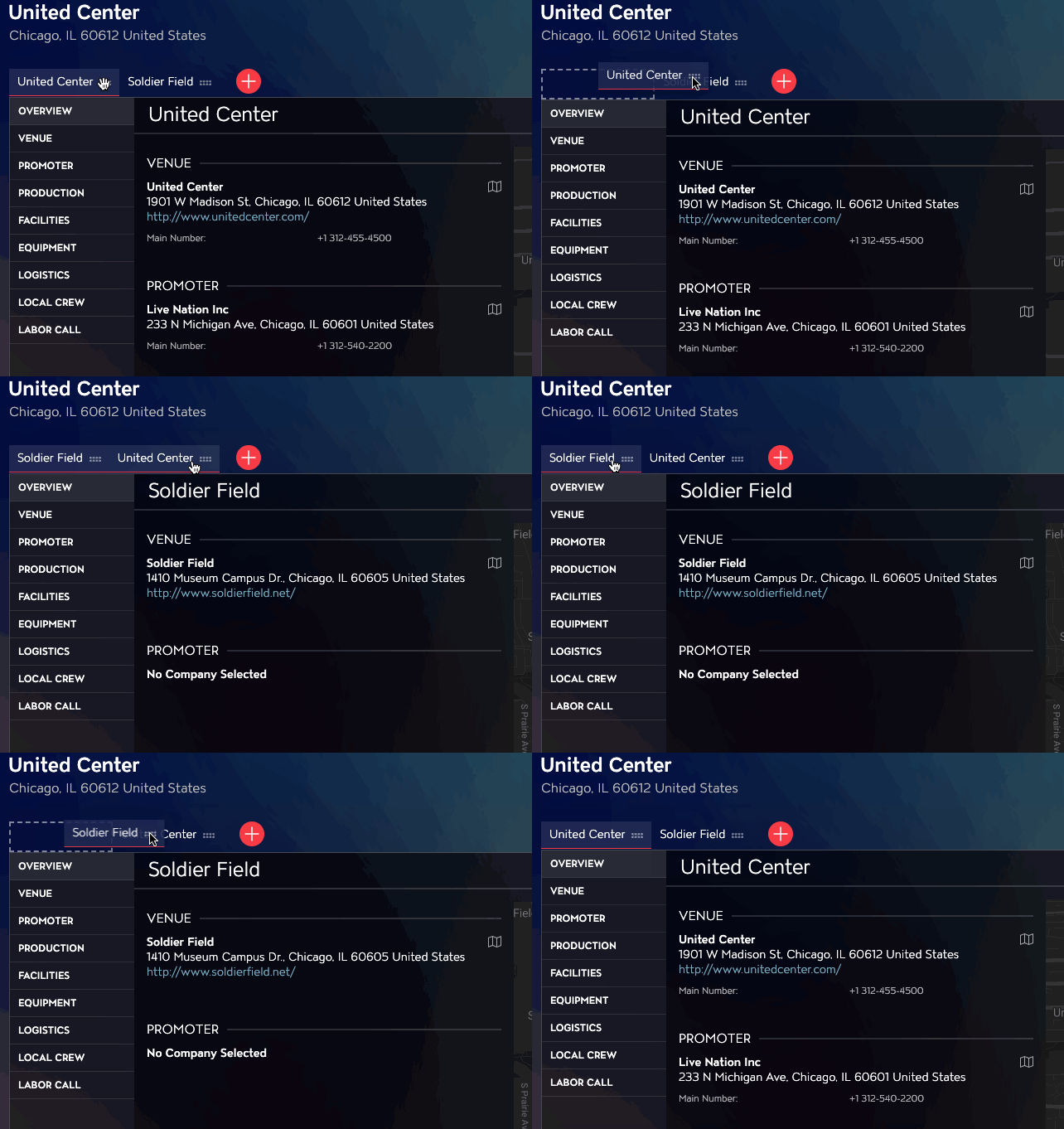
If you have multiple Events on the same day, you can reorder them using the Events Module in Master Tour 3.
To do so, select the event that is listed first in the current order and drag it to the right of the next event listed. When you see the dashed box for the slot appear you can let go of the mouse and the selected event will reorder itself behind all others it was originally in front of.
If you have any questions after following these instructions, please click here to open a Support Request or call +1-773-862-4246 to speak with a member of our Support Team between the hours of 10:00 am - 6:00 pm US Central Time (CT), Monday through Friday.