
Master Tour 3 allows the ability to copy tour personnel records from one tour to another within the same organization. This allows quick re-applying of the same crew members from a past tour onto a newly made one.
To copy personnel from one tour to the other:
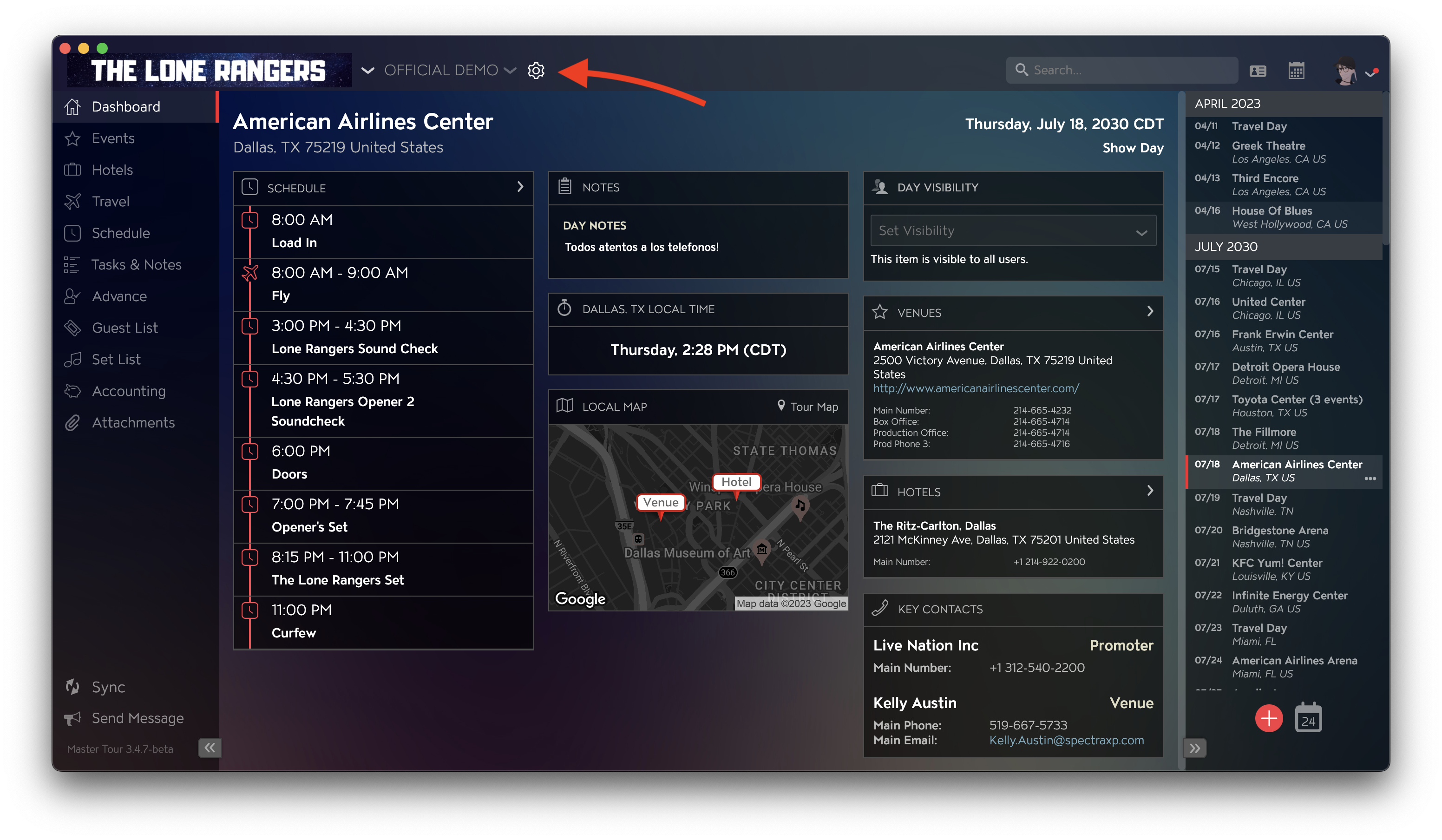
- Click on the settings wheel at the top-left corner, next to your tour name.
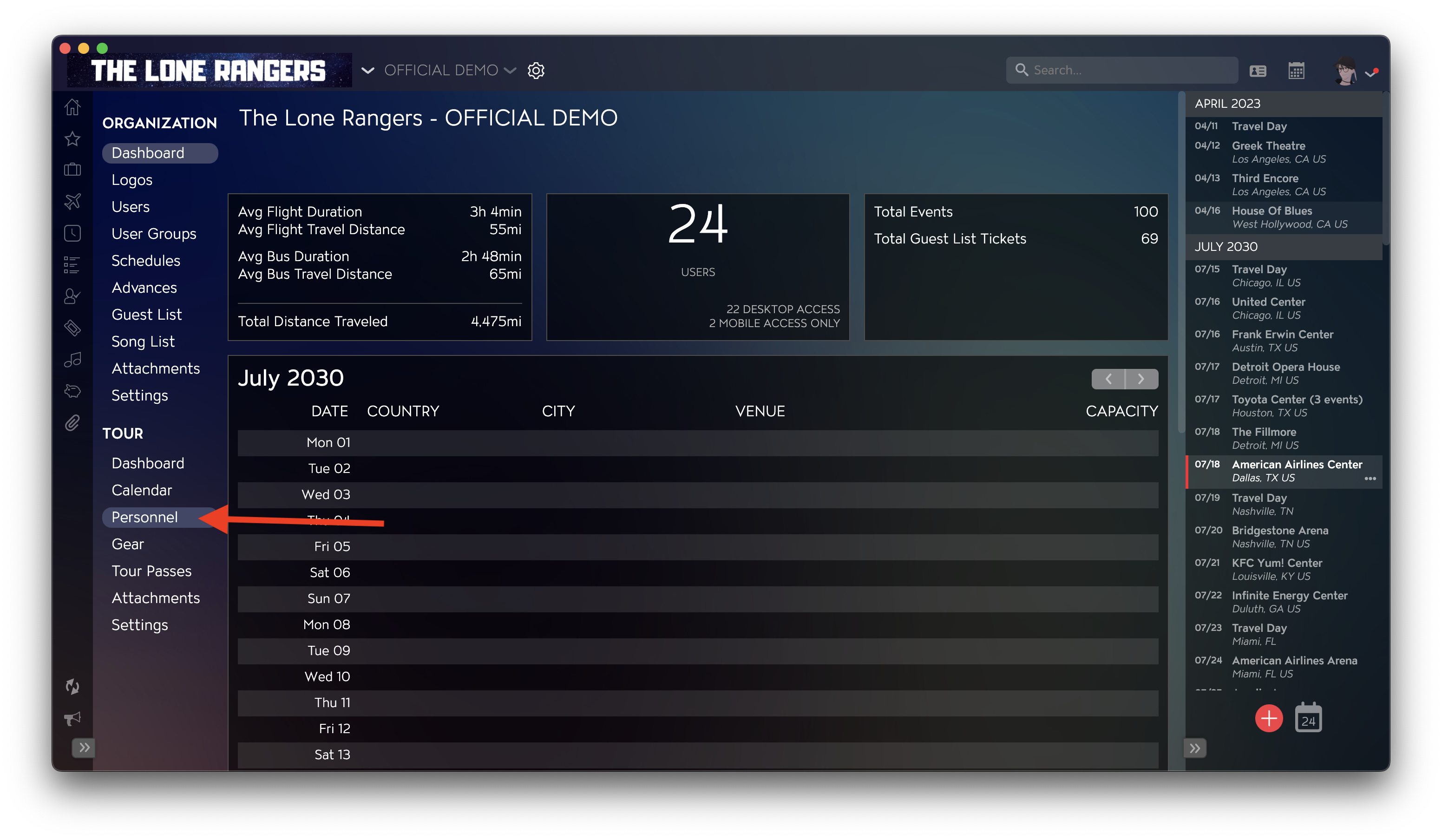
- Click on Personnel on the left side.
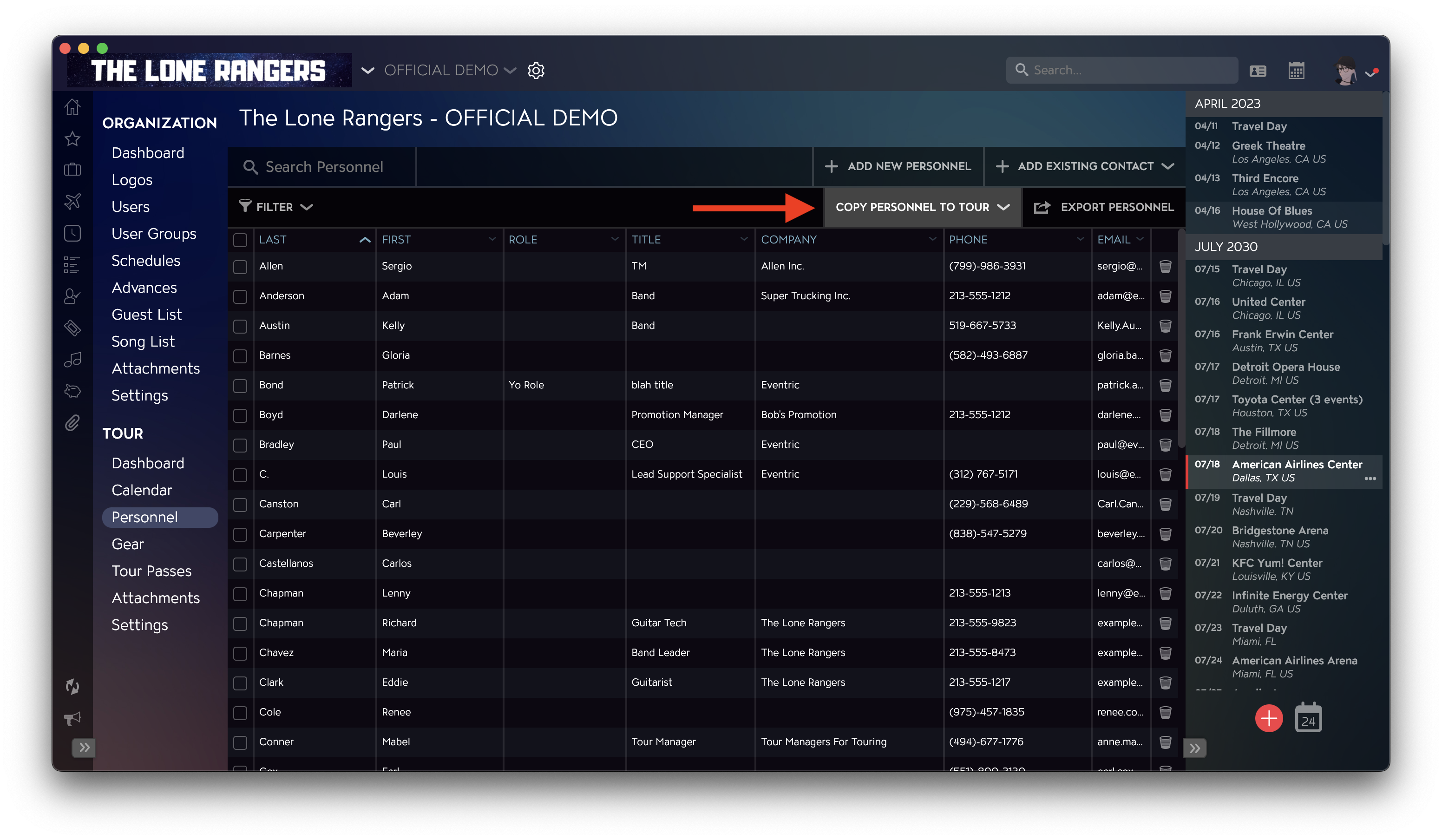
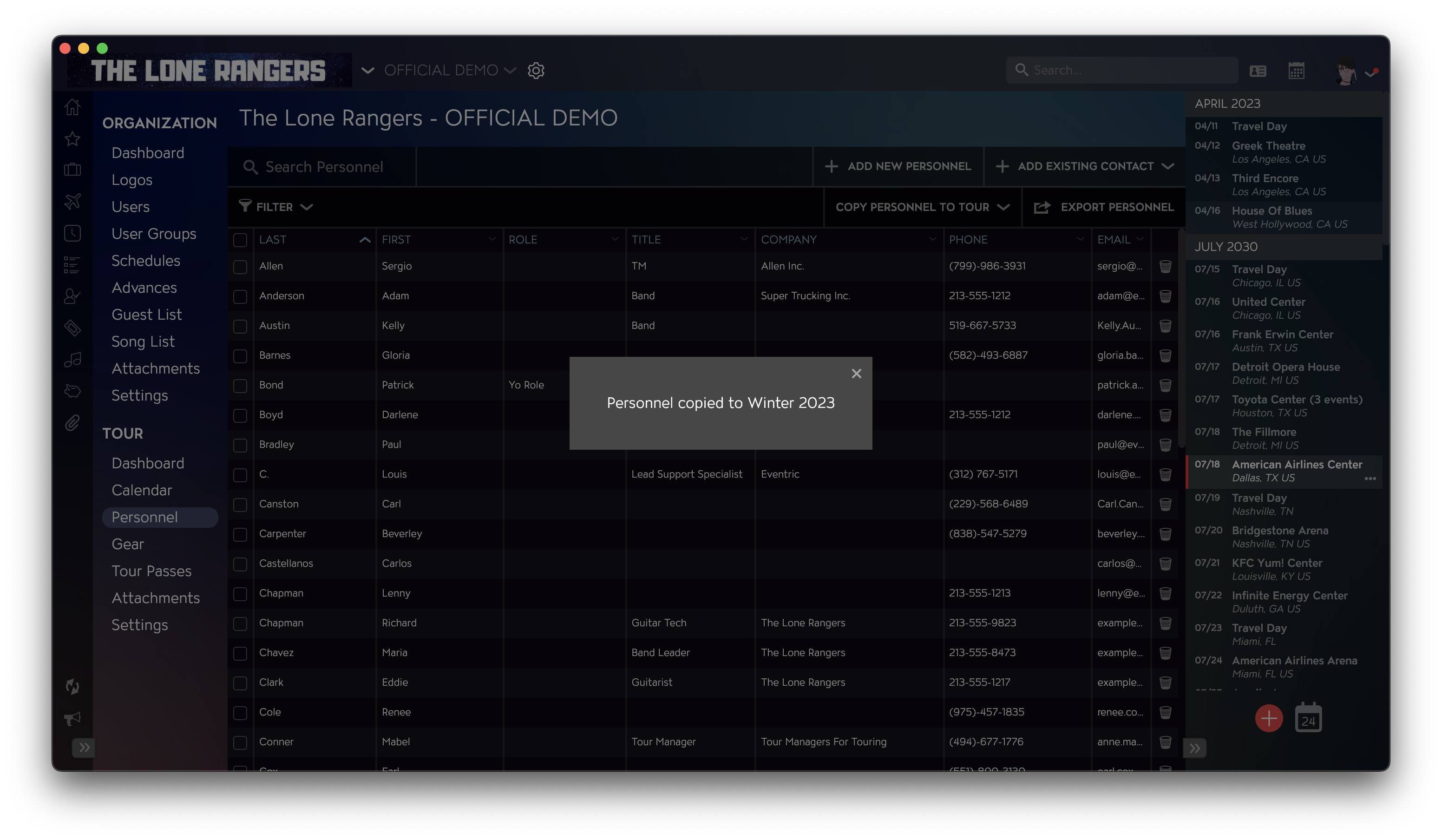
- Once in the personnel section, click on COPY PERSONNEL TO TOUR at the top right corner.
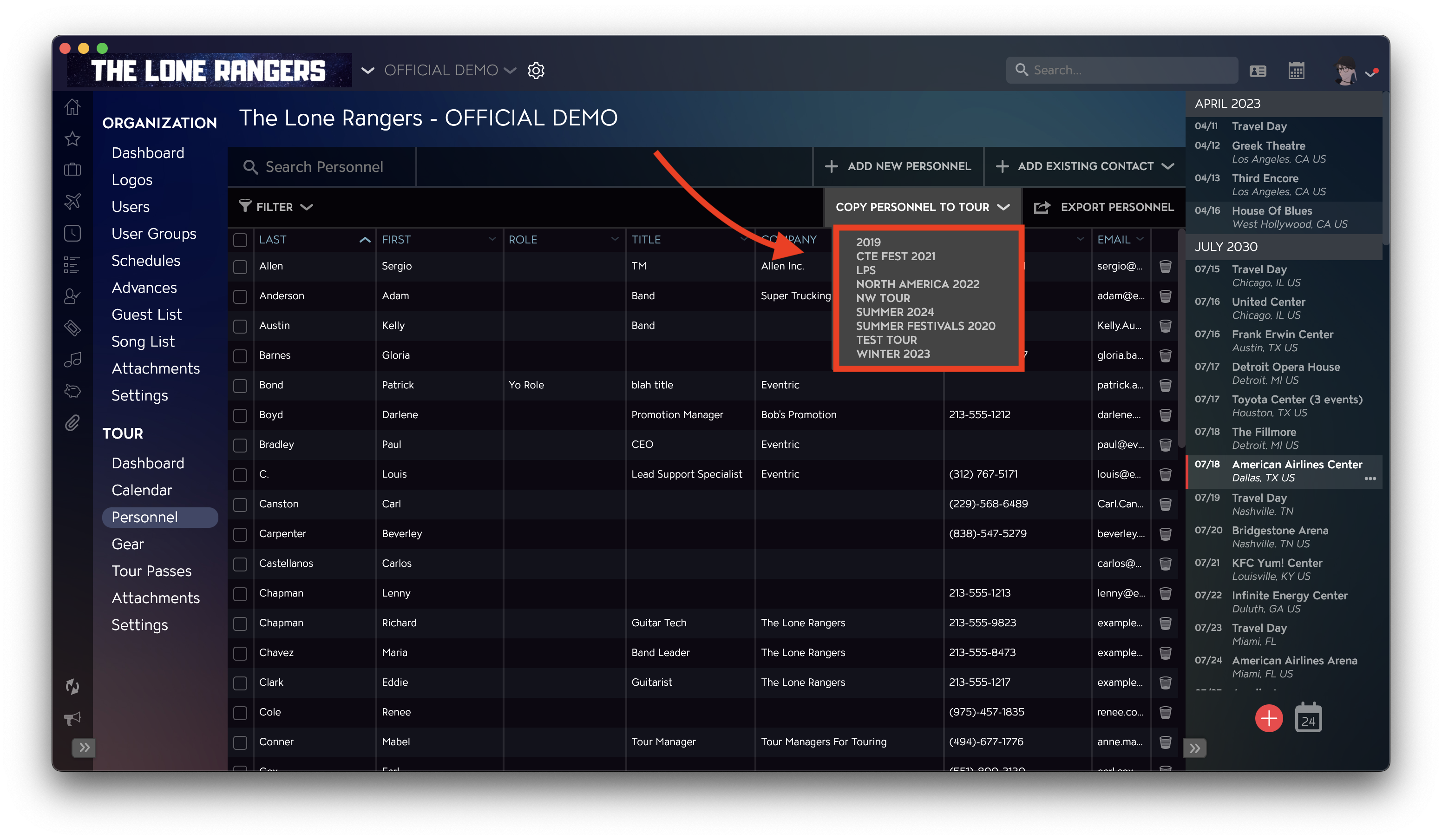
- Select the tour you wish to copy your tour personnel onto.
- Once your tour personnel has been successfully copied, you will see a confirmation message appear.
If you have any questions after following these instructions, please click here to open a Support Request or call +1-773-862-4246 to speak with a member of our Support Team between the hours of 10:00 am - 6:00 pm US Central Time (CT), Monday through Friday.