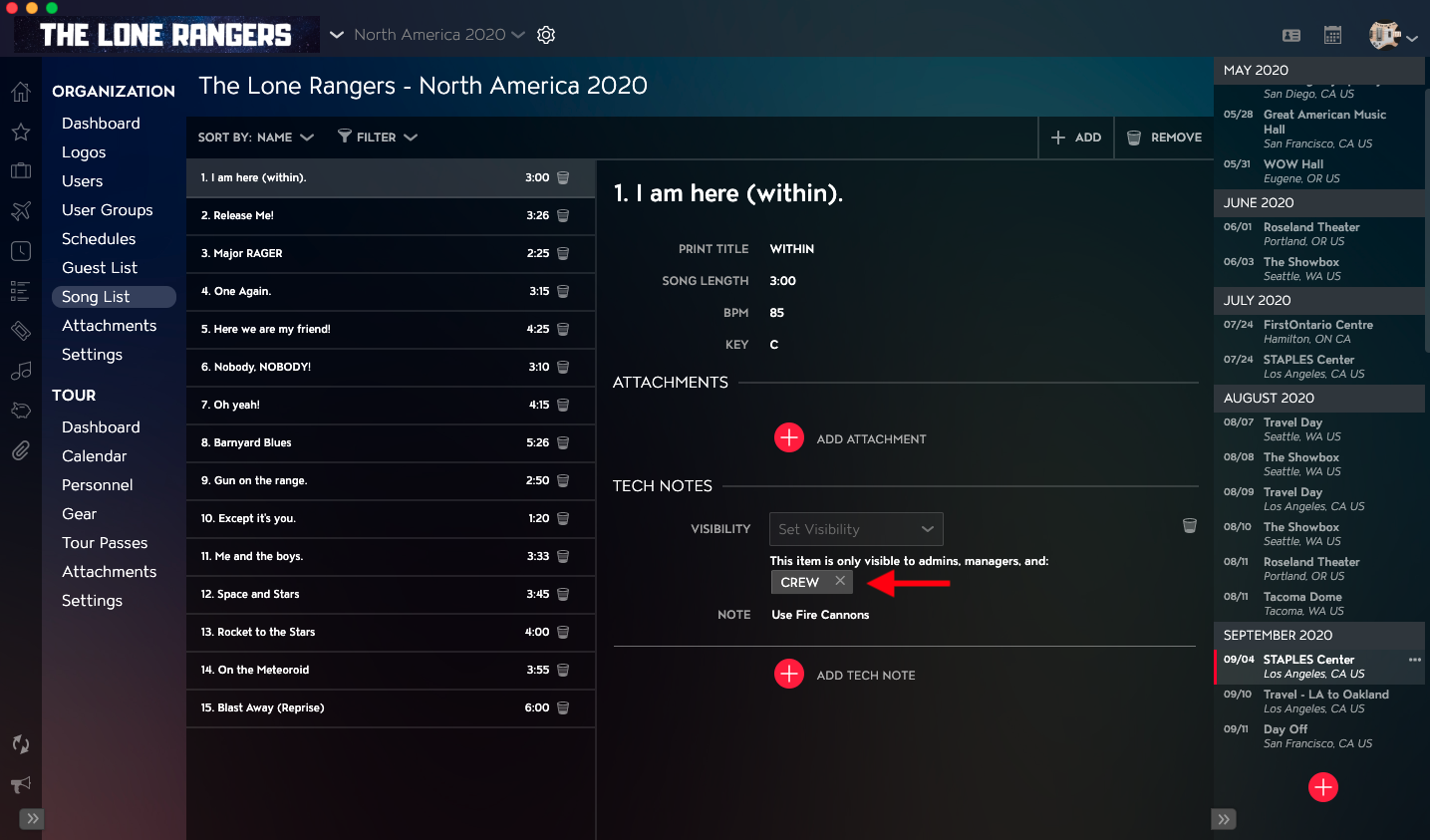
You can apply Visibility to the Tech Notes for your Songs to allow only certain Users access to the record. Note: Users with Administrator, Accounting, or Manager Organization Permissions will be able to view all Tech Notes, regardless of Visibility settings.
This article covers:
- How to Navigate to the Song List Module
- How to Apply Visibility to Tech Notes for Songs in the Song List
How to Navigate to the Song List Module
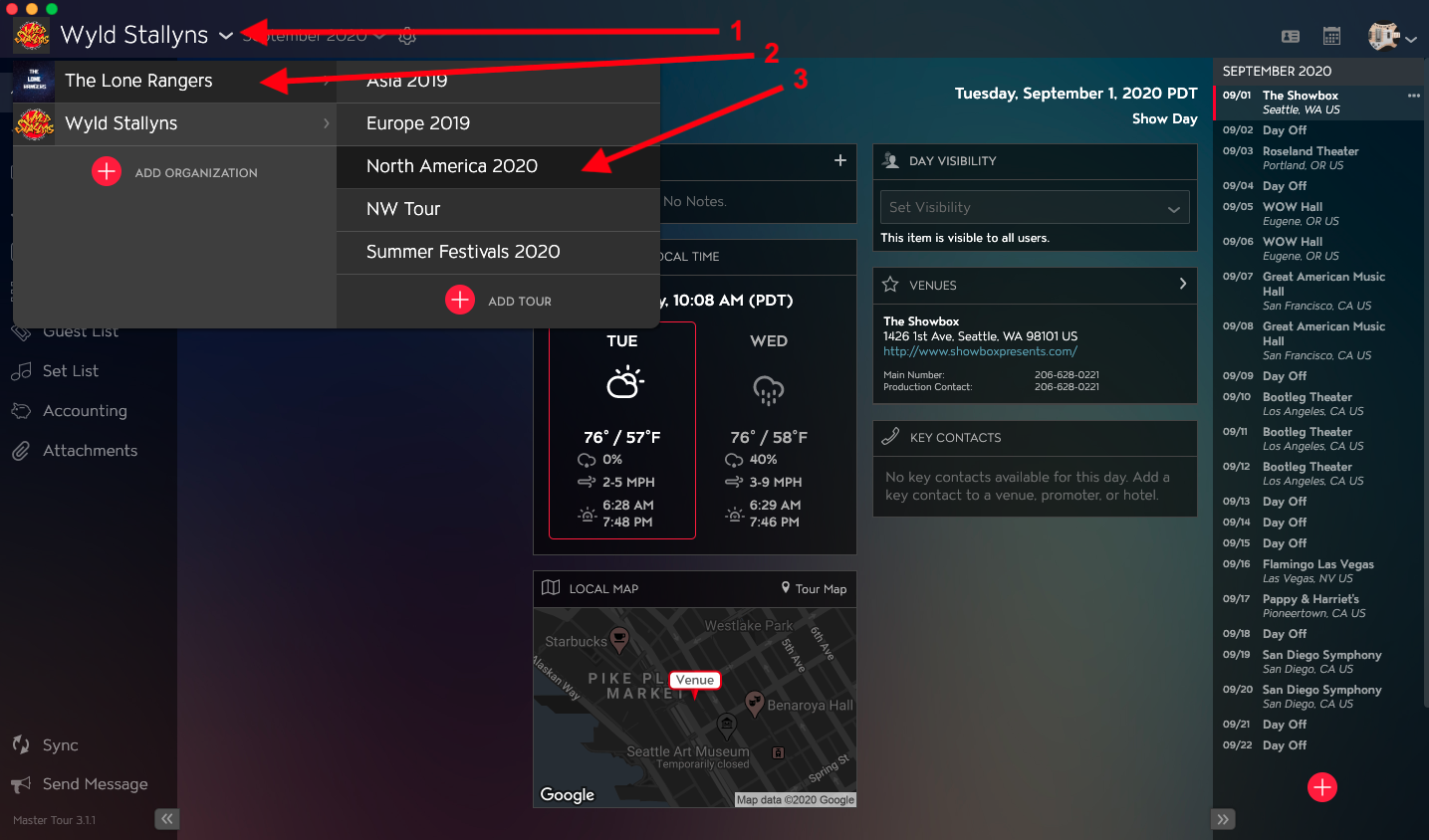
Within Master Tour, select the Organization that you would like to apply Visibility to Tech Notes for Songs in the Song List for.
- Click on the Organization Selector dropdown menu.
- Select an Organization.
- Select a Tour if there are any Tours added to the Organization.
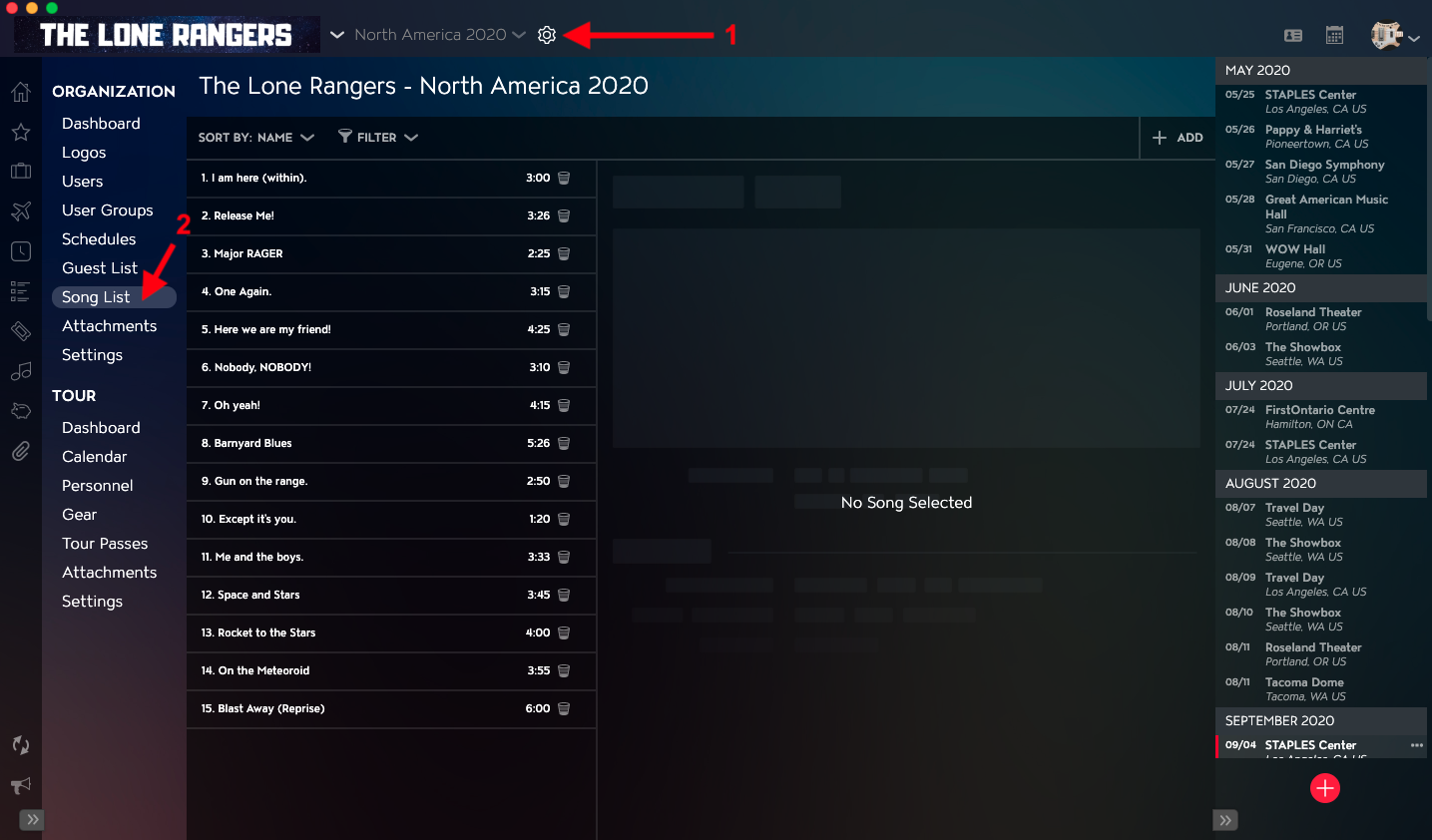
- Click on the Gear Icon to the right of your Tour Name at the top of the application.
- Click into the Song List Section within Organization Settings in the left menu.
How to Apply Visibility to Tech Notes for Songs in the Song List
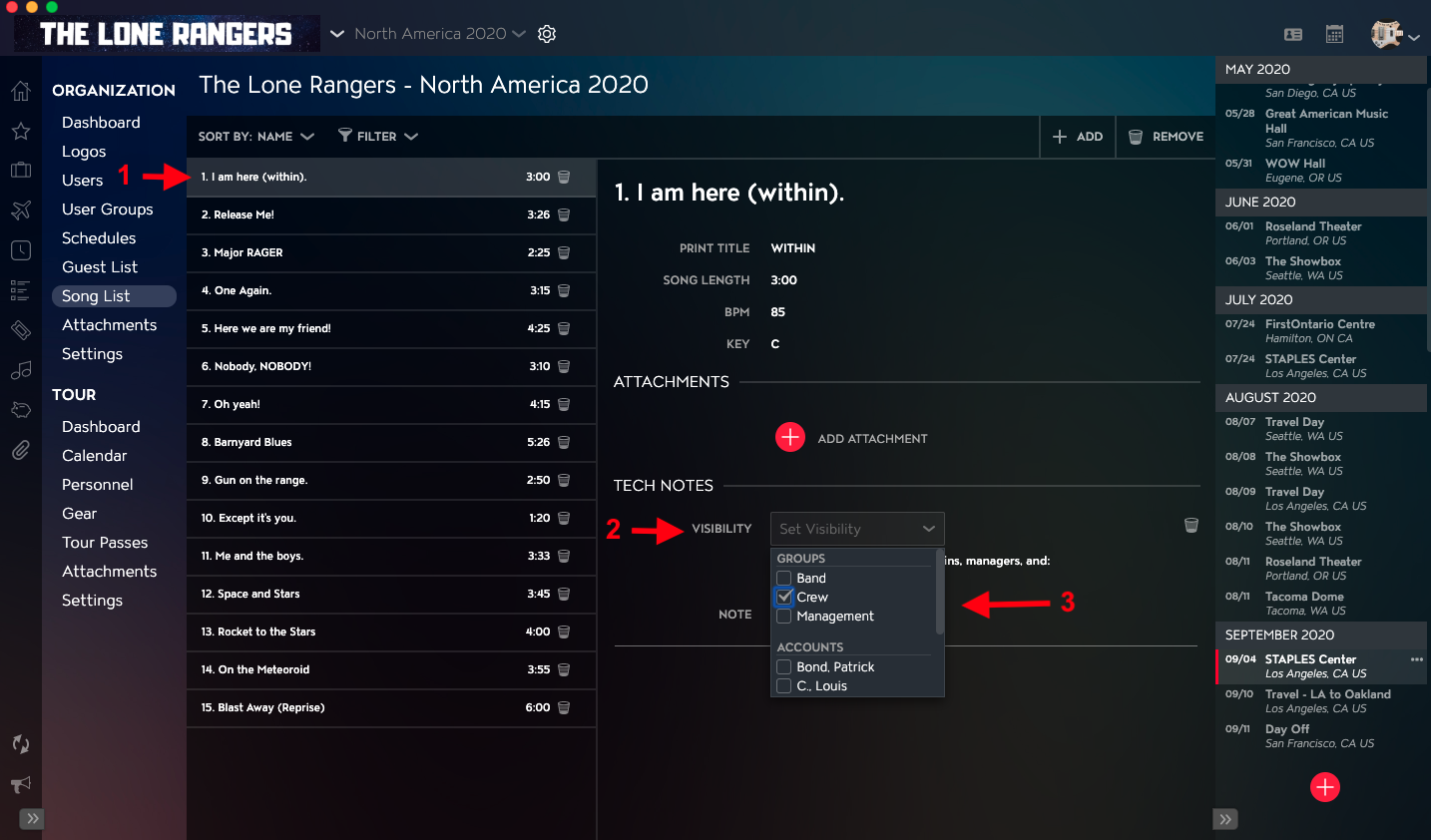
- Click on the Song in the Song List that you would like to apply Visibility to Tech Notes on.
- Click on the Visibility dropdown menu in the Tech Notes section in the right column.
- Select any Groups or Accounts that you would like to share the Tech Notes with from the dropdown.
Once Visibility has been applied, you will see Groups and Users have access to view the Tour below the Visibility field.