You can view Set Lists and Song Details for Tour Dates in Master Tour 3, the Web Portal, and Master Tour Mobile.
This article covers:
- How to View Set Lists and Song Details in Master Tour 3
- How to View Set Lists and Song Details in the Web Portal
- How to View Set Lists and Song Details in Master Tour Mobile
How to View Set Lists and Song Details in Master Tour 3
Within Master Tour, select the Tour Date that you would like to view Set List and Song Details for.
- Click on the Organization Selector dropdown menu in the upper left of the application.
- Select an Organization.
- Select a Tour from the Tour Selector dropdown menu.
- Select a Tour Date in the Tour Date List on the right of the application.
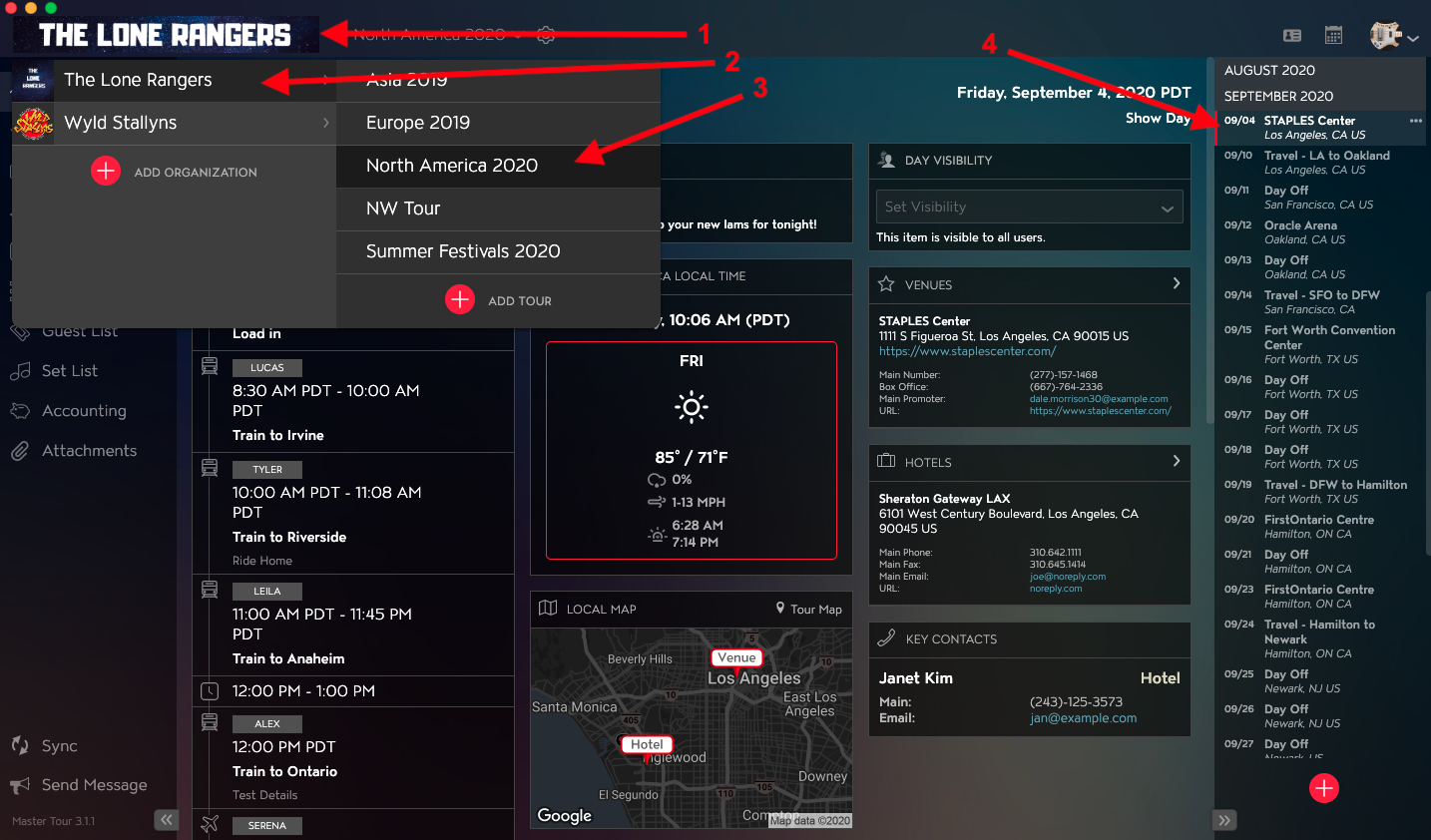
Click on Set List in the left menu.
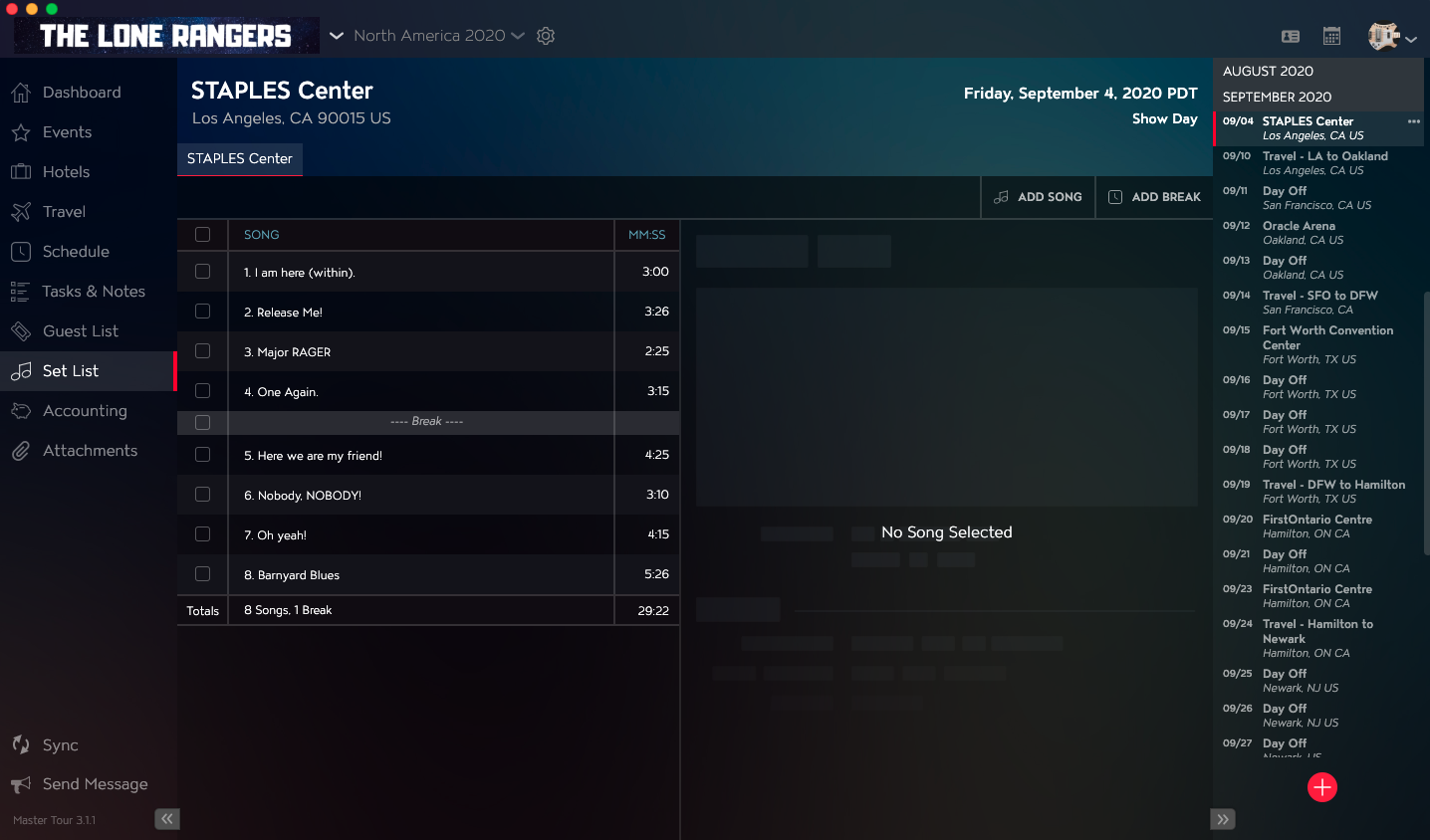
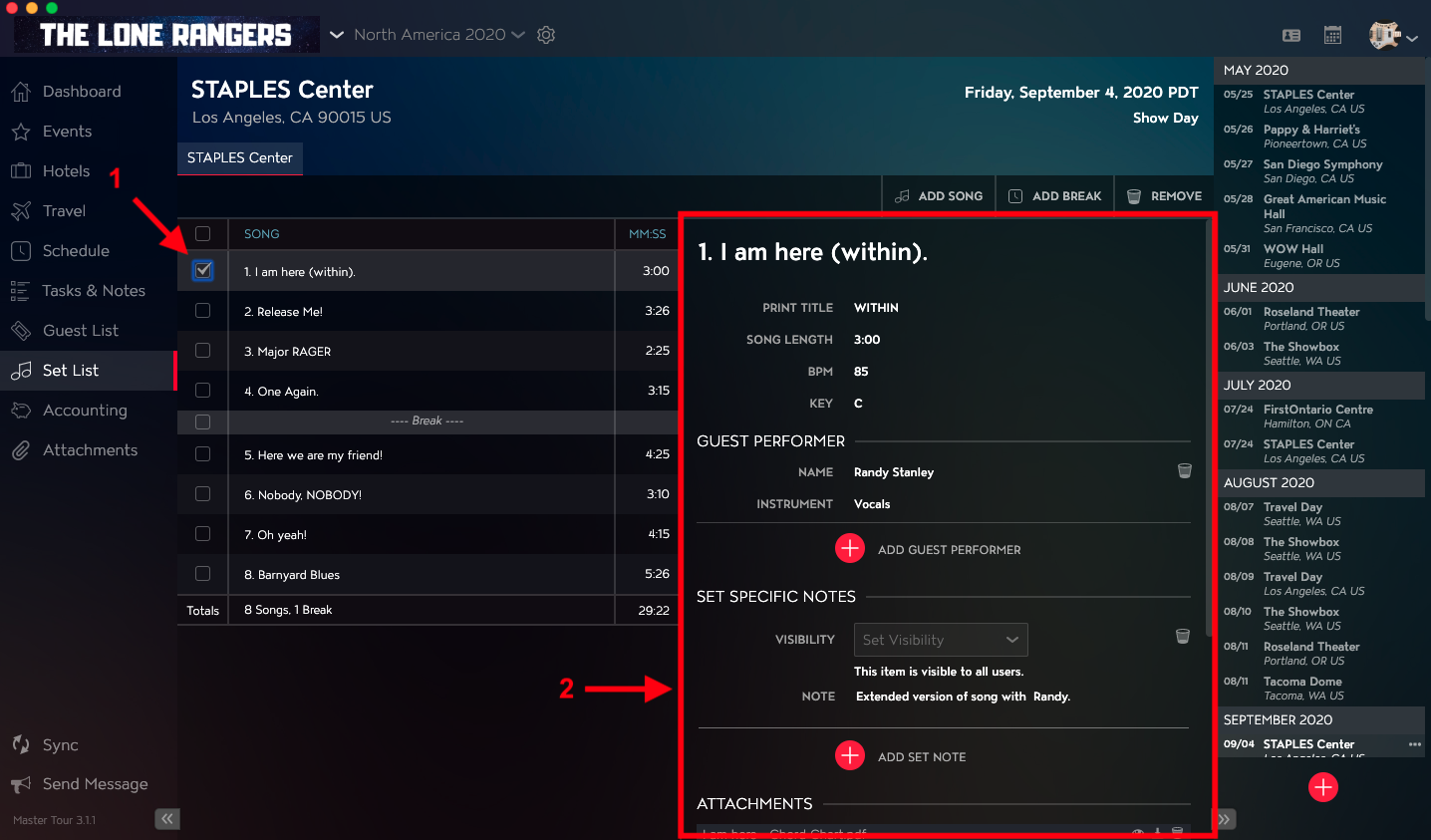
In the left column, you will see the Set List. Within the Set List, you will see Song Titles, Song Breaks, Song Lengths, and a row that displays the total number of Songs, Breaks, and total Set Length.
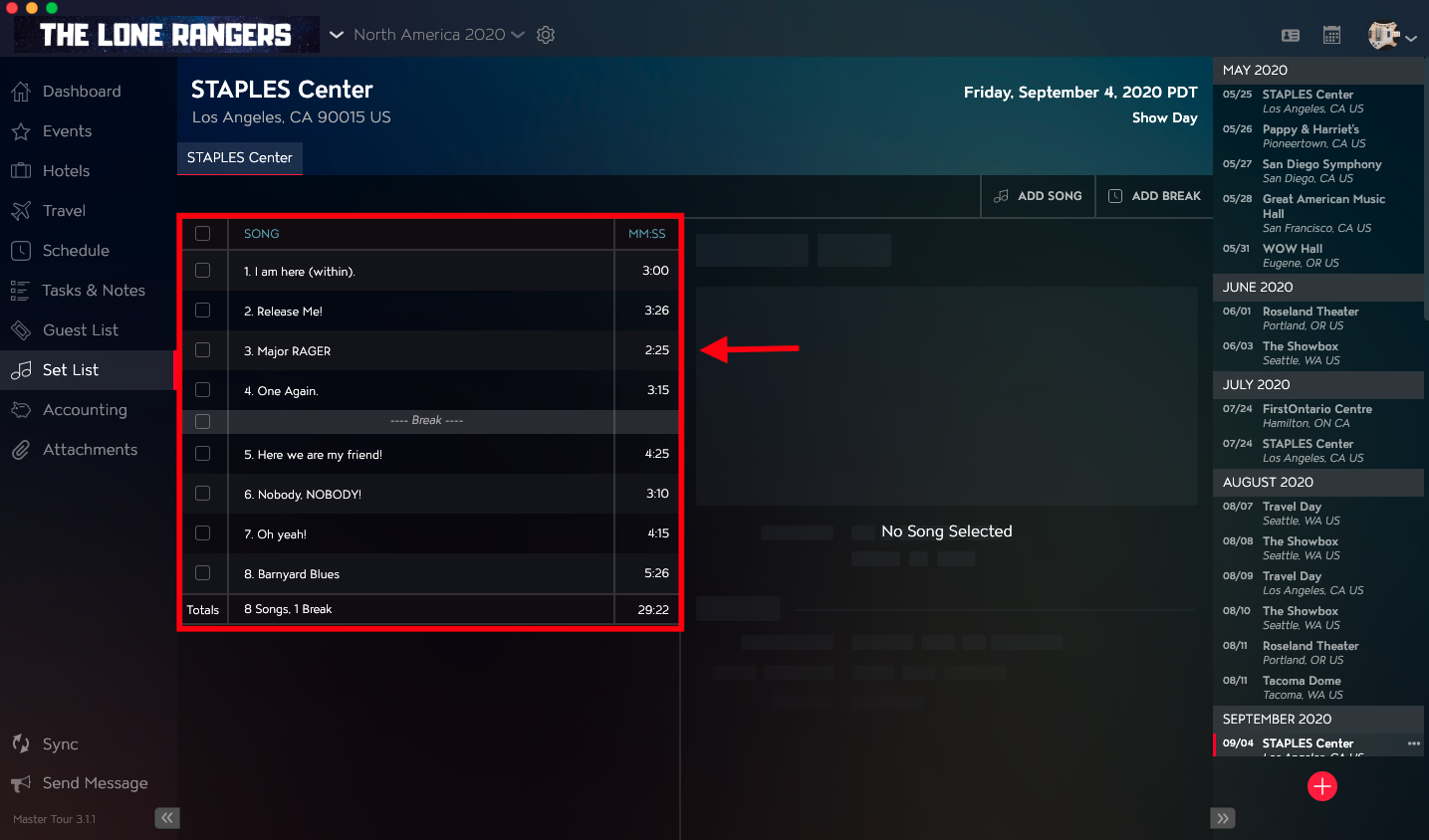
If you would like to view the details of a Song such as BPM, Key, Guest Performers, Set Specific Notes, Attachments, and Tech Notes:
- Select the Checkbox to the left of the Song.
- You will see the Song Details open in a column on the right.
How to View Set Lists and Song Details in the Web Portal
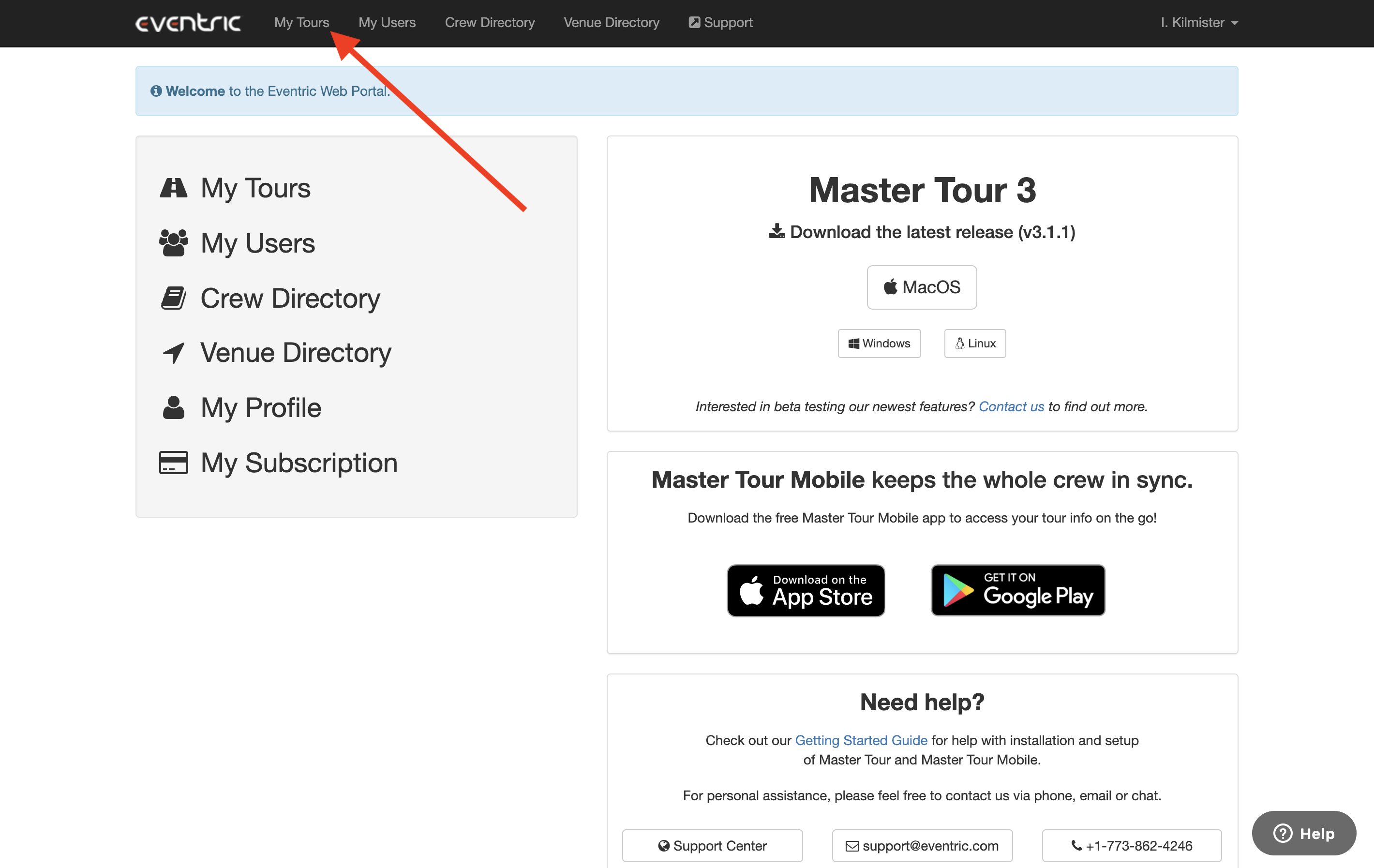
Within the Web Portal, click on the My Tours link in the top menu bar or click on the My Tours link on the left side of the Web Portal home page.
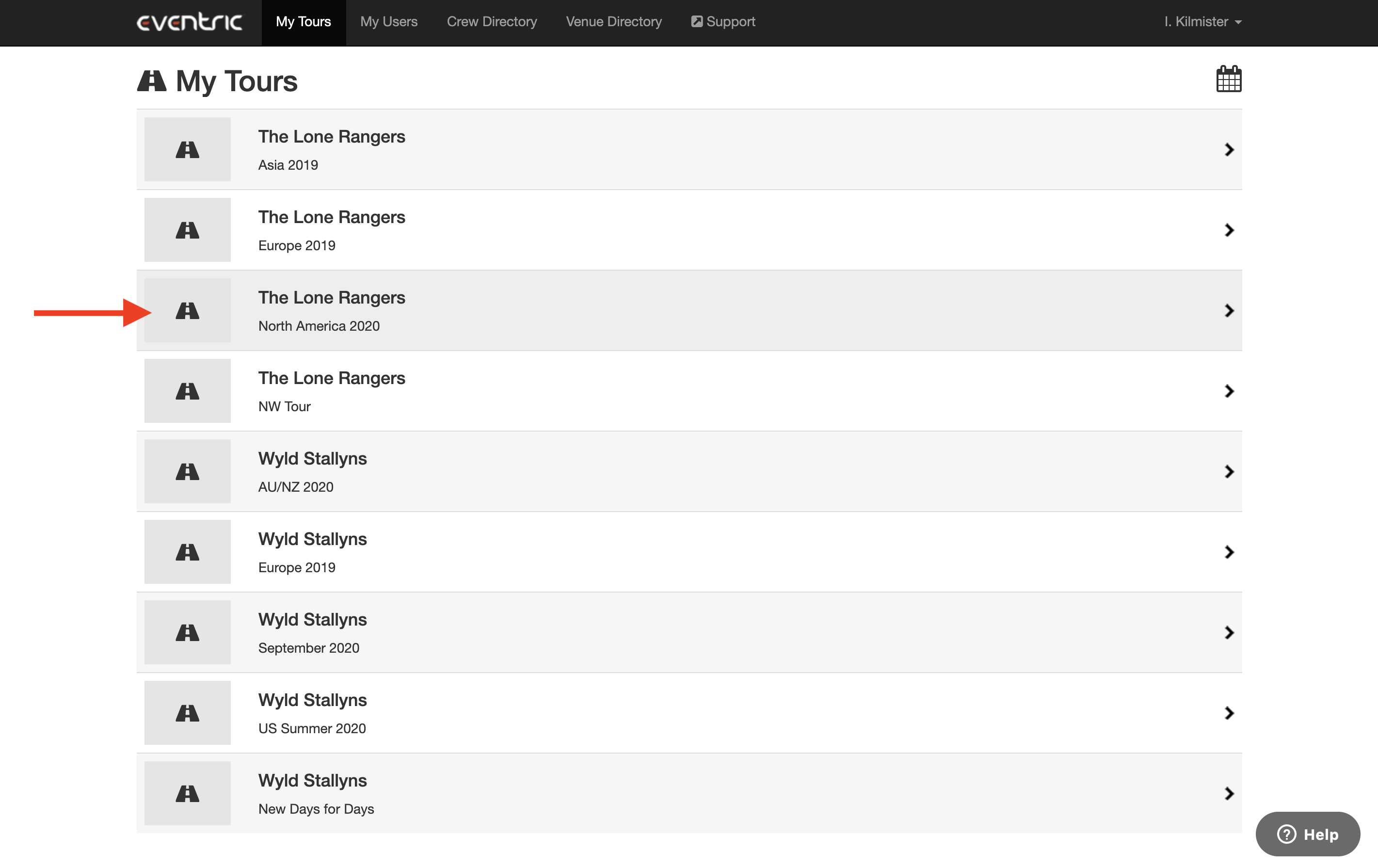
On the next page, click on the row for the Organization and Tour that you would like to view Set List and Song Details for.
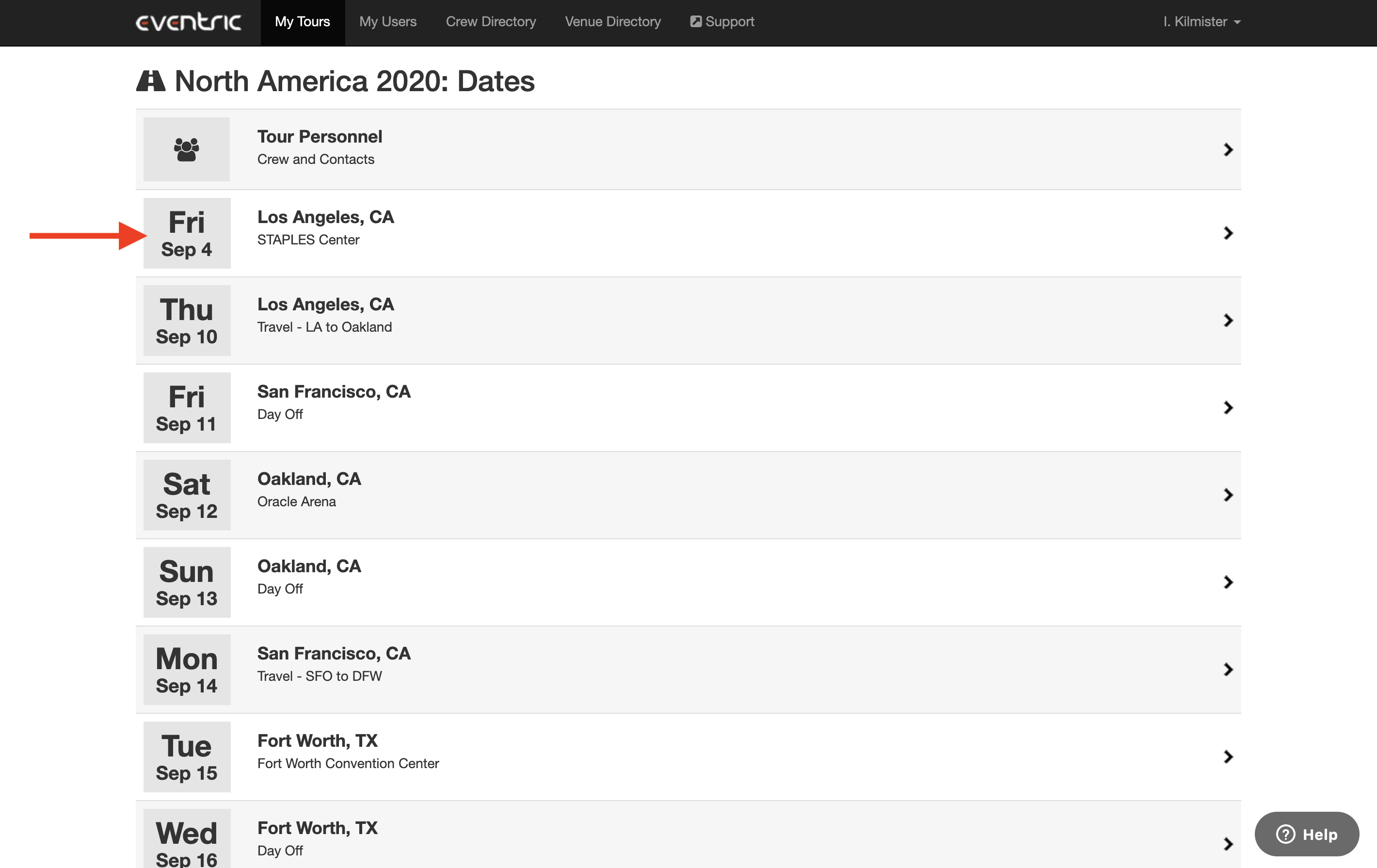
Click on the row for the Tour Date that you would like to view Set List and Song Details for.
On the next page:
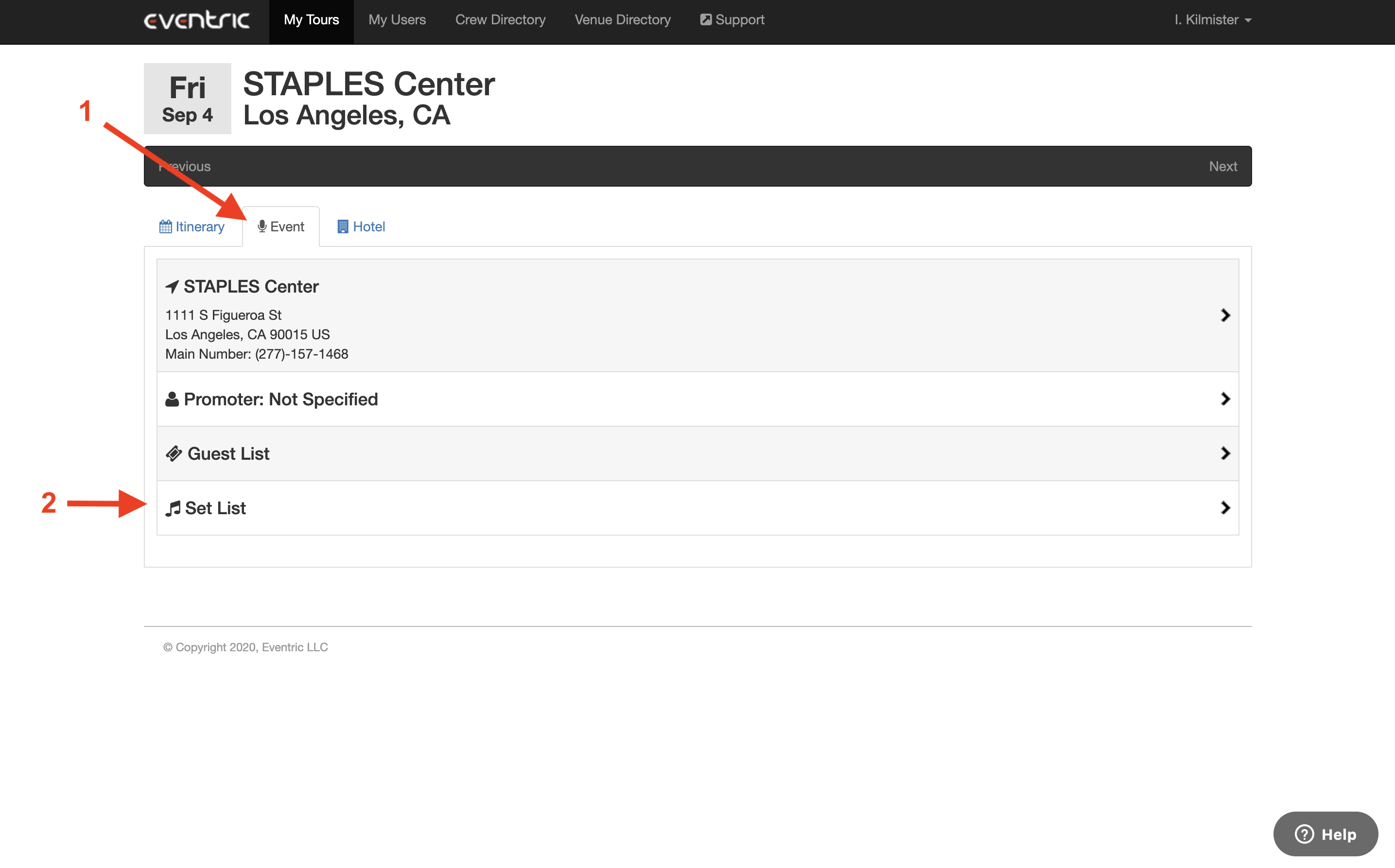
- Click on the Event tab in the upper left of the page.
- Click on the Set List row.
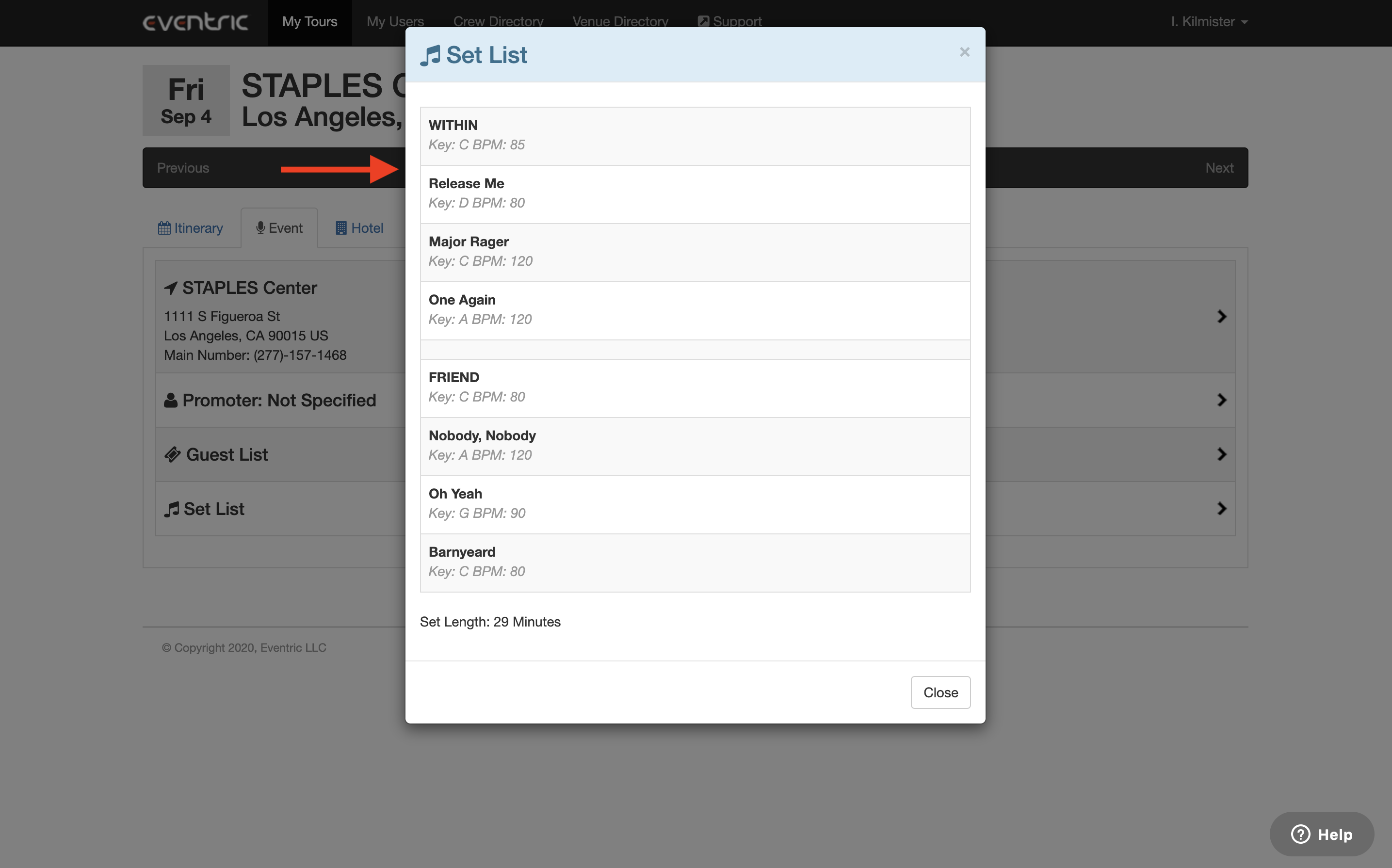
A Set List window will open allowing you to see Song Titles, Key, BPM, Song Breaks, and Set Length.
How to View Set Lists and Song Details in Master Tour Mobile
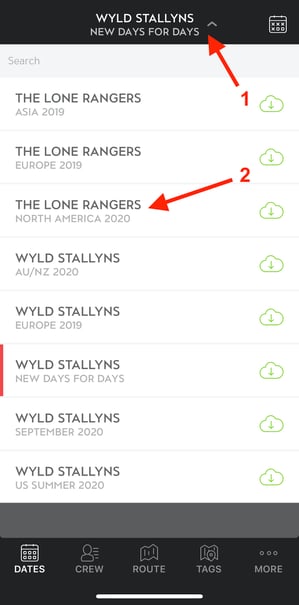
- Tap on the Organization & Tour Selector menu at the top of the application.
- Select the Organization & Tour that you would like to view Set List and Song Details for.
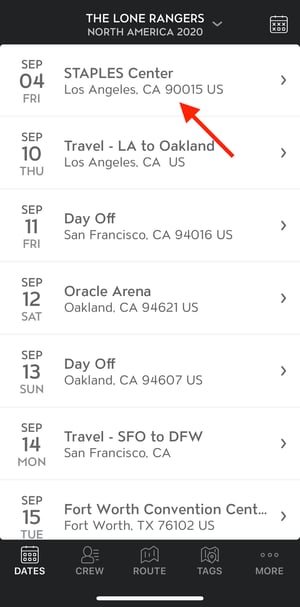
On the next screen tap on the Tour Date that you want to see Set List and Song Details for.
On the next screen:
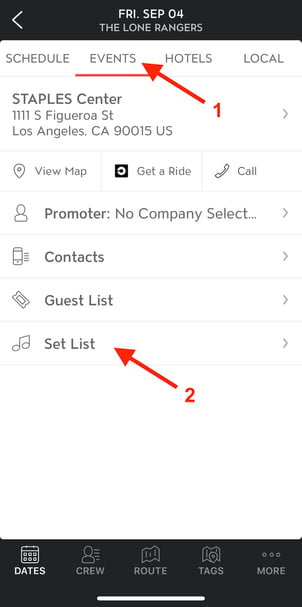
- Tap on the Events button in the top menu.
- Tap on the Set List row.
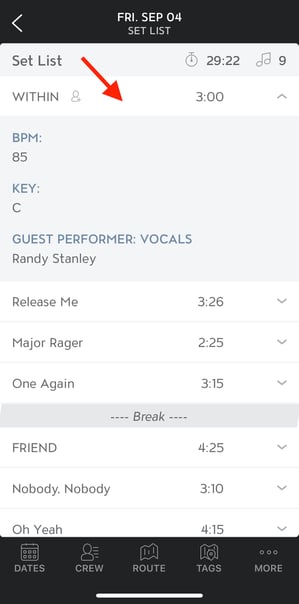
You will be directed to the Set List screen. This screen will display Song Titles, Song Lengths, and Song Breaks. In the upper right corner of the list, you will see total Set Time and the total number of Songs and Song Breaks.
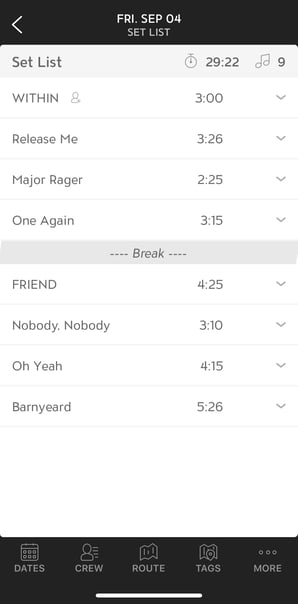
Tapping on a Song in the Set List will expose Song Details such as BPM, Key, Guest Performer Name, and Instrument.