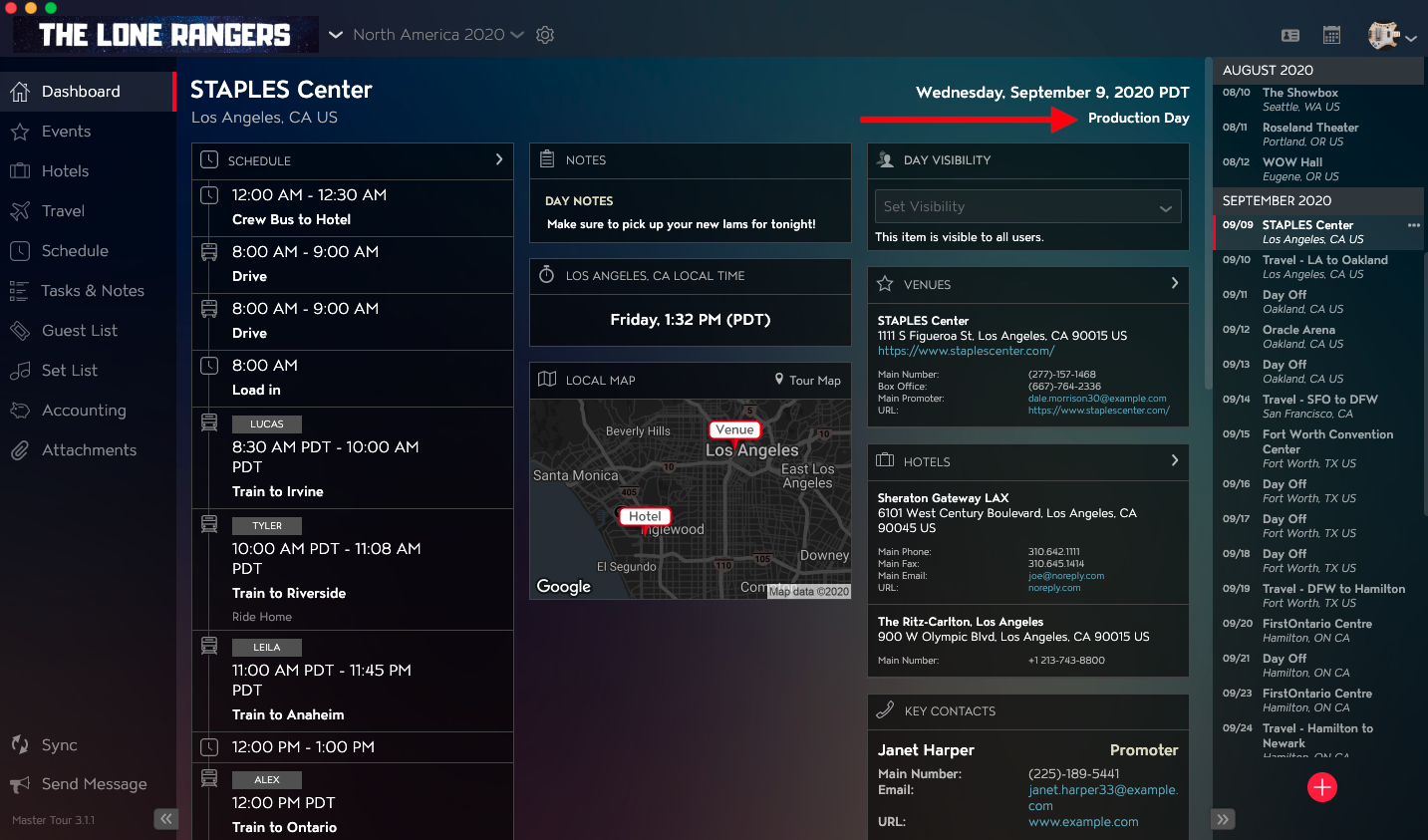
You can change the Day Type for Tour Dates using Master Tour 3.
This article covers:
How to Navigate to a Tour Date
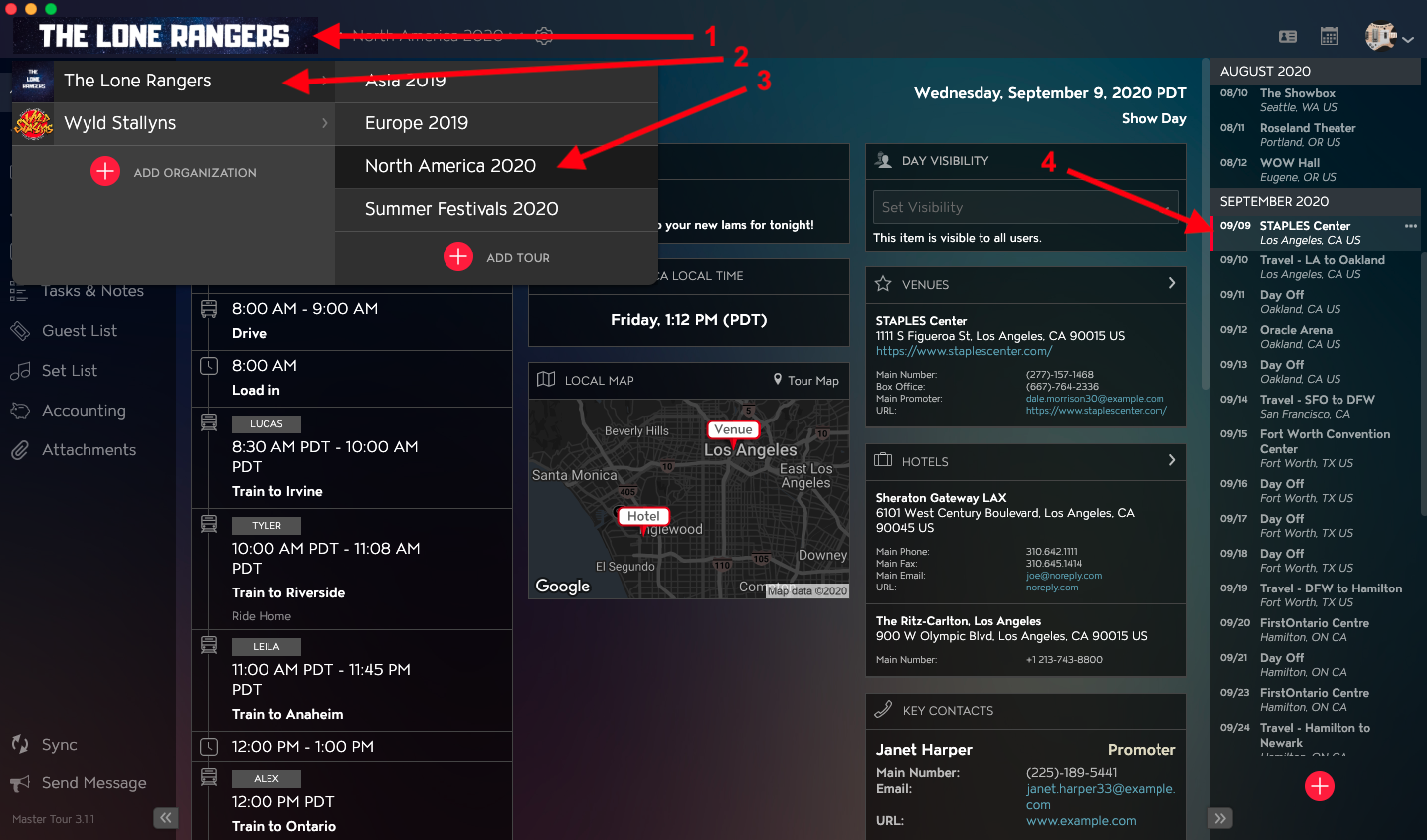
Within Master Tour, select the Tour Date that you would like to rename.
- Click on the Organization Selector dropdown menu.
- Select an Organization.
- Select a Tour from the Tour Selector dropdown menu.
- Select a Tour Date in the Tour Date List on the right of the application.
How to Change the Day Type for Tour Dates
- Click on the Day Type field in the upper right of the application.
- Select the new Day Type from the drop-down menu of options.
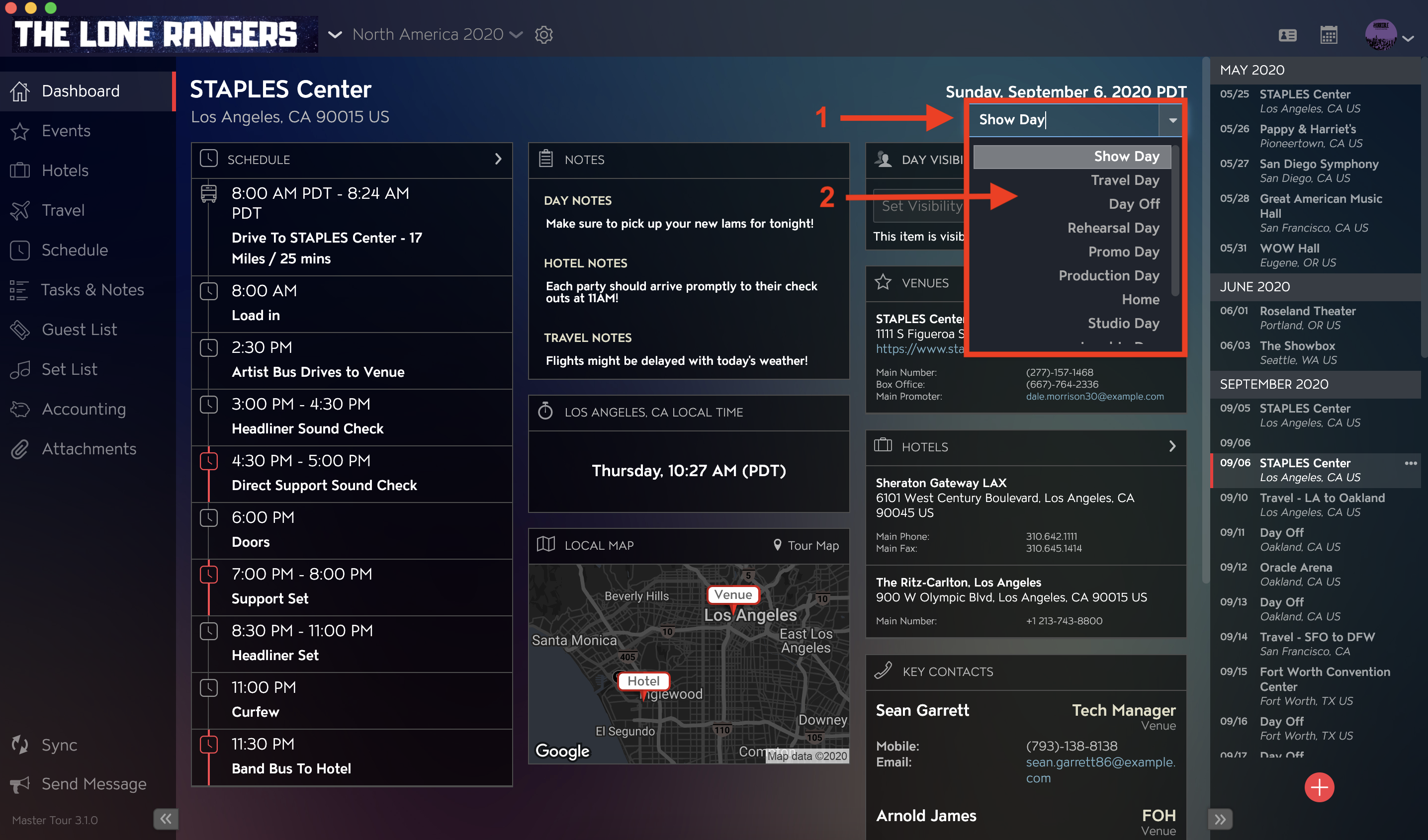
You will then see the updated Day Type.