A Tag is a keyword or descriptive term that you can apply to your Organization Attachments to assist with Master Tour's search functionality. They can also be used to group similar attachments when performing a search.
This article covers:
How to Navigate to Tour Attachments
Within Master Tour, select the Tour that you would like to remove Tags from Tour Attachments in.
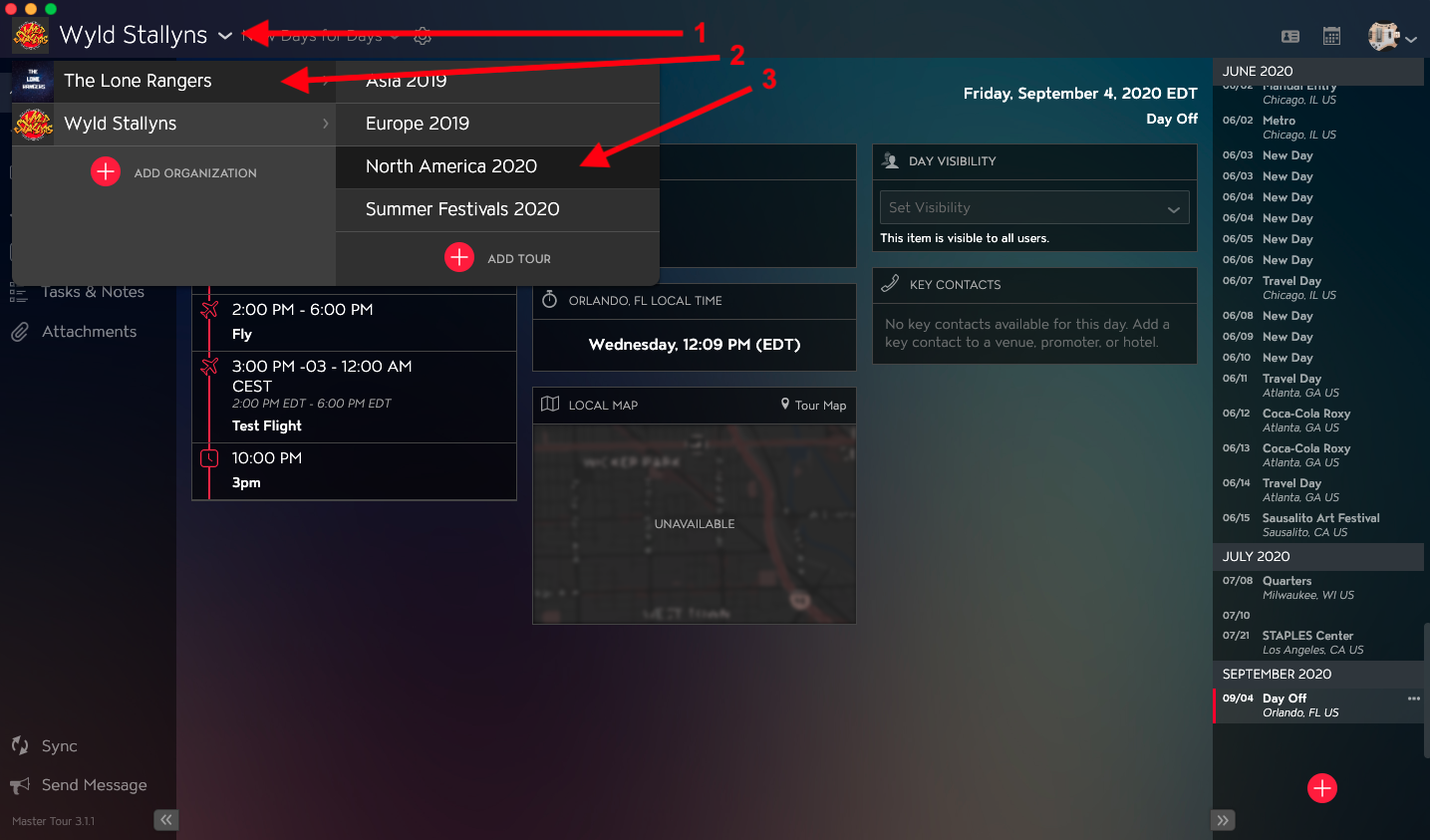
- Click on the Organization Selector dropdown menu.
- Select an Organization.
- Select a Tour from the Tour Selector dropdown menu.
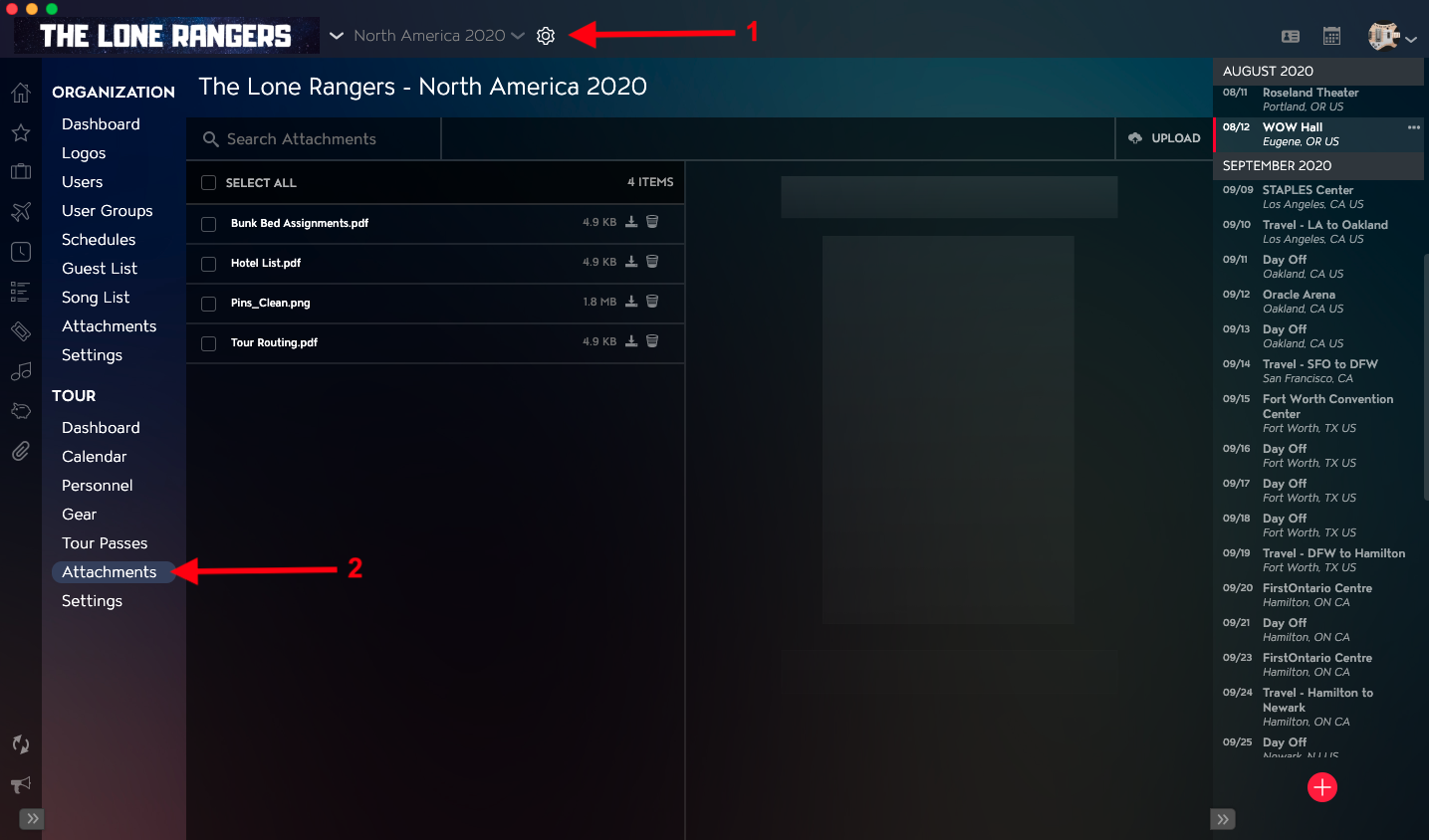
- Click on the Gear Icon to the right of your Tour Name at the top of the application.
- Click into the Attachments Section within Tour Settings in the left menu.
How to Remove Tags from Tour Attachments
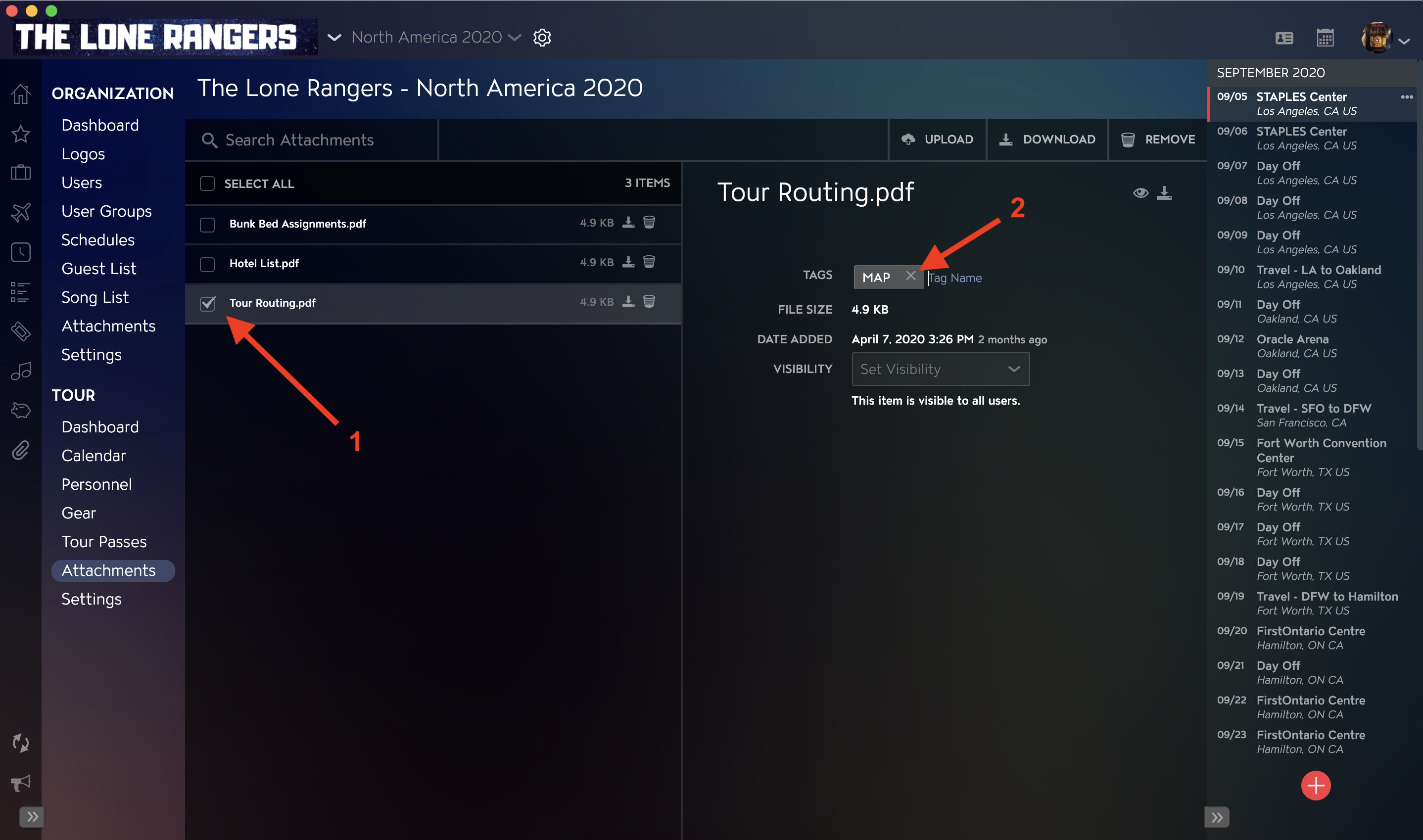
- Select the file that you would like to remove Tags from in the Attachment list on the left side of the application.
- Click on the X to the right of the Tag in the Tags field to remove it.