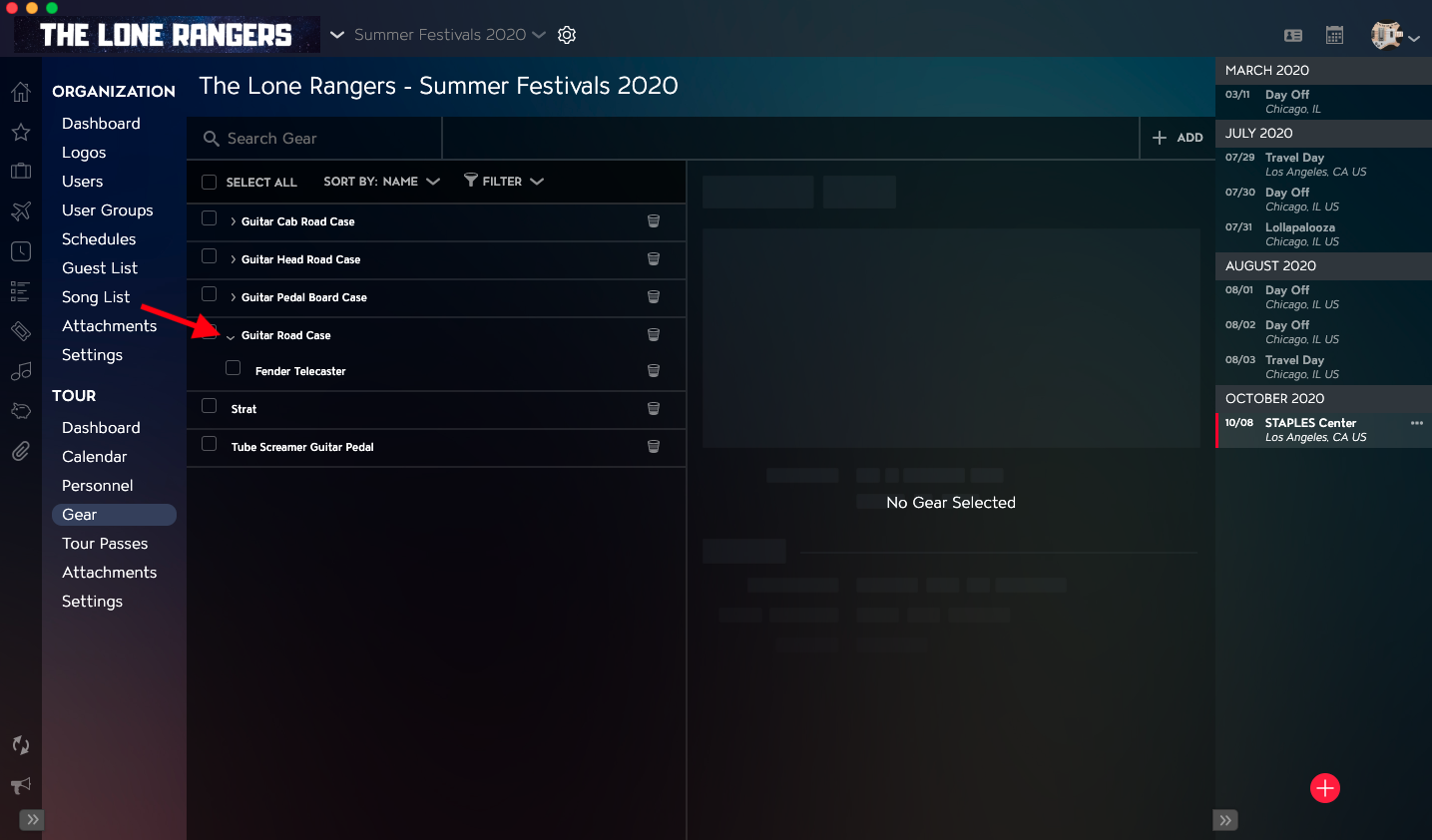
Nesting Gear allows you to house a Gear Record inside of another Gear Record. For example, you may want to nest a Guitar Record inside of a Guitar Case Record.
This article covers:
How to Navigate to Gear
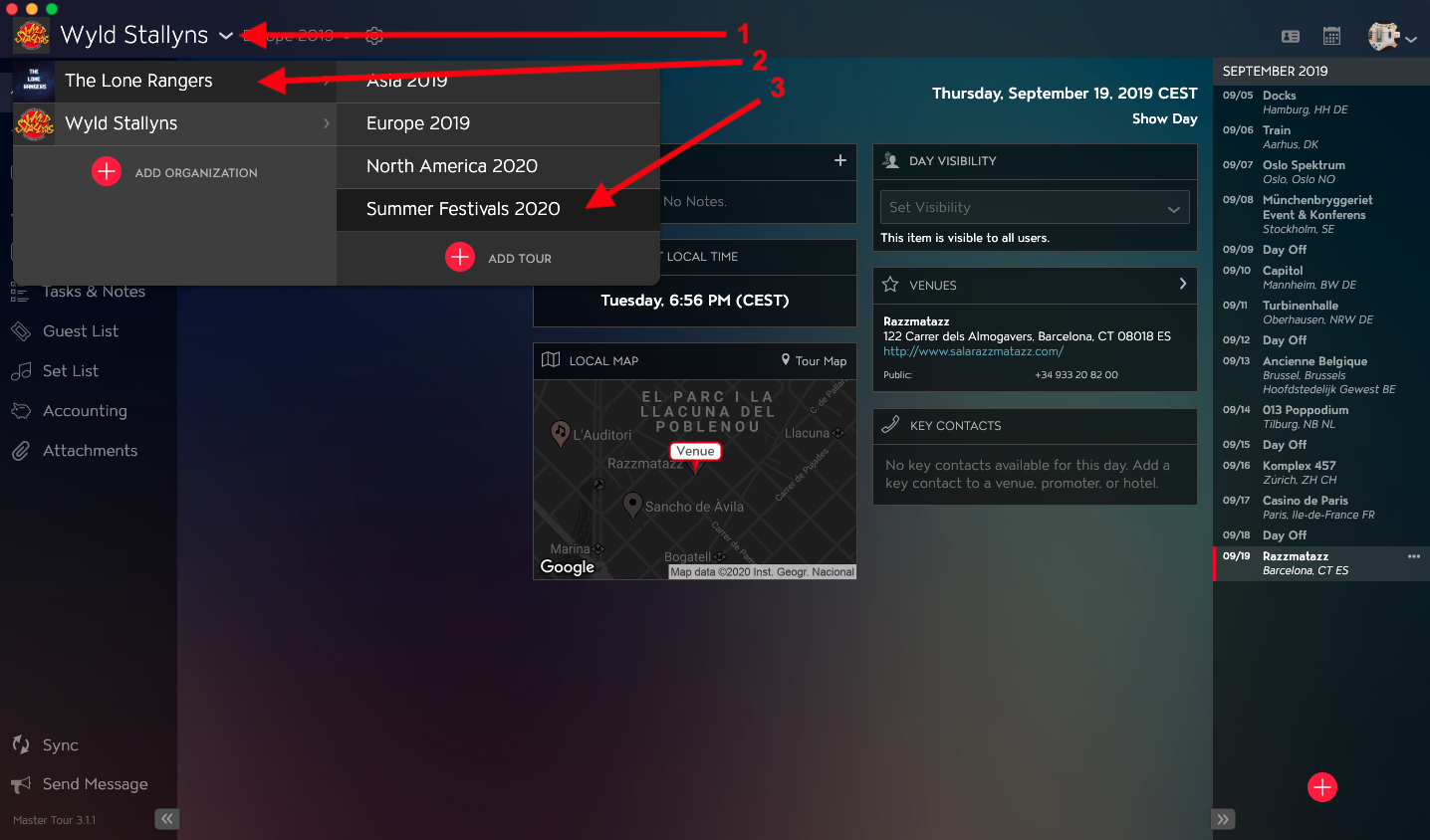
Within Master Tour, select the Tour that you would like to nest Gear inside of other Gear in.
- Click on the Organization Selector dropdown menu.
- Select an Organization.
- Select a Tour from the Tour Selector dropdown menu.
Next:
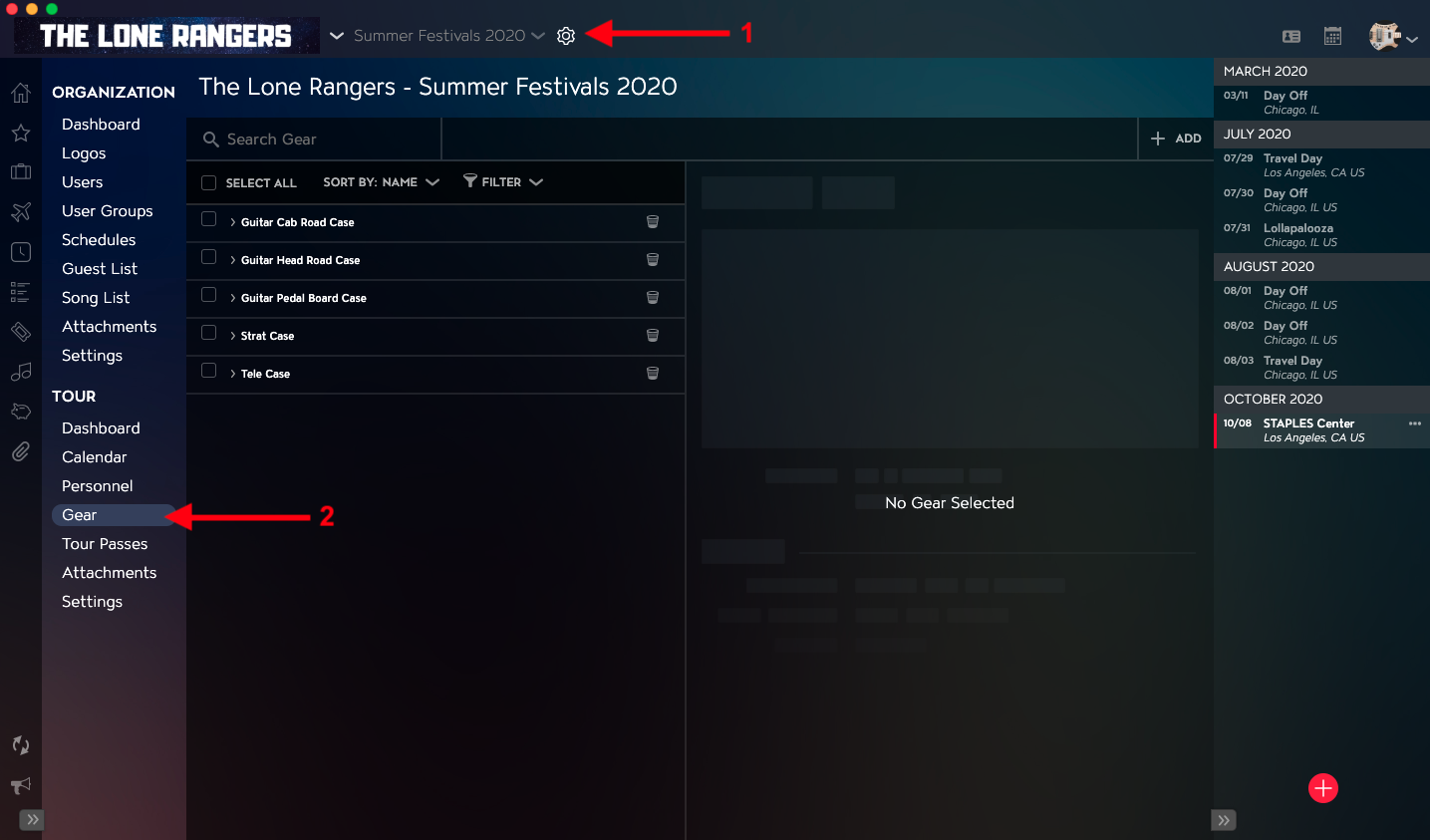
- Click on the Gear icon to the right of the Tour Name at the top of the application.
- Click into the Gear section within the Tour Section in the left menu.
How to Nest Gear inside of Gear
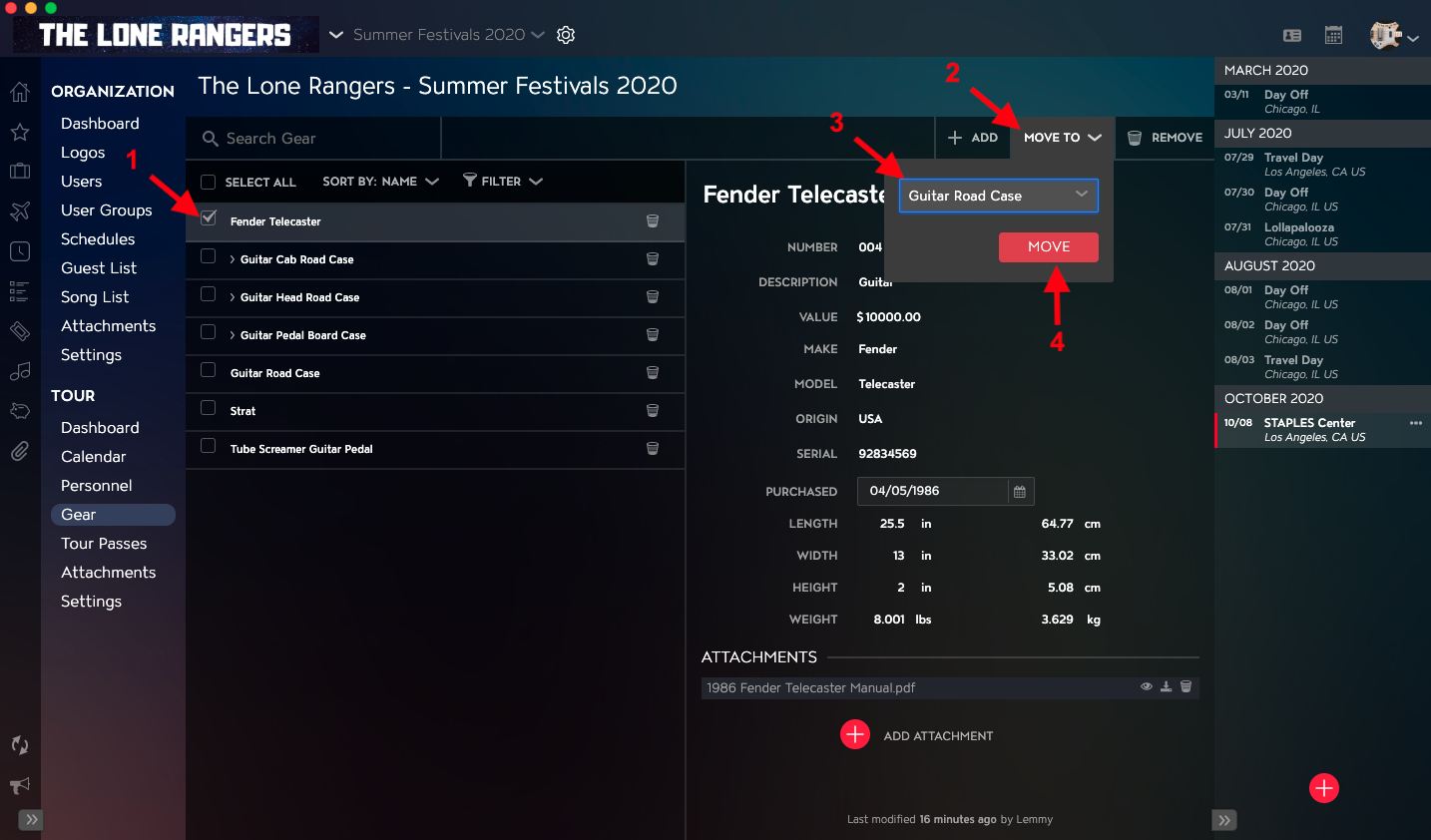
- Select the Checkbox to the left of the Gear Item that you would like to nest inside of another Gear Item in the Attachments List.
- Click on the Move To button in the upper right of the Gear Details.
- Select the Gear Item from the dropdown list that you are going to nest Gear inside of.
- Click on the Move button.
You will then be able to see the nested Gear Item by clicking on the disclosure triangle for the Top-Level Gear Item in the Gear List.