- Log into my.eventric.com
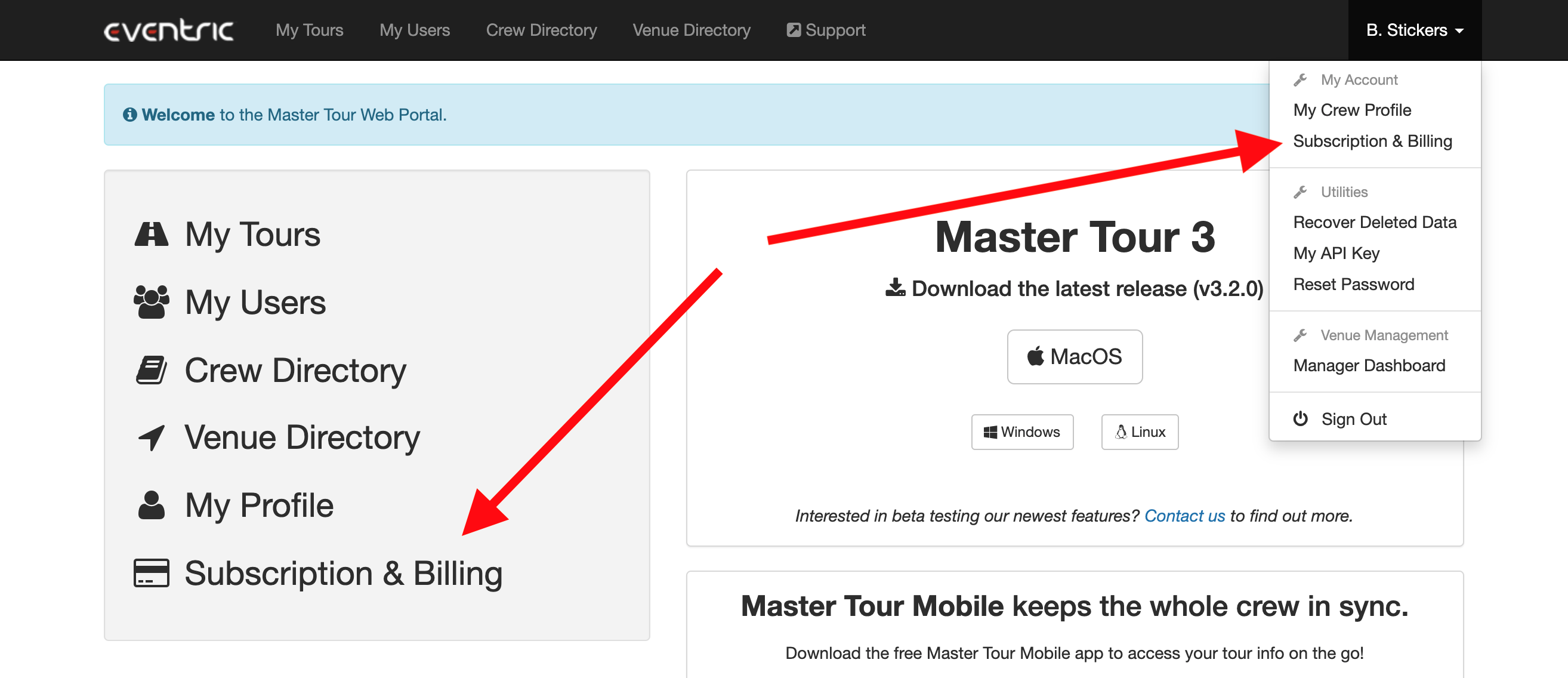
- Click on Subscription & Billing in the quick links on the left or in the dropdown menu in the top right
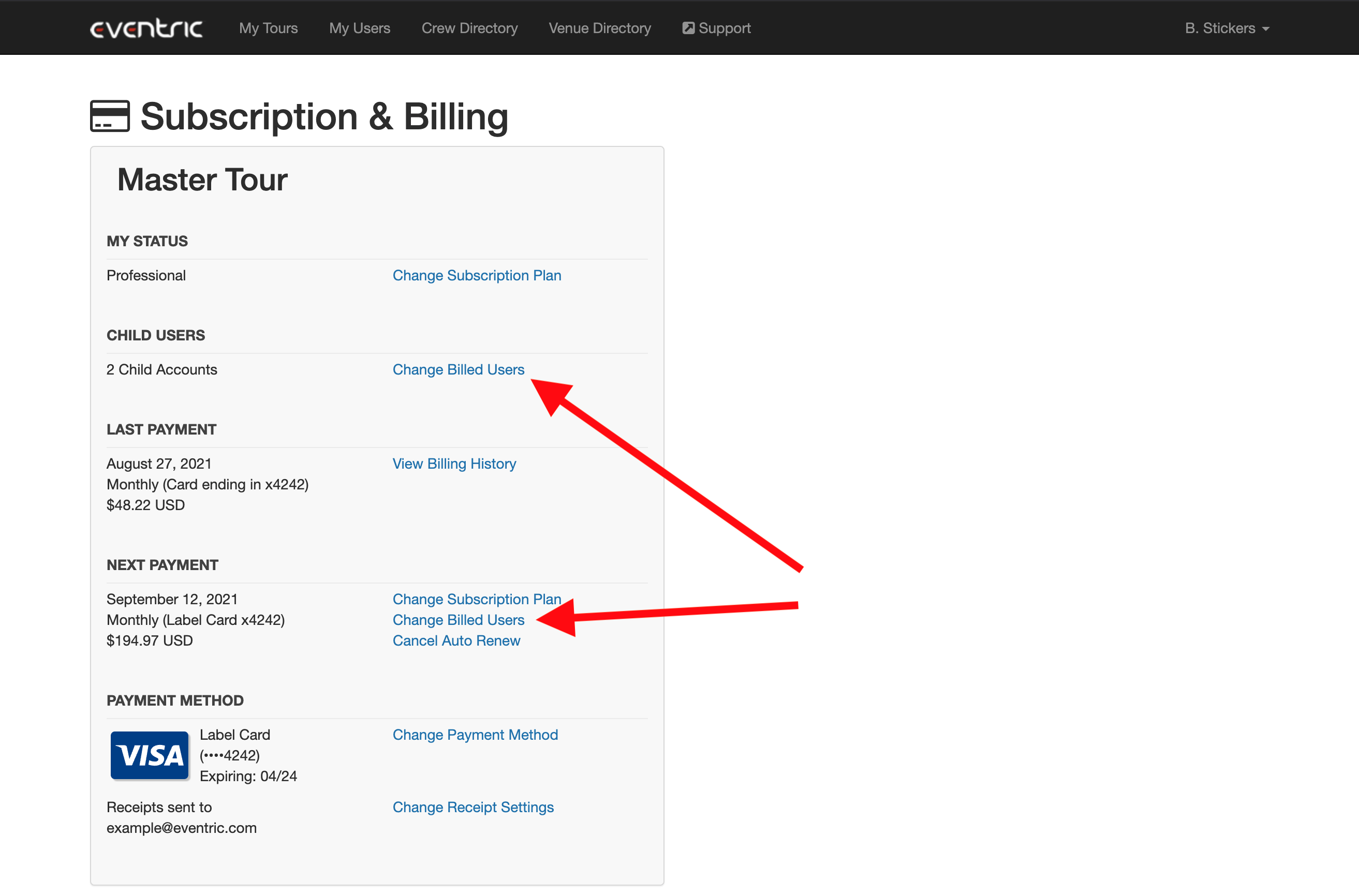
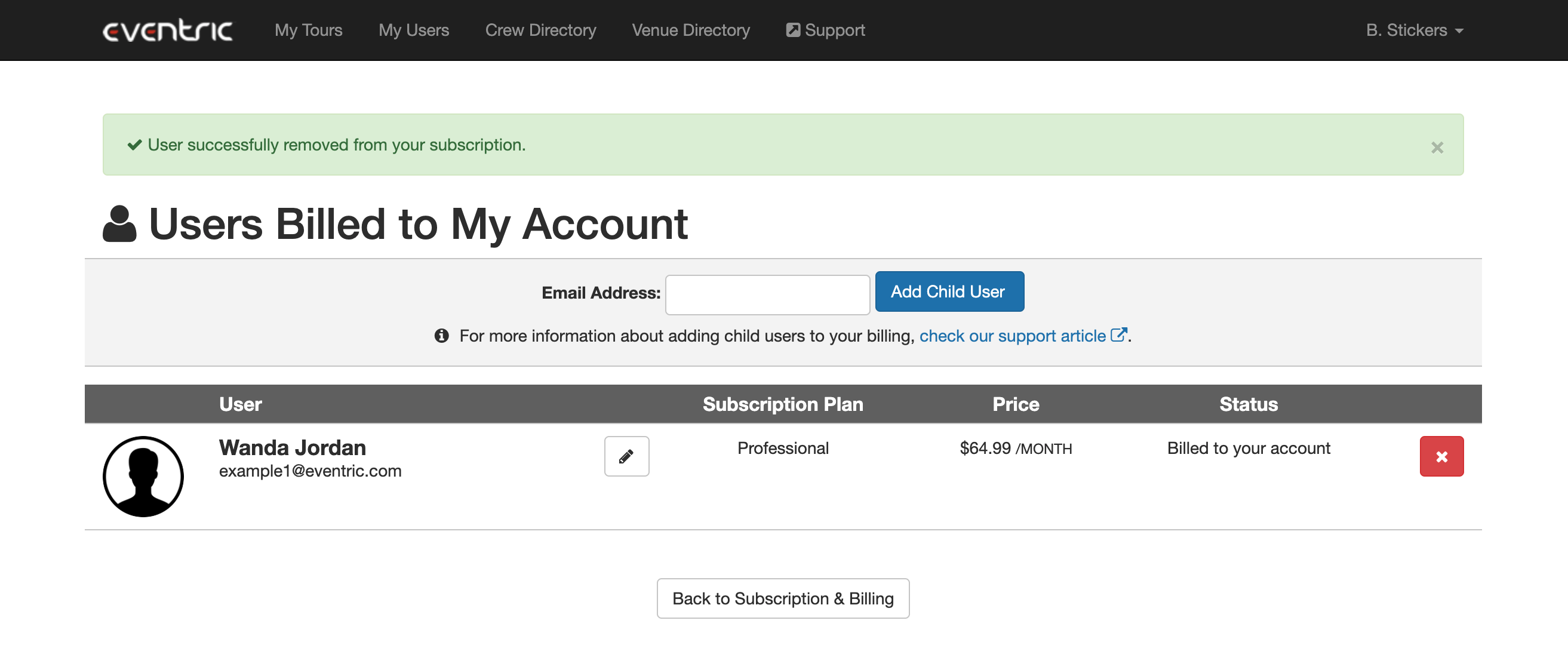
- Click Changed Billed Users to view all the users that you currently pay for
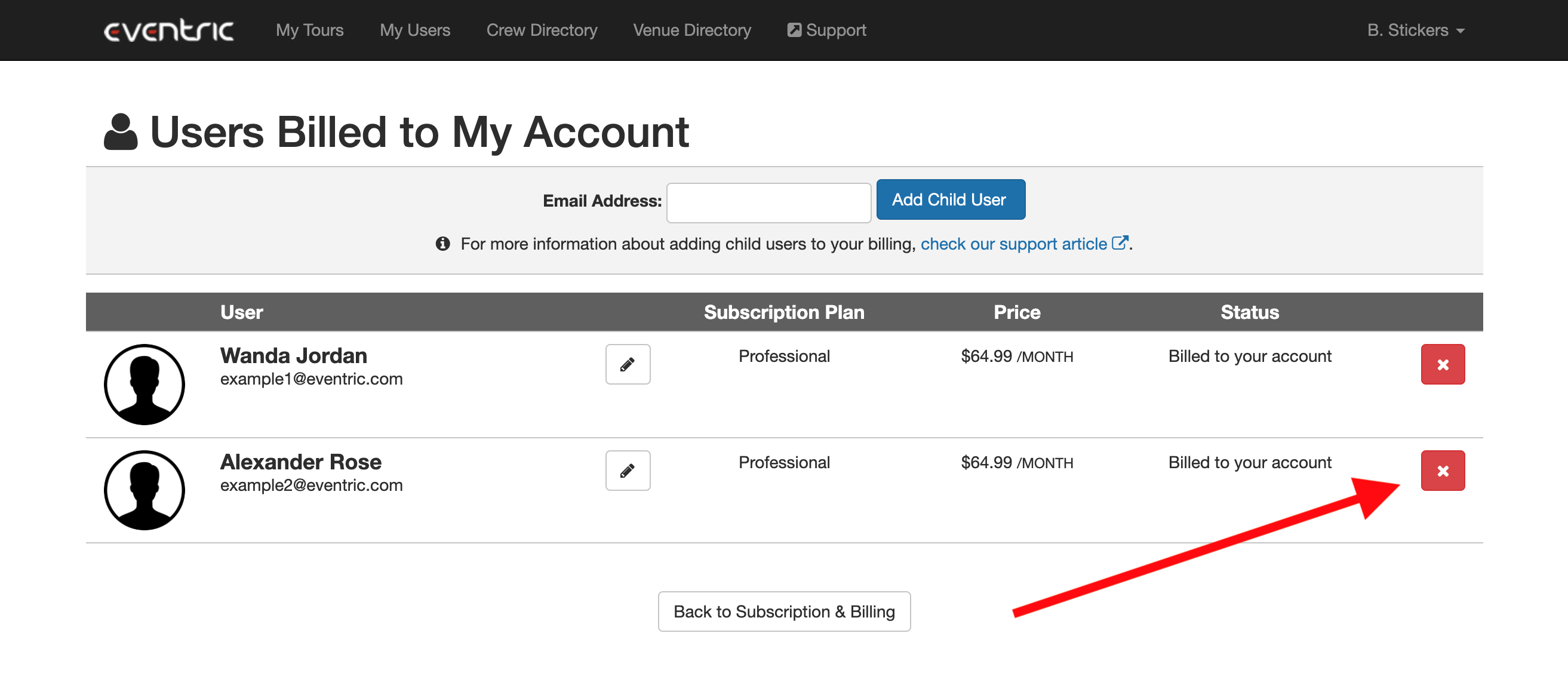
- Click the red X button next to the user you want to remove from your billing
- Confirm that you want to remove this user from your billing
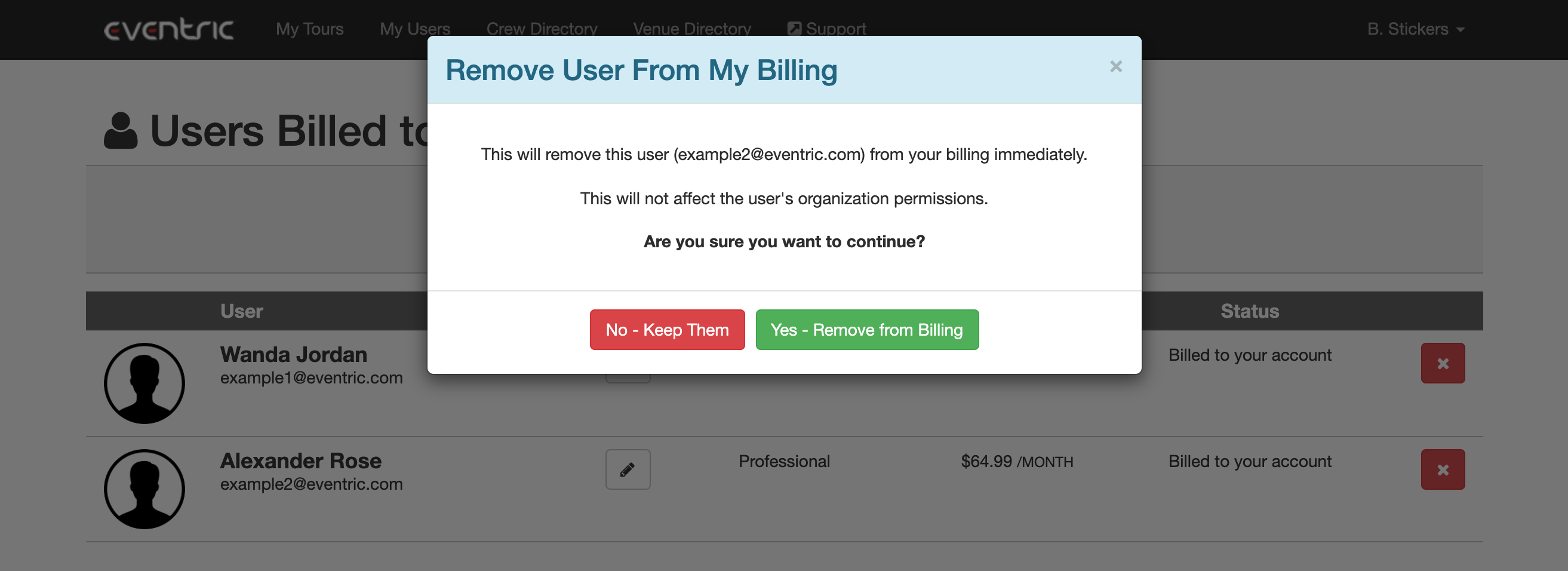
- On clicking Yes, you'll see a message saying the user was removed from your subscription. On your next Master Tour payment, you will not be charged for the user you removed.
English
