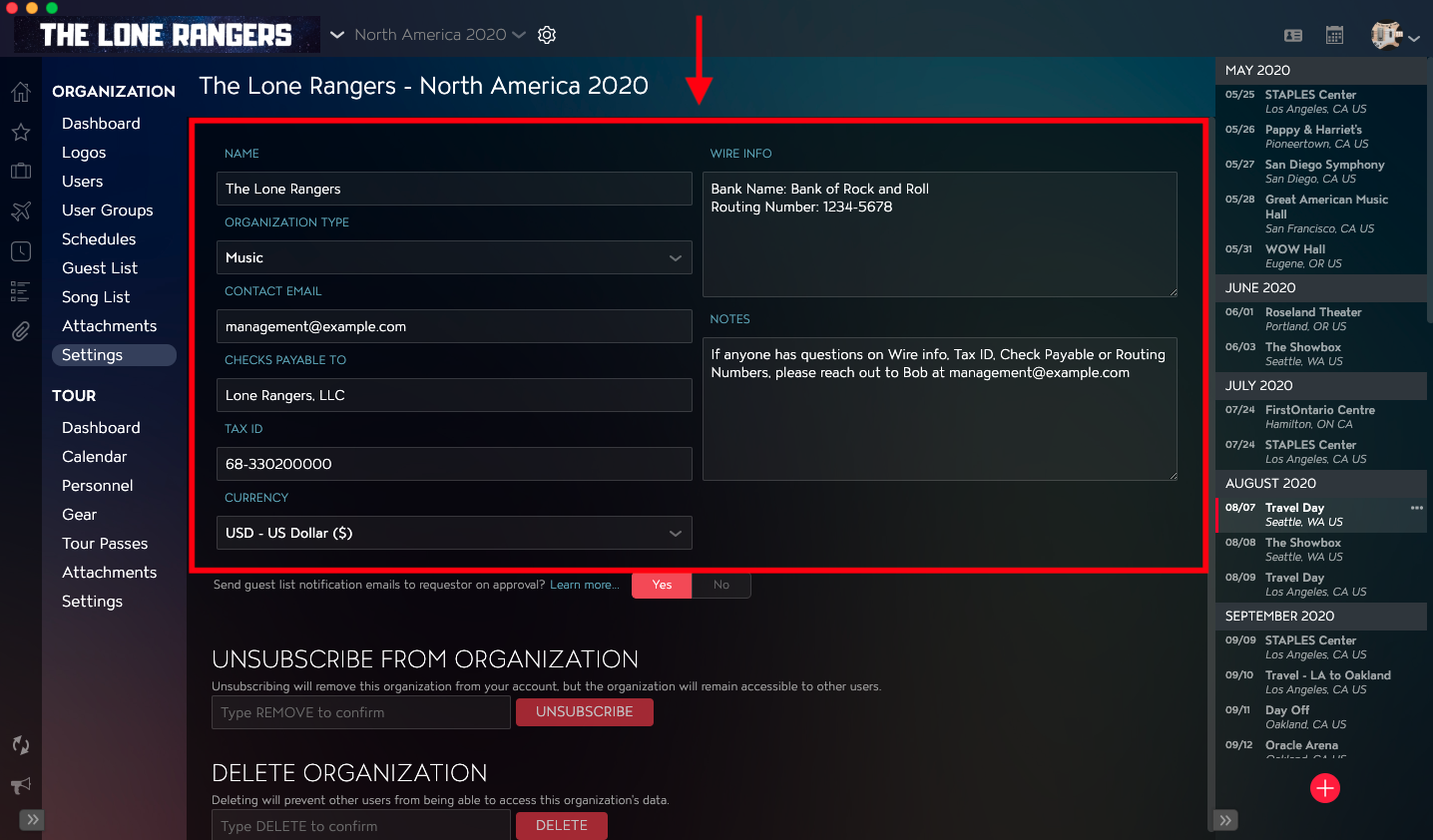
Do you need to change the name of an Organization? Perhaps you want to update the default Currency used by the Organization? You can edit Organization details using Master Tour.
This article covers:
How to Navigate to the Organization Settings
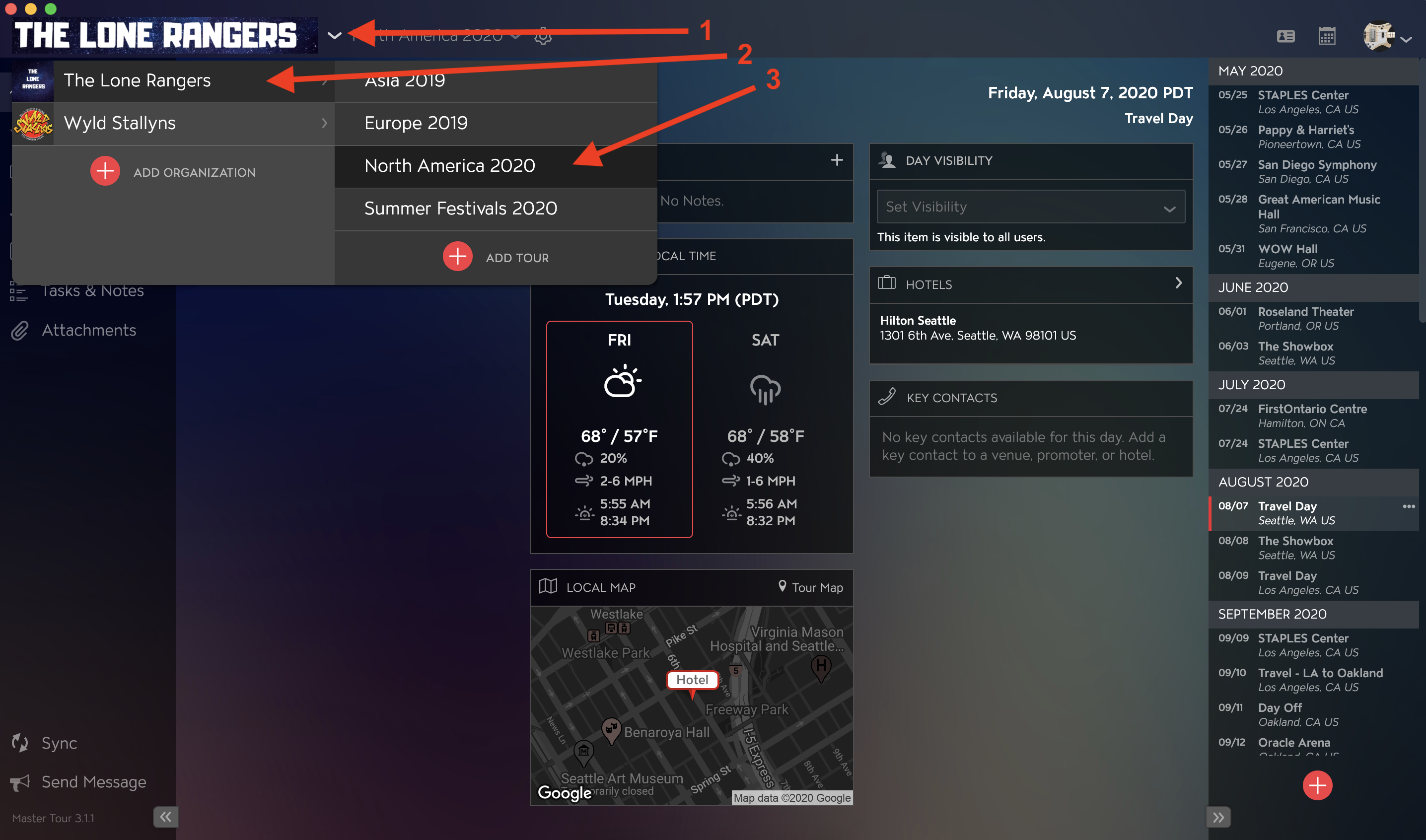
Within Master Tour, select the Organization that you would like to update.
- Click on the Organization Selector dropdown menu.
- Select an Organization.
- Select a Tour if there are any Tours added to the Organization.
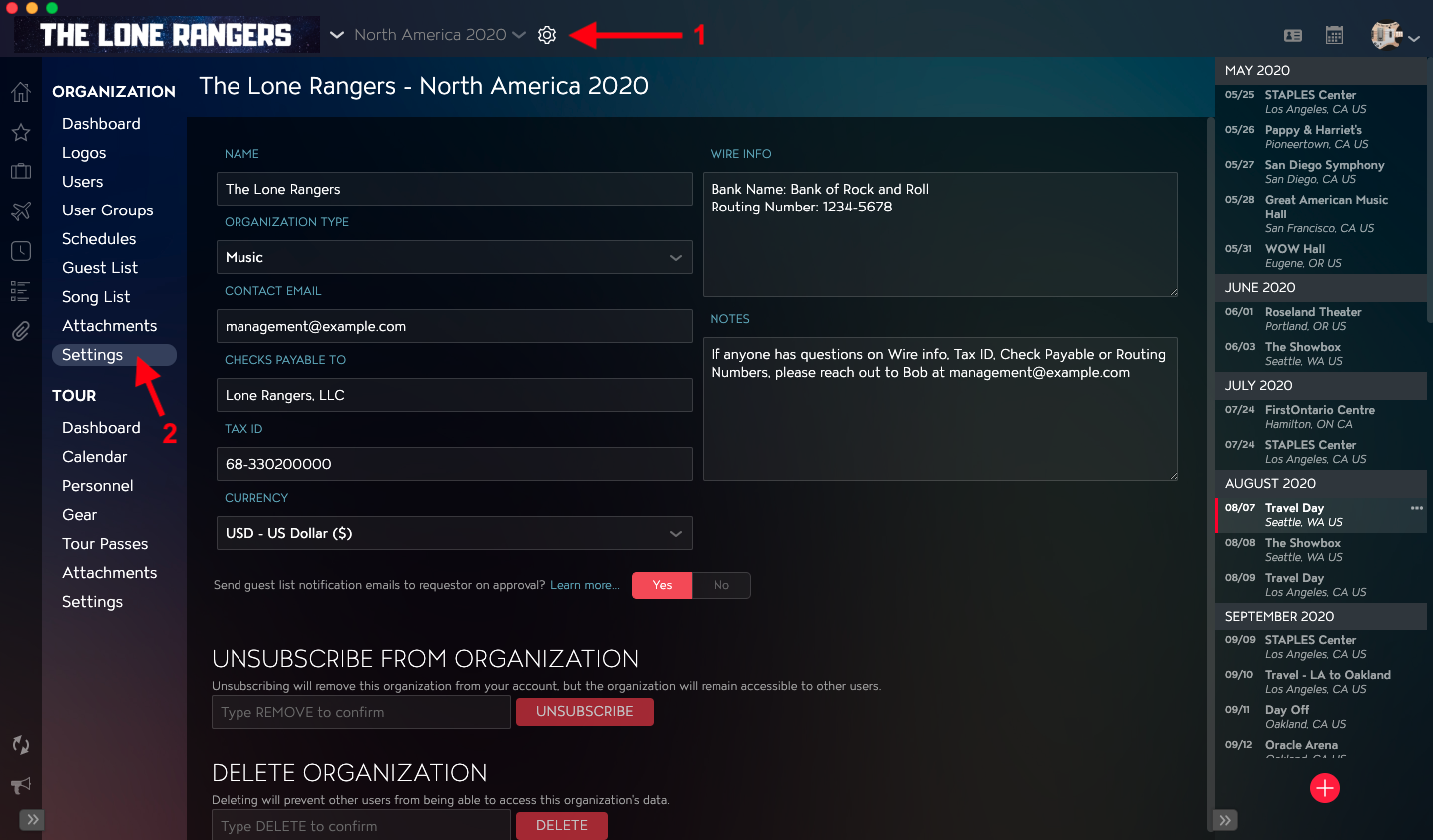
- Click on the Gear Icon to the right of your Tour Name at the top of the application.
- Click into the Settings Section within Organization Settings in the left menu.
How to Update Organization Information
You will find all of your Organization Information fields in the top half of the application. Within that section, you can update information such as Name, Contact Email, Tax ID, and more. This information will automatically save after you click out of the field or make a new selection.