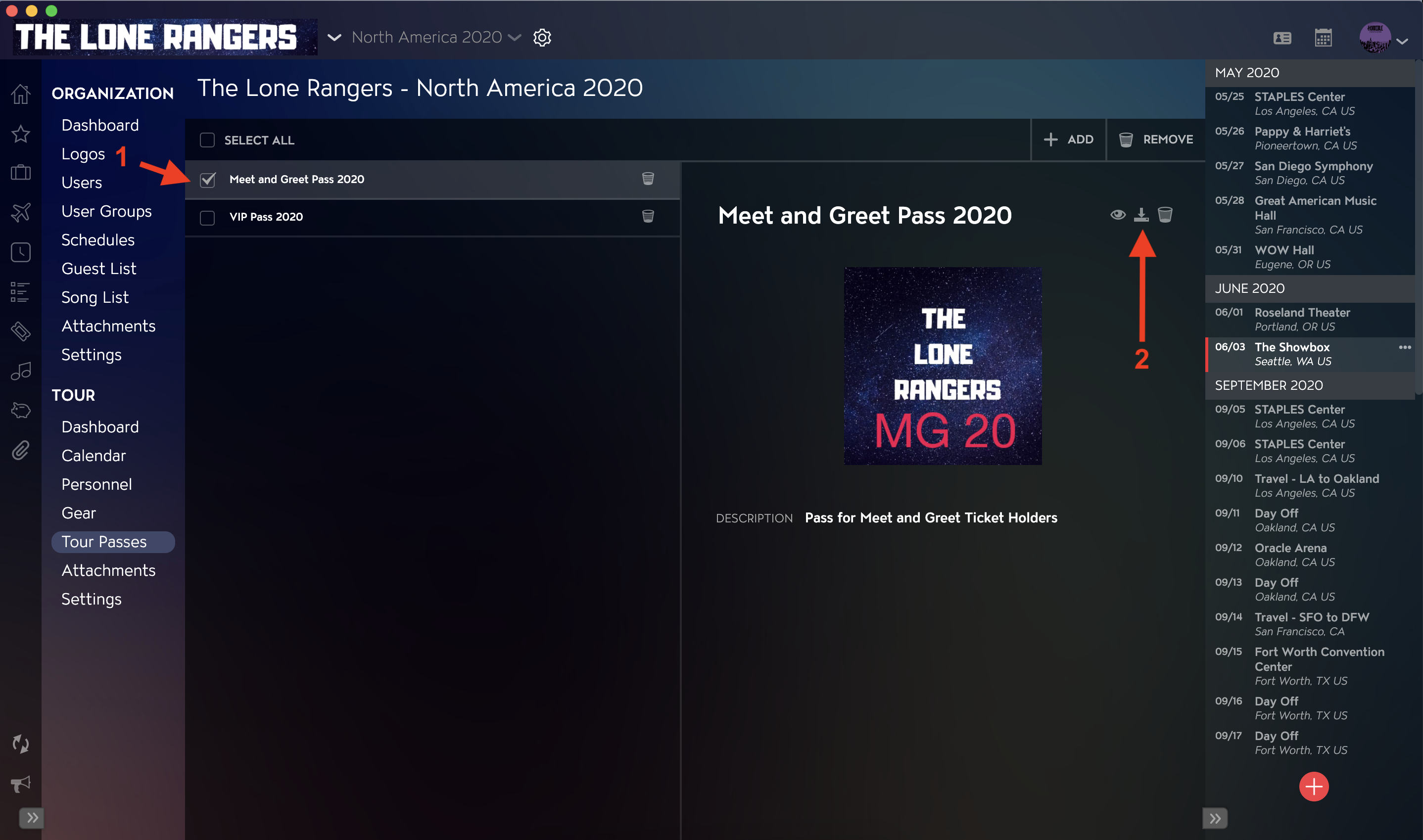
You can download your Tour Passes using the Tour Pass Module in Master Tour 3.
This article covers:
How to Navigate to the Tour Passes Section
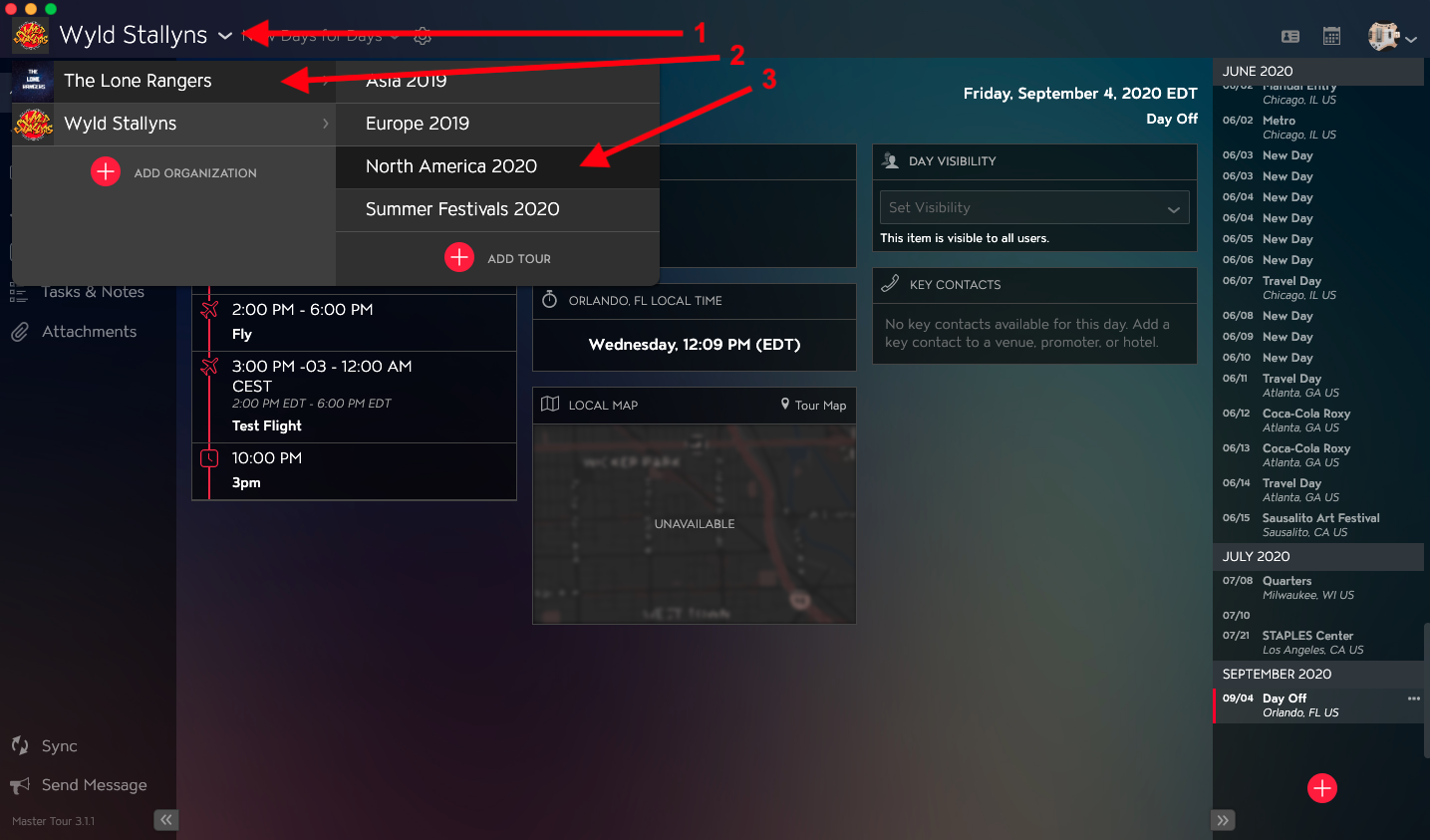
Within Master Tour, select the Tour that you would like to download Tour Passes from.
- Click on the Organization Selector dropdown menu.
- Select an Organization.
- Select a Tour from the Tour Selector dropdown menu.
Next:
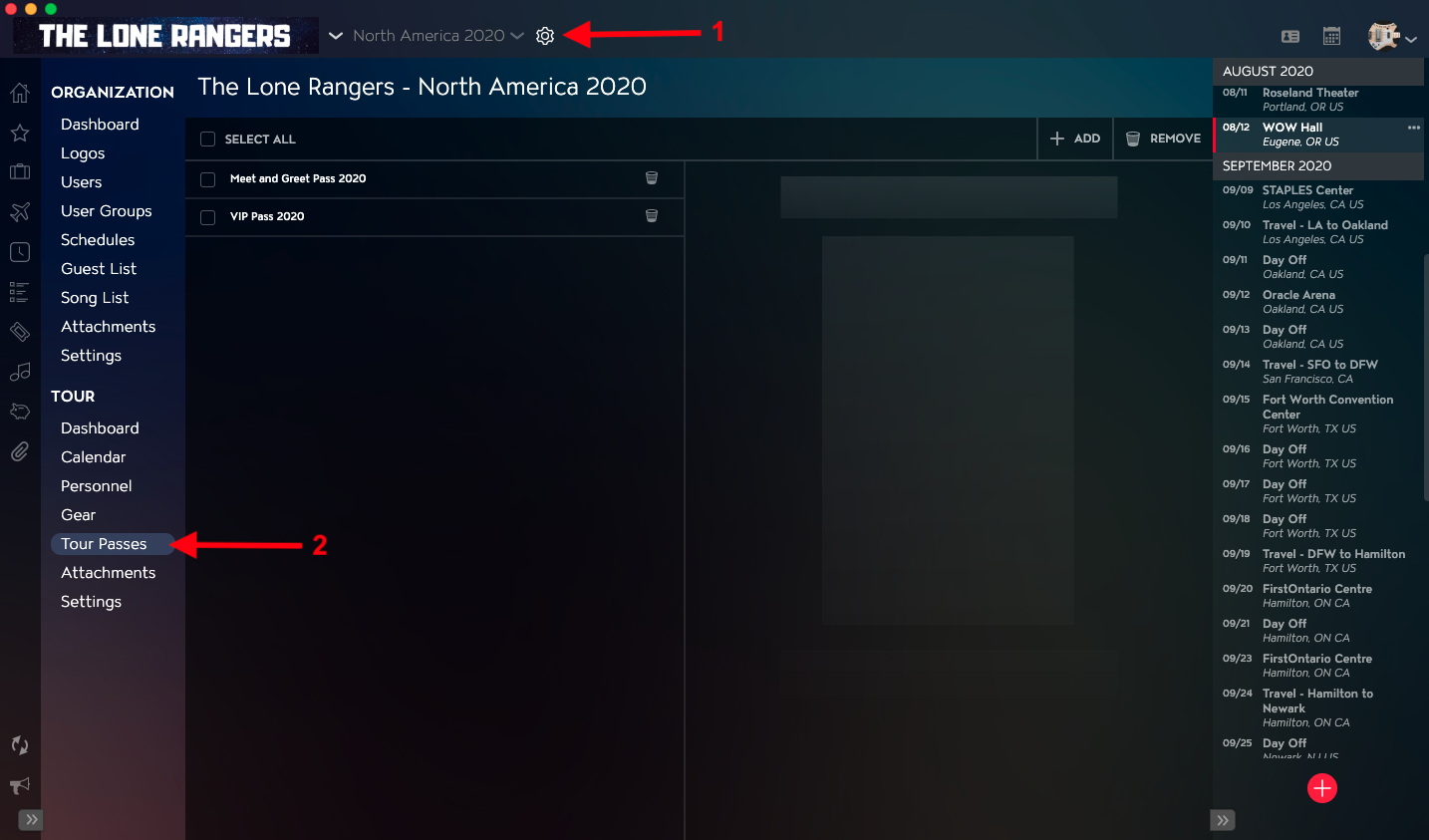
- Click on the Gear icon to the right of the Tour Name at the top of the application.
- Click into the Tour Passes section within the Tour Section in the left menu.
How to Download a Tour Pass
- Select the Tour Pass you would like to Download in the Tour Pass list on the left-hand side of the application.
- Click on the Download button in the Tour Pass Details on the right-hand side of the application.