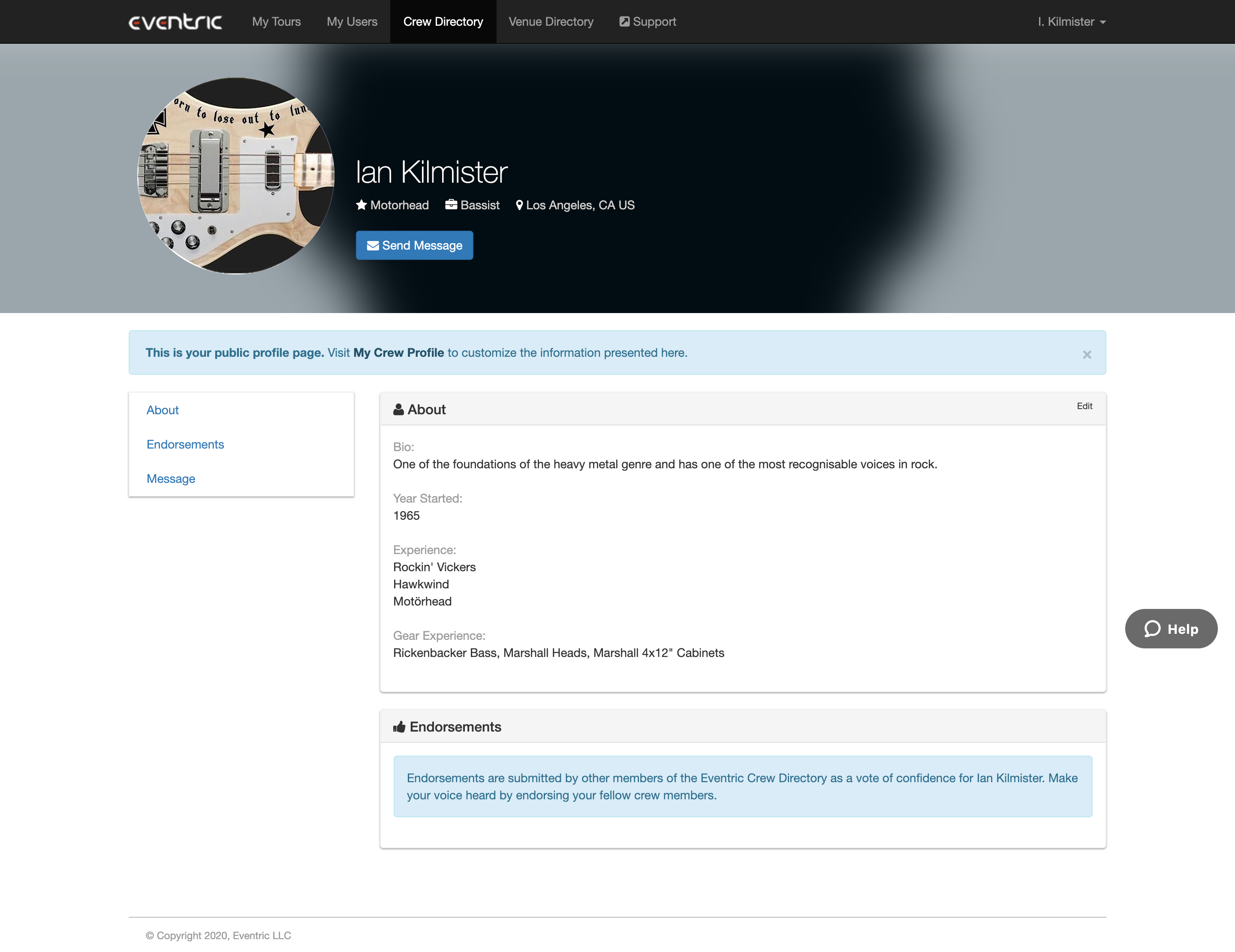
If you have enabled your Public Profile in the Web Portal, you can view what it looks like within the Eventric Crew Directory.
This article covers:
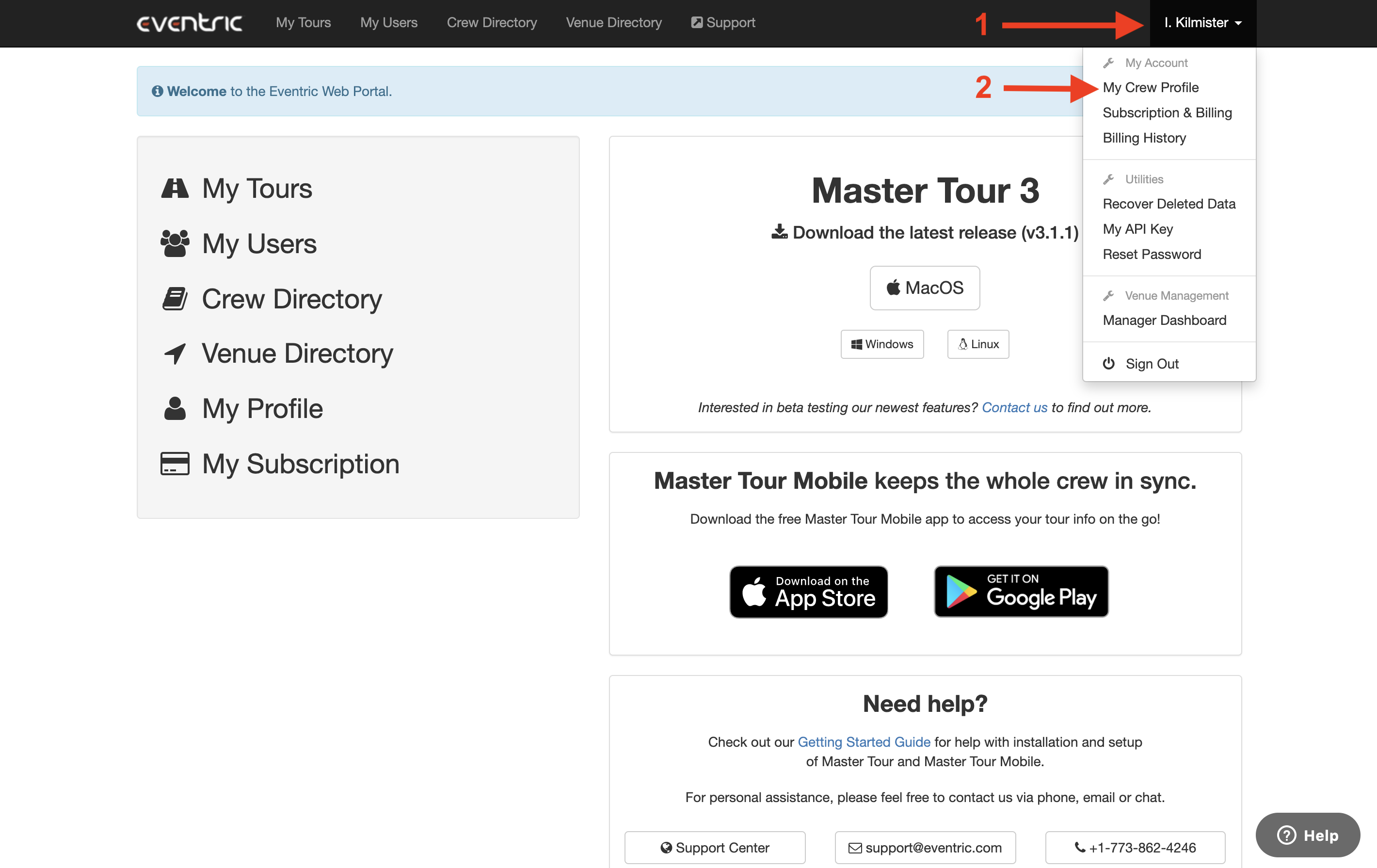
- How to Navigate to My Crew Profile in the Web Portal
- How to View Your Public Crew Profile in the Web Portal
How to Navigate to My Crew Profile in the Web Portal
- Click on your Name in the upper-right of the page.
- Click on My Crew Profile from the dropdown menu.
How to View Your Public Crew Profile in the Web Portal
Within the My Crew Profile section of the Web Portal, click on the View your own profile at link in the upper-left of the page.
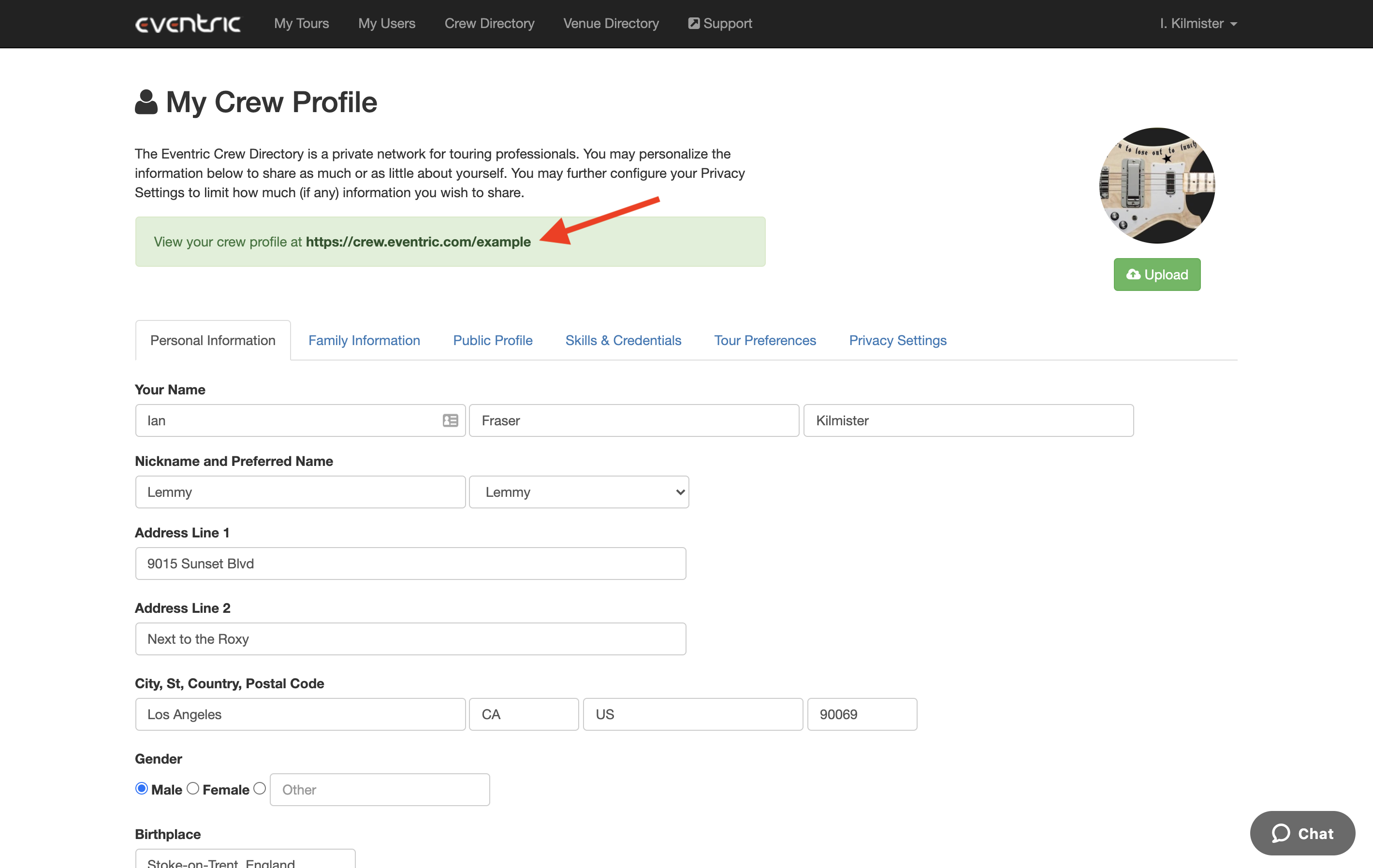
You will then be directed to your Public Profile within the Eventric Crew Directory.