Did you accidentally delete a Tour Date that you’d like to restore? You can use Master Tour’s Recover Deleted Data Utility to undelete the date. If you have any questions after following these instructions, please click here to open a support request.
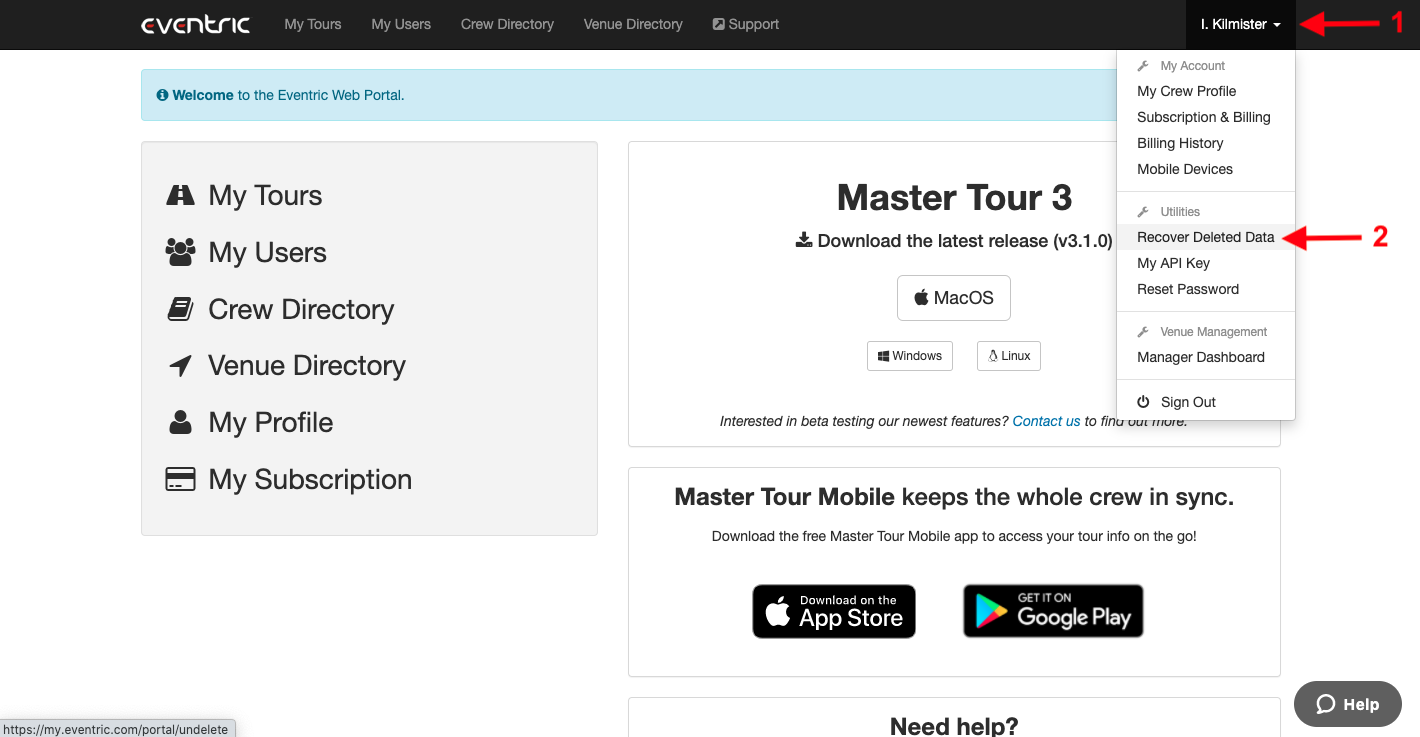
To locate the Recover Deleted Data Utility and restore the deleted Tour Date, login to the Web Portal at my.eventric.com, then:
- Click on your Name in the upper right corner of the window.
- Click on the Recover Deleted Data option in the dropdown menu.
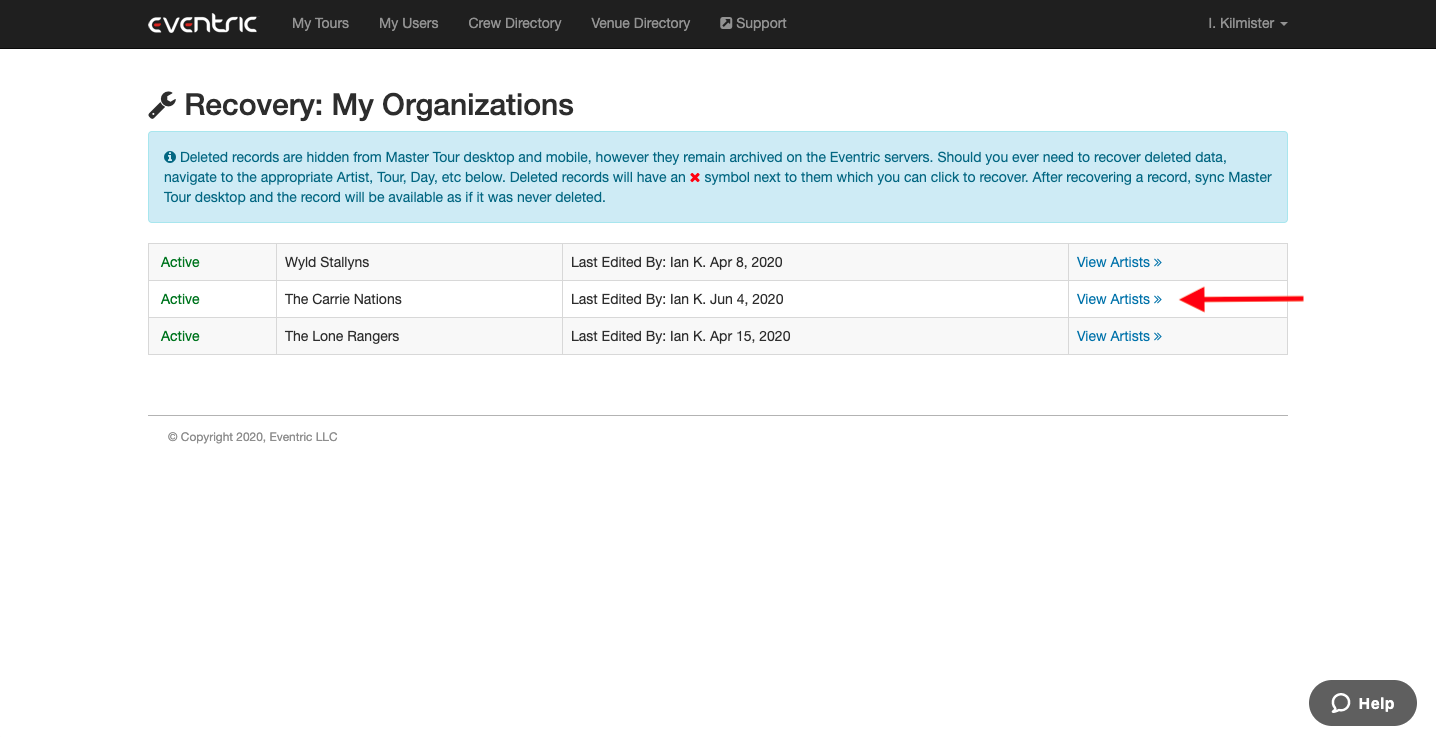
Next, click on the View Artists link in the right-hand column for the Organization that the deleted Tour Date belongs to.
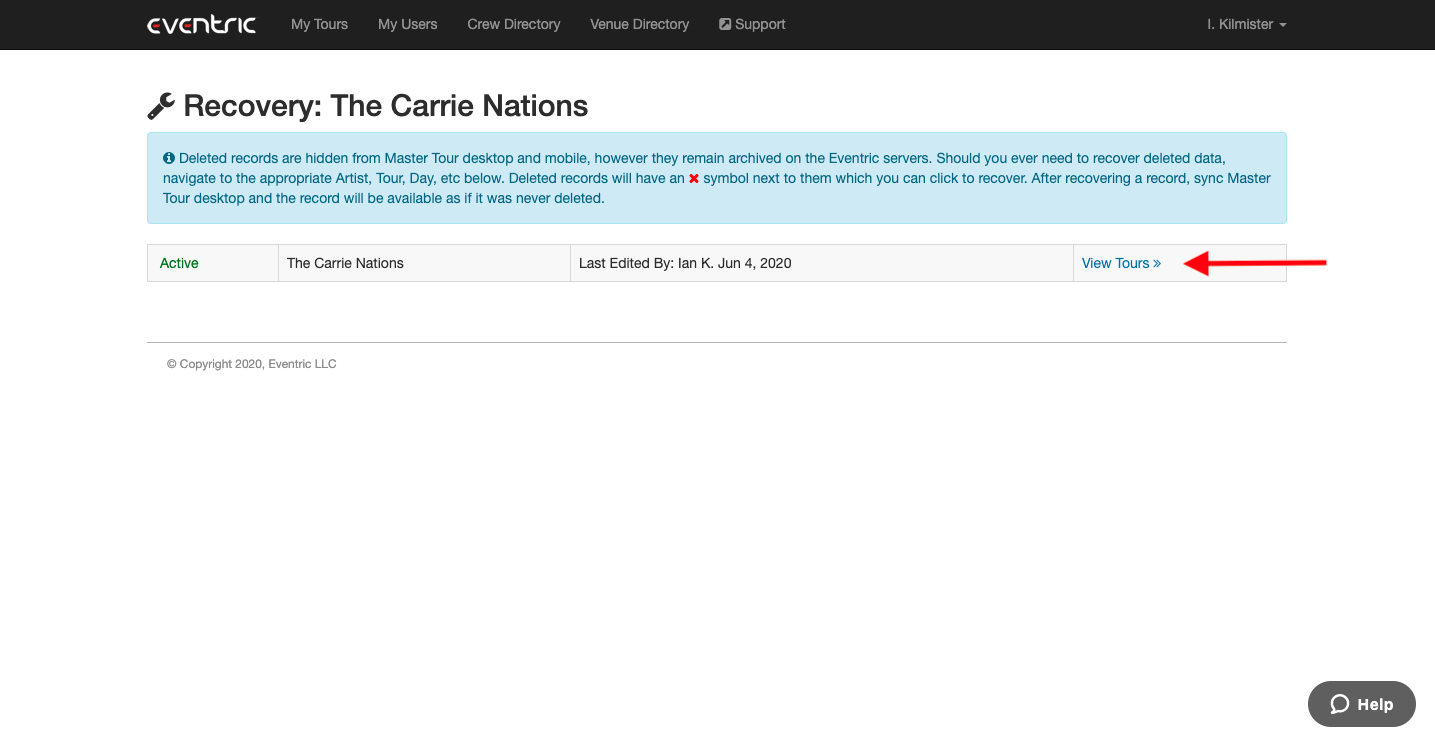
Next, click into the View Tours link in the right-hand column.
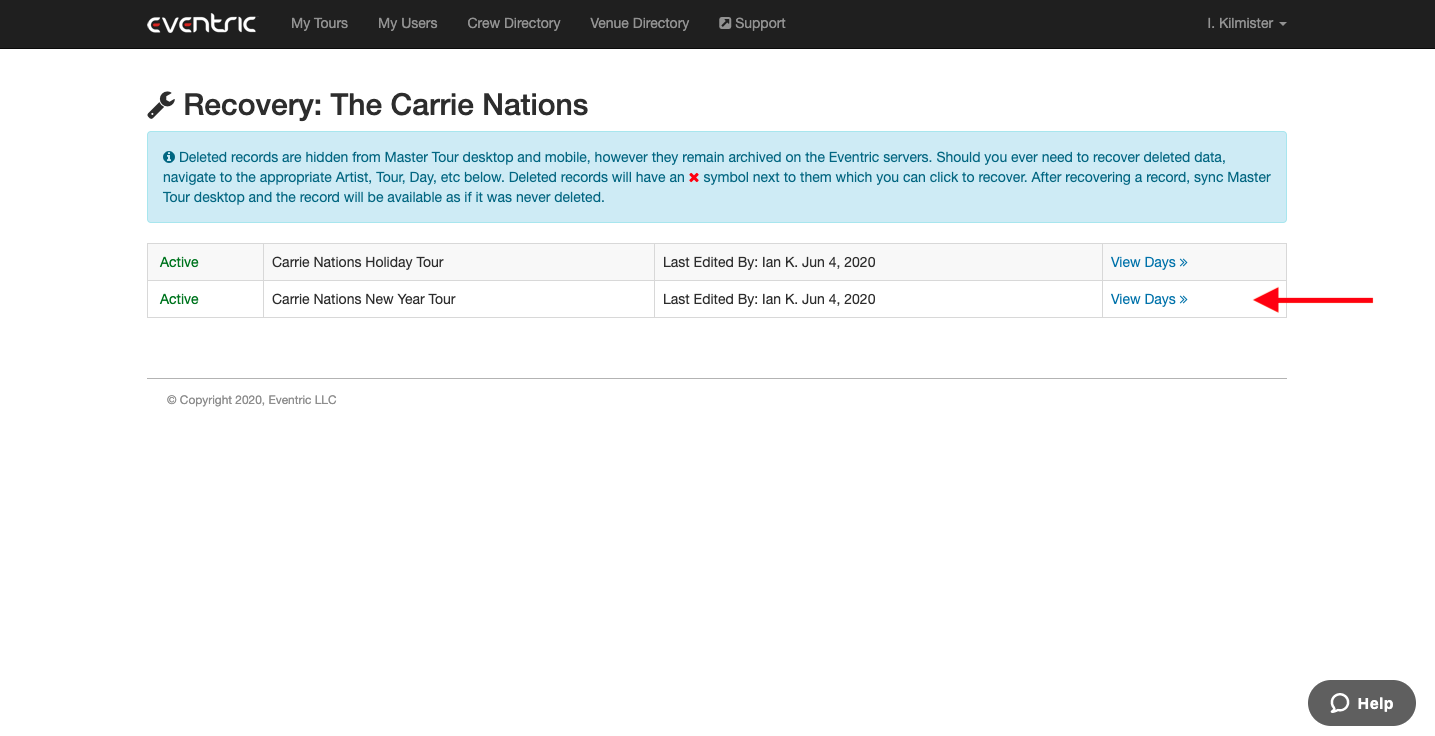
Next, click on the View Days link in the right-hand column.
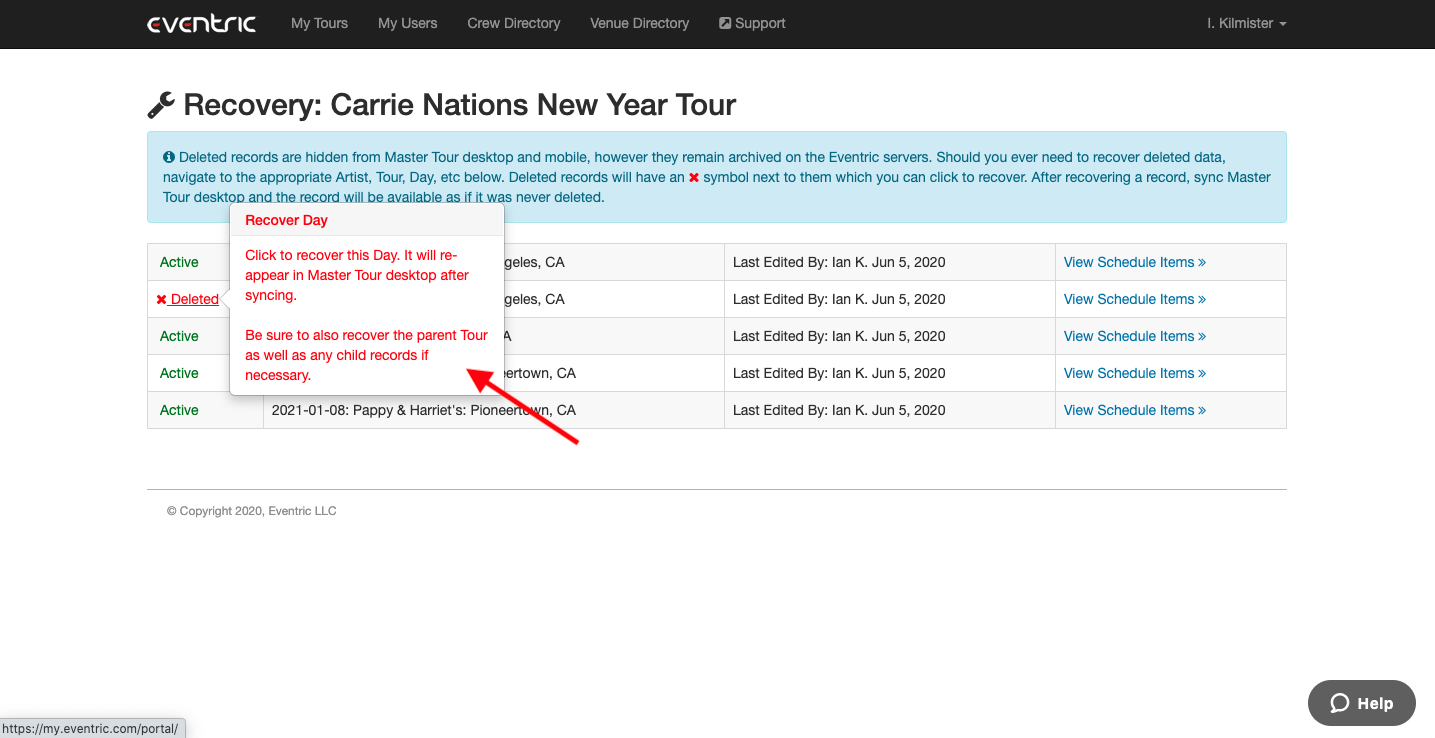
Next, click on the Deleted link in the left-hand column for the Tour date that you want to recover.
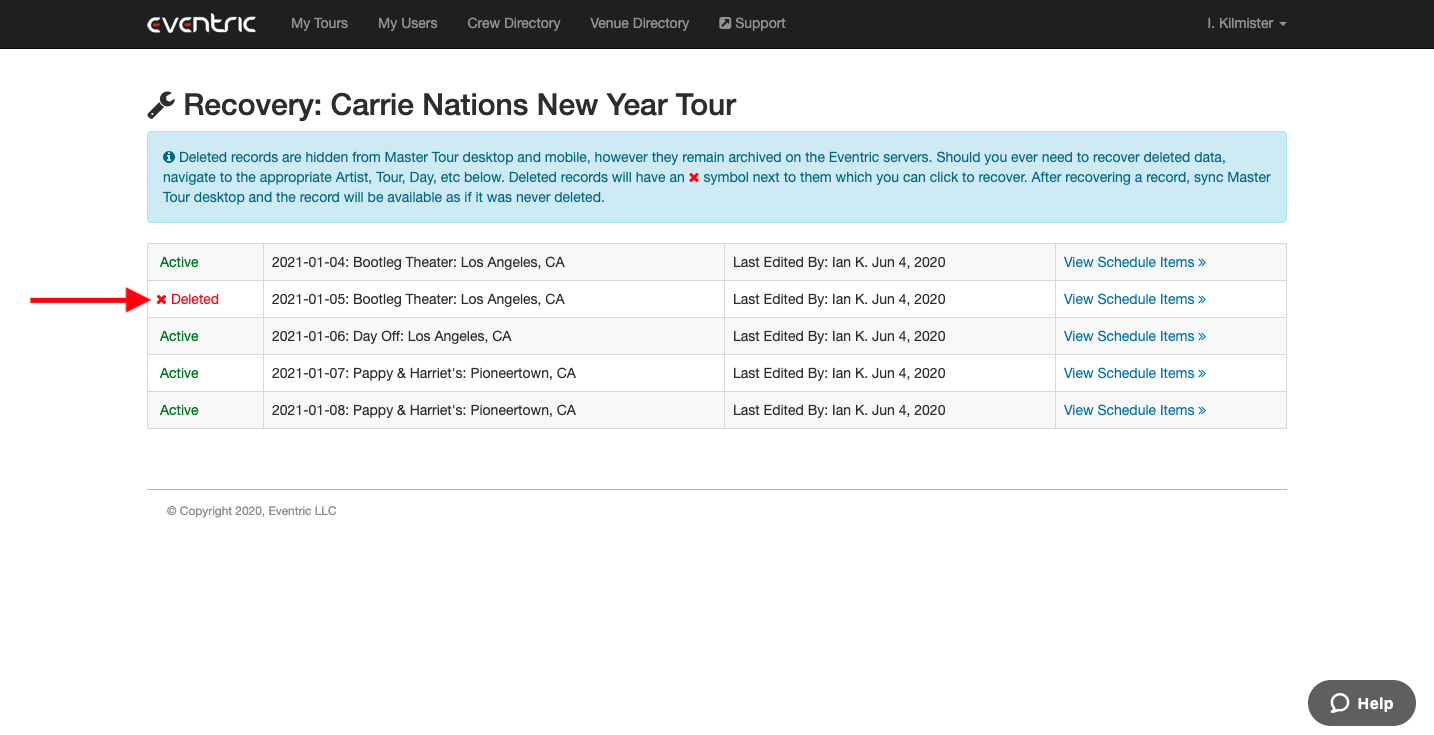
You will then see a pop-up message with information about restoring the Tour. Once you click on the red Deleted link, it will change to a green Active link indicating that the Tour Date is now Active and will appear in Master Tour 3 after syncing. Be sure also to recover the parent Organization and Tour, as well as any child records, such as Schedule Items, if necessary.