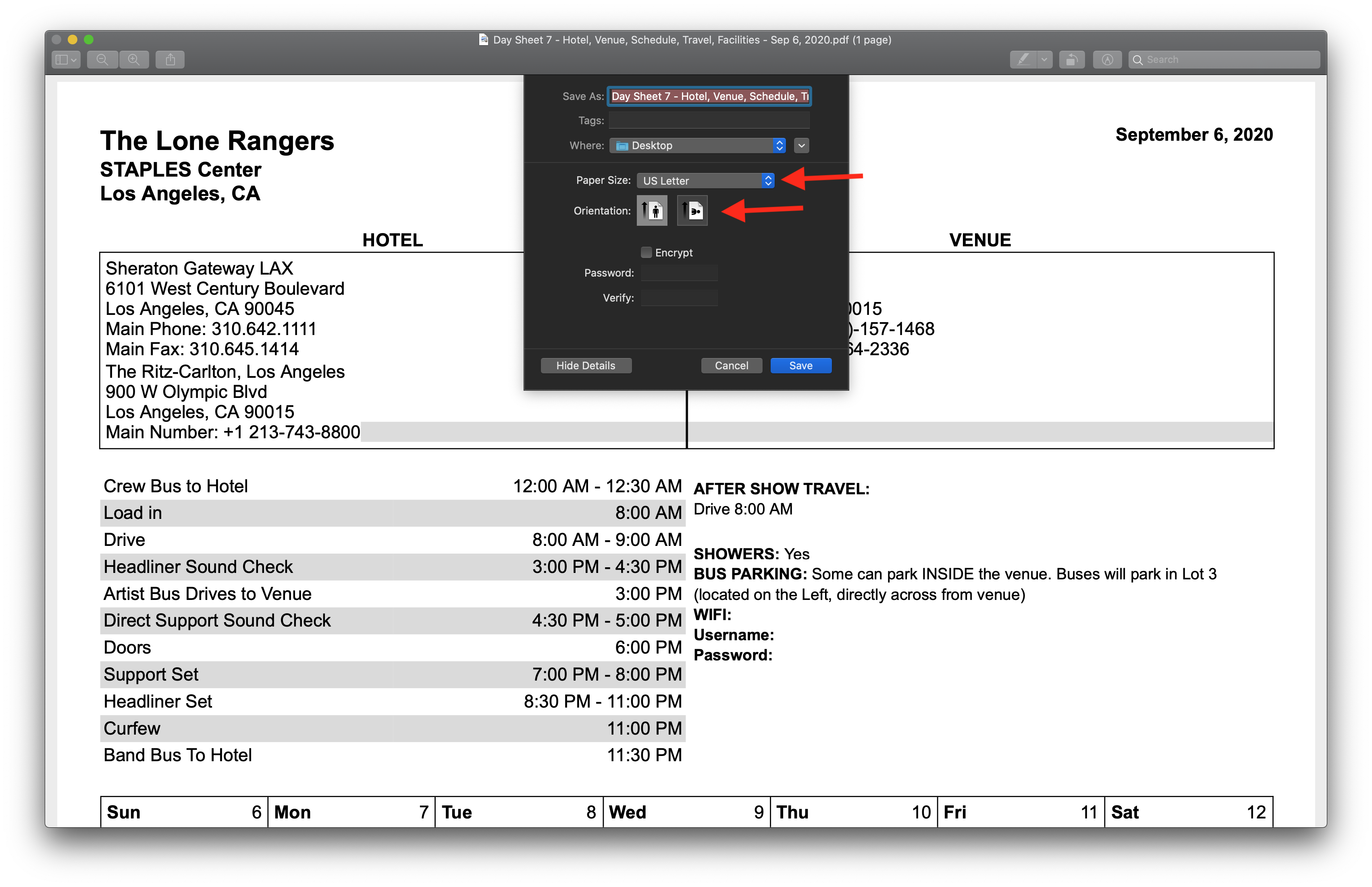
Master Tour 3 allows you to change the print size and orientation of your Print Reports. Manager, Accounting, or Administrator Organization Permissions are required to use this functionality.
This article covers how to:
Adjust the Page Size When Printing
Adjust the Page Orientation When Printing
Adjust the Page Size and Orientation for a Stock Template
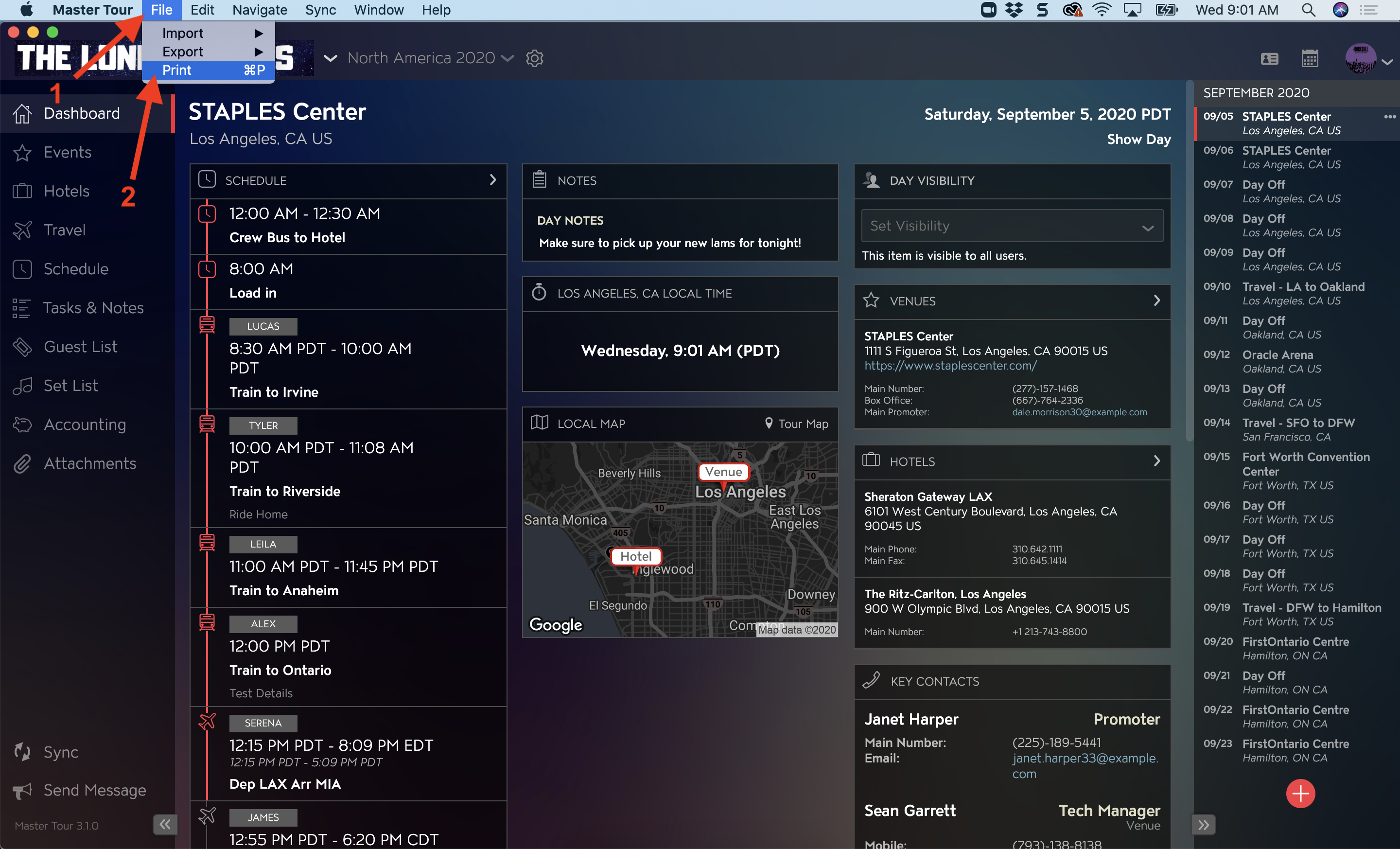
Locate the Print Gallery
- Click on File in the Master Tour menu bar.
- Select Print in the drop-down menu.
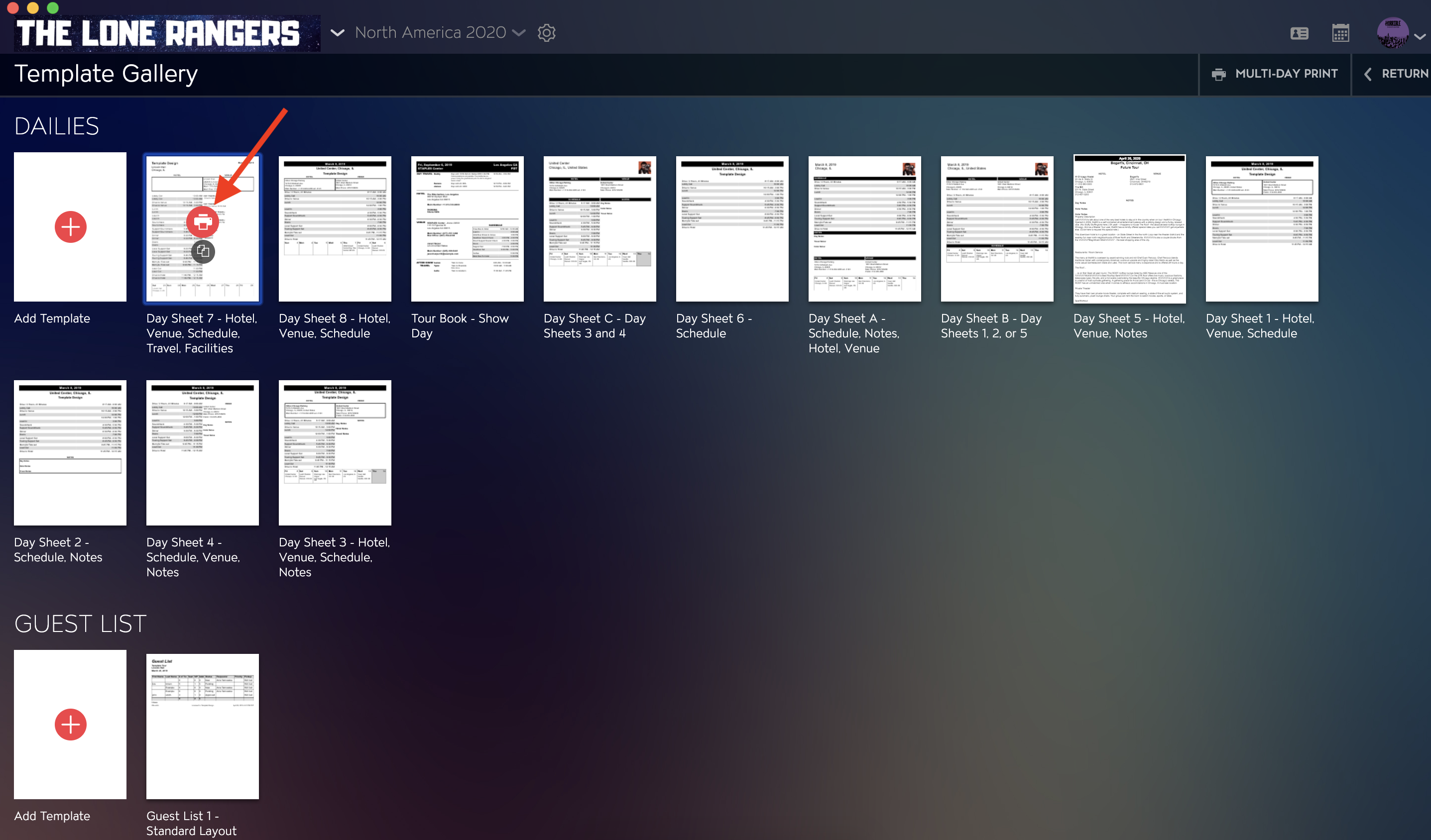
Select a Template
Within the Print Gallery, hover your mouse over the Print Template you want to use and click on the Red Printer Icon to open the Print Details window.
Adjust the Page Size When Printing
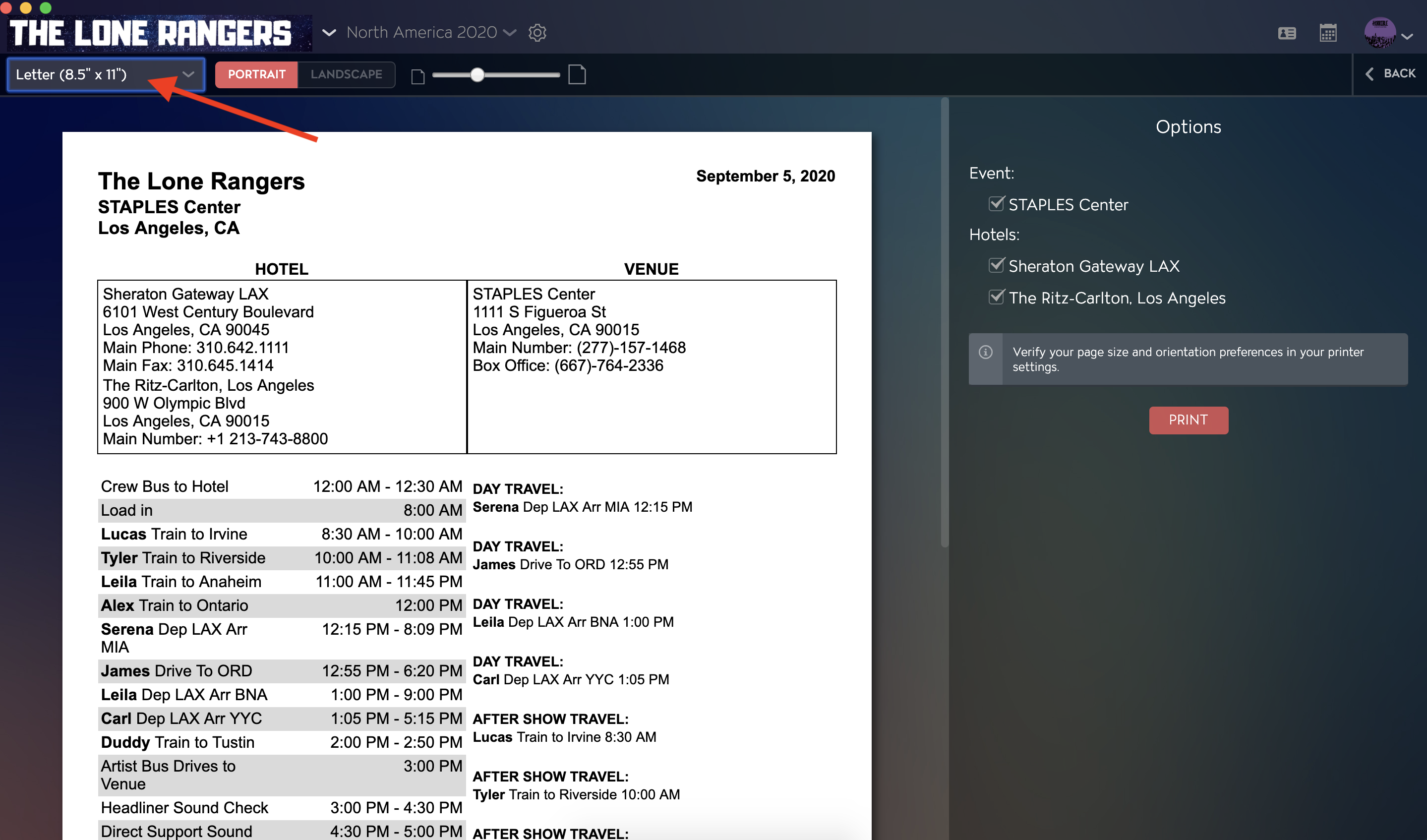
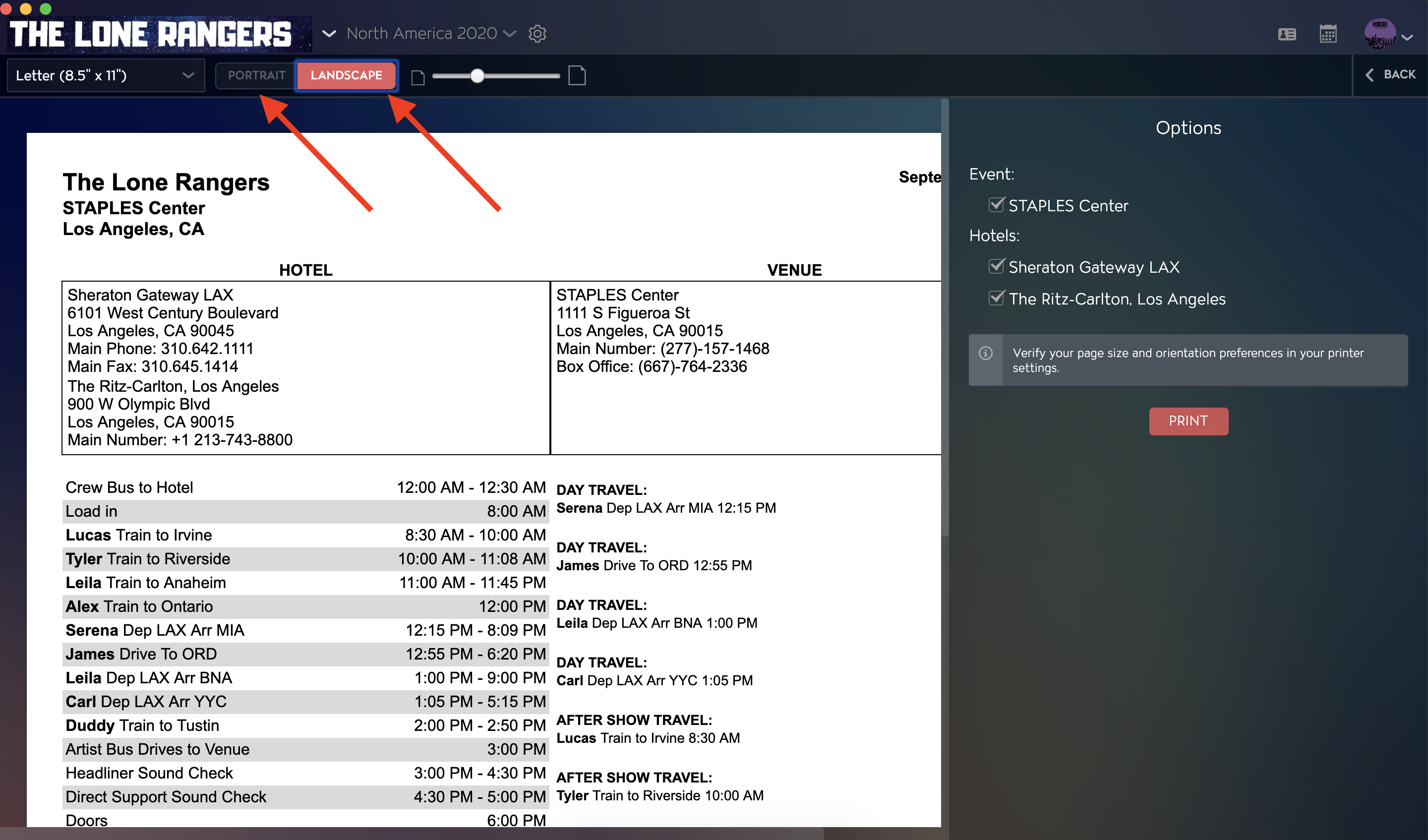
Select your page size by clicking into the drop-down menu in the upper left corner of the window. Changes made here will save to Custom Templates. Your selected page size will be preserved if you export your Print Preview to .PDF.
Adjust the Page Orientation When Printing
You can change your print orientation by clicking on the Toggle Button to select between Portrait or Landscape. Changes made here will save to Custom Templates. Your selected page orientation will be preserved if you export your Print Preview to .PDF.
Adjust the Page Size and Orientation for a Stock Template
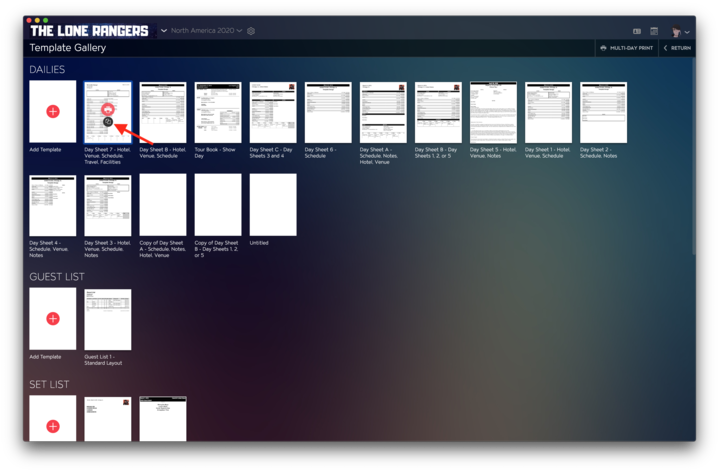
Click on the copy icon for the stock template you'd like to permanently adjust the page size and orientation for. Any changes made to the page size and orientation for this copied template will automatically save.
Troubleshoot Printing Issues
Why is my template is not printing with my set page size and dimensions?
Double-check your printing software's page size and orientation settings before printing to verify that your desired options are in place.