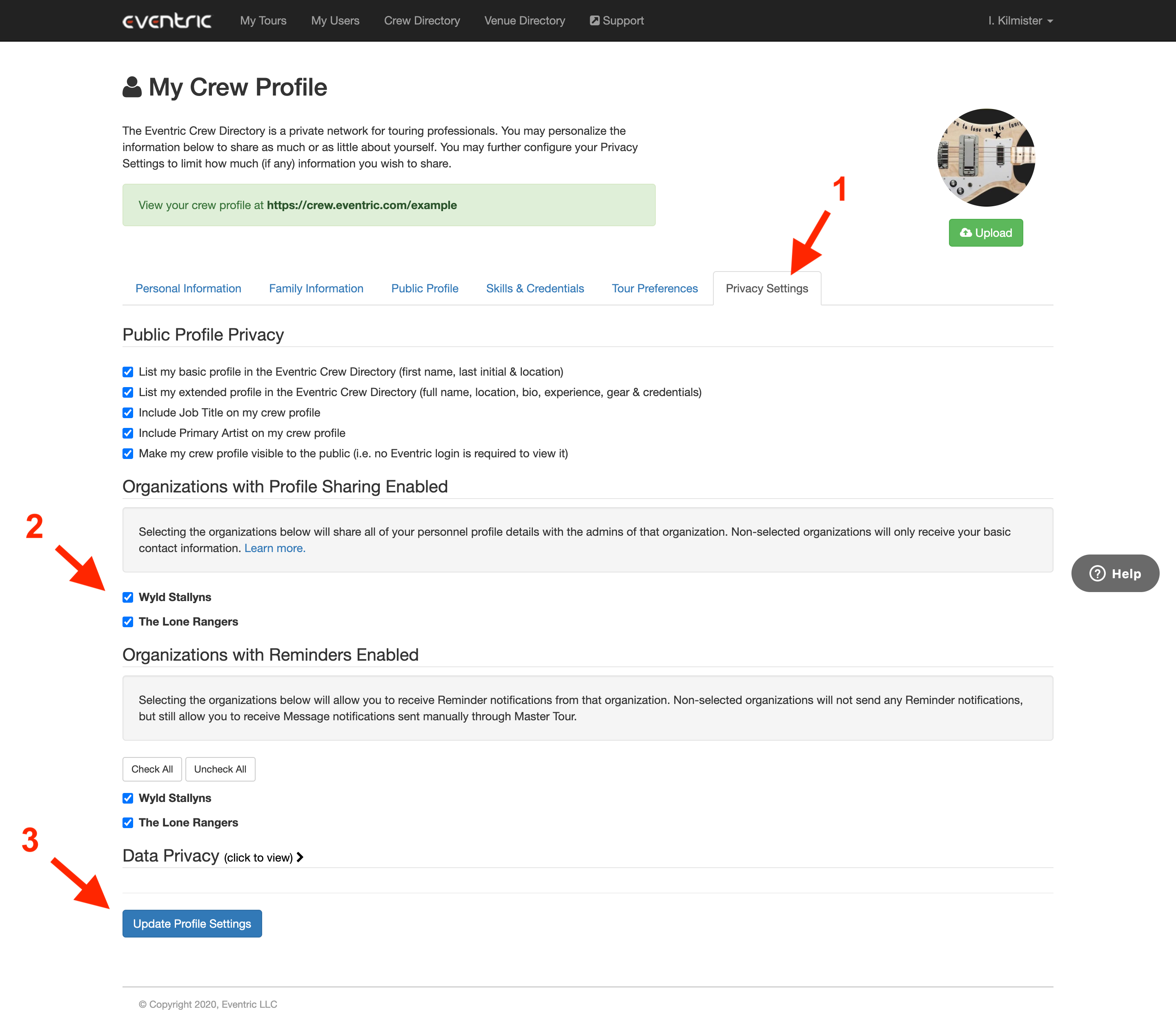
By default, only basic contact information such as Name, Email Address, Title, and Company is shared with your Organization Administrators. However, by sharing your Crew Profile with an Organization, you will be able to share details contained within the Personal Information, Family Information, and Tour Preference tabs within your Crew Profile. You can also decide which Organizations you would like to share this information with.
This article covers:
How to Locate My Crew Profile
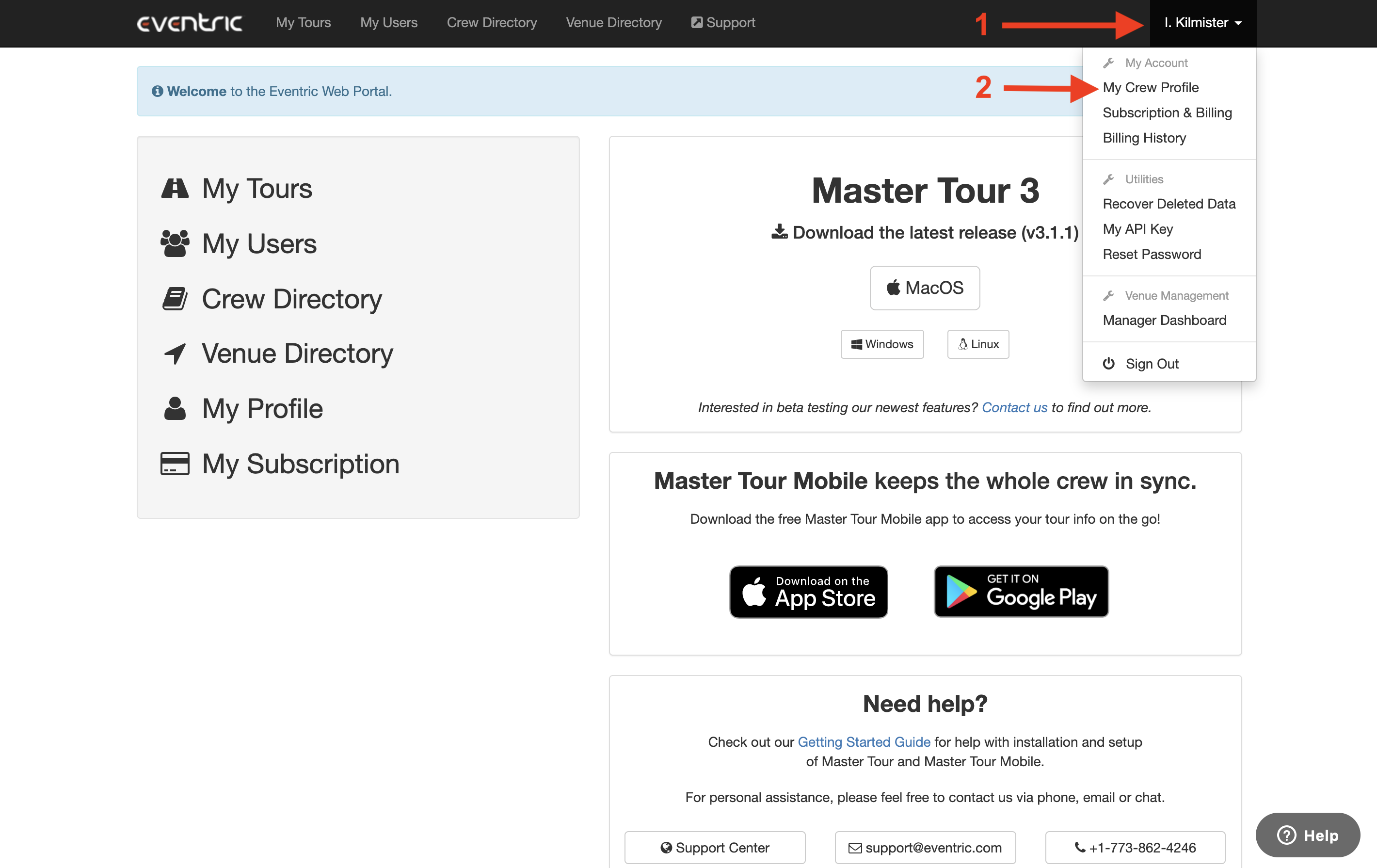
From within the Web Portal:
- Click on your Name in the upper-right corner of the page.
- Choose My Crew Profile from the dropdown menu.
How to Share Your Crew Profile
- Click on the Privacy Settings tab.
- In the Organizations with Profile Sharing Enabled section, select which Organizations you would like to share your Personal Information, Family Information, and Tour Preferences with.
- Click on the Update Profile Settings button.