
Este es el Paso Tres de la Guía de Inicio para Usuarios Móviles.
Para descargar y usar la aplicación móvil de Master Tour, necesitarás tener una cuenta móvil o profesional activa.
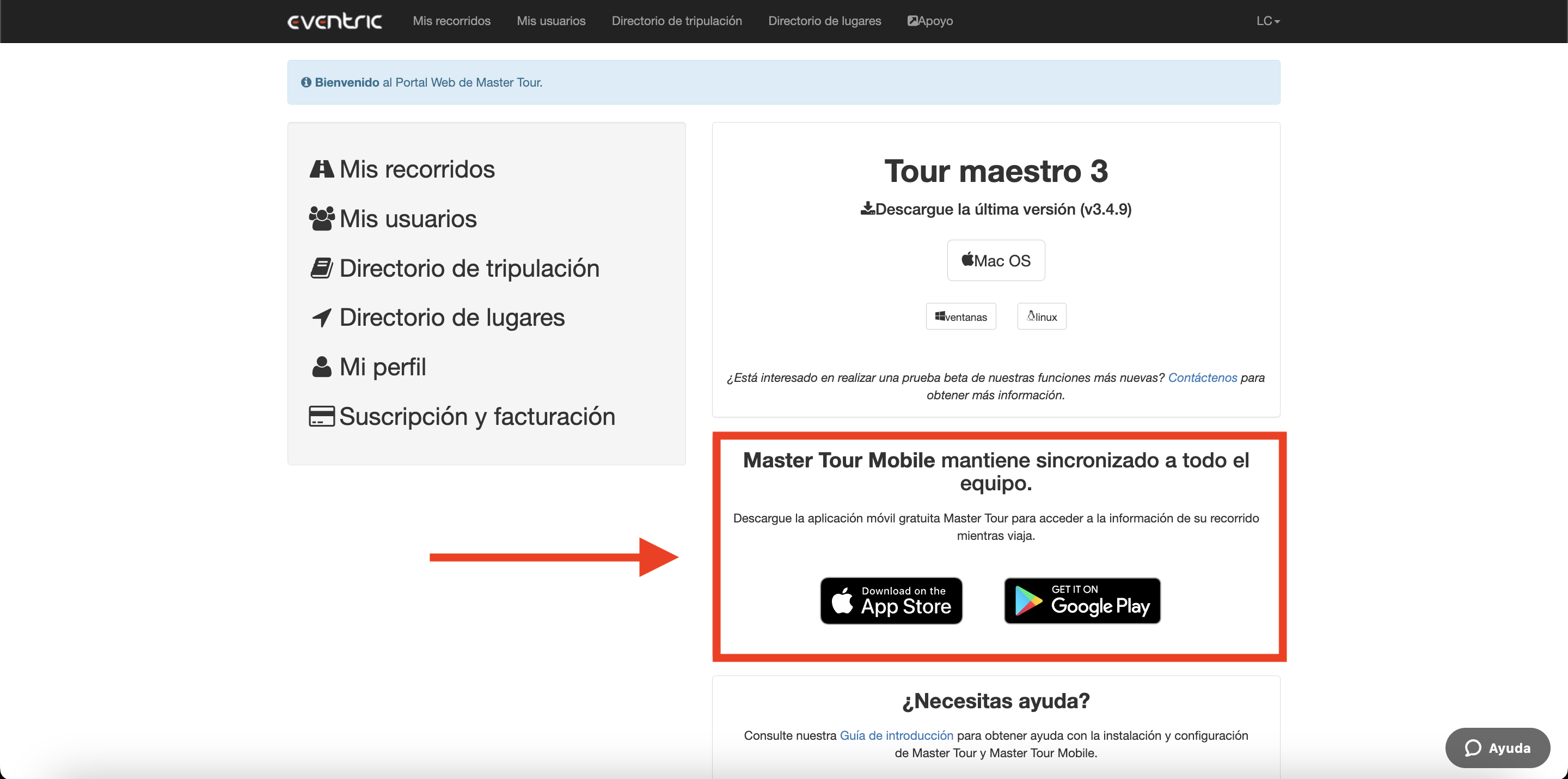
Para descargar e instalar Master Tour Mobile, haz clic aquí para iniciar sesión y acceder a la página de inicio del Portal Web.
Allí encontrarás enlaces para descargar Master Tour Mobile. Al hacer clic en el botón correspondiente a tu tipo de dispositivo, serás dirigido a la App Store de Apple o a la tienda Google Play, donde podrás descargar e instalar Master Tour Mobile.
Haz clic aquí para el Paso Cuatro de la Guía de Inicio para Usuarios Móviles, que te guiará en cómo iniciar sesión en Master Tour Mobile.
If you have any questions after following these instructions, please click here to open a Support Request or call +1-773-862-4246 to speak with a member of our Support Team between the hours of 10:00 am - 6:00 pm US Central Time (CT), Monday through Friday.